Een Dal Segno toevoegen
Laatst bijgewerkt op 16 september 2026
Samenvatting
| Functie | Werkbalk | Pictogram |
|---|---|---|
| Dal segno | Maat |  |
Doel
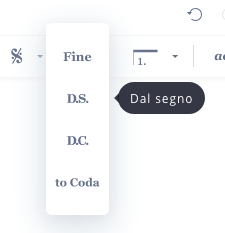
De dal segno-aanduiding geeft aan dat de musicus moet terugspringen naar het segno-teken.
Een dal segno-aanduiding toevoegen
U kunt de dal segno-aanduiding toevoegen via de werkbalk "Maat". Selecteer de maat waarna de uitvoerder moet terugspringen naar het segno. Al coda of al fine wordt automatisch toegevoegd als er een fine-aanduiding of een coda-sectie aanwezig is.
Deze pagina is automatisch vertaald vanuit het Engels. Bekijk de originele Engelse versie.