How to change the playback speed in Flat
Last updated October 13, 2026
The playback speed in Flat is a global multiplier applied on top of whichever tempo is currently being used. Flat keeps it out of the score data, so it is never engraved and never persisted: every reader can slow a score down or speed it up for their own listening without changing a single tempo marking.
What is the difference between the playback speed and the tempo markings?
The tempo allows a composer to engrave the speed at which a score section or a whole score needs to be interpreted. Score sections can be played at different tempos. Thus, users checking a score without writing rights will not be able to change the tempo.
Playback speed, however, is not engraved and will not be persisted into the score, allowing every user to change it for every score. Furthermore, it changes the global speed, acting as a speed multiplier to whichever tempo is currently being used.
How do I change the playback speed?
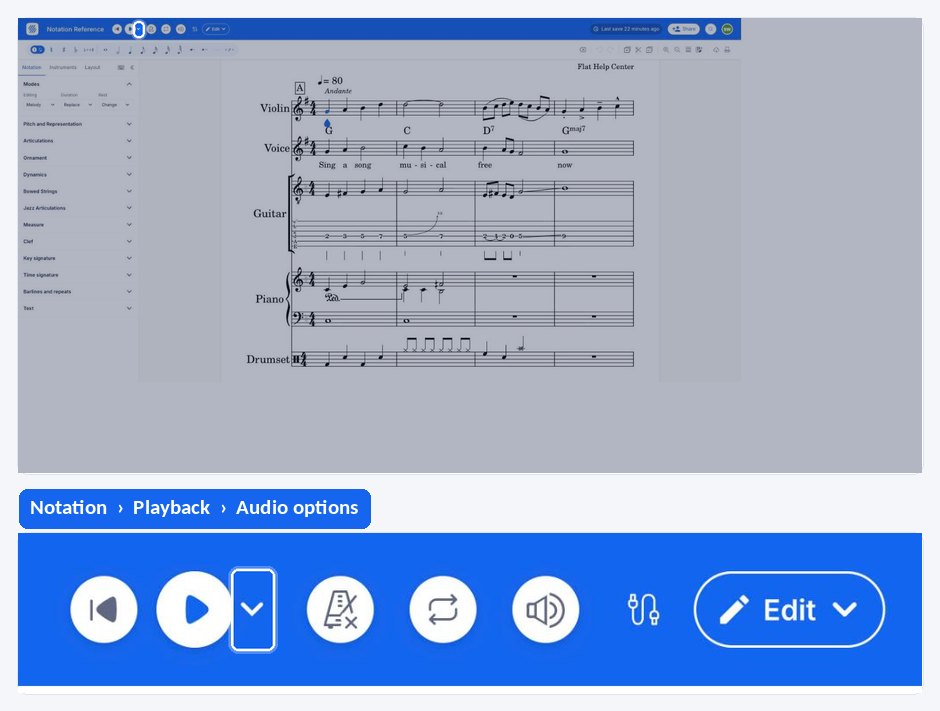
Flat puts the playback speed controls in the top bar of the editor, next to the playback buttons. Use the - and + buttons to slow down or accelerate the global speed; the change applies to the whole score, whatever tempo markings it contains.
Why does a speed change take a moment to apply?
There is currently a delay of no more than 2 seconds after the playback speed has been changed while the score is already being played back. This is something which we aim to improve in the future. Changing the speed before starting the playback applies immediately.
Frequently asked questions
Does changing the playback speed change my score?
No. The playback speed is not engraved and is not persisted into the score: it only affects what you hear right now. The tempo markings, and the file everyone else opens, stay exactly as they were.
Can I slow down a score I do not own?
Yes. Because the speed is not stored in the score, every user can change it on every score, including one they have no writing rights on. Changing the tempo markings, by contrast, requires writing rights.
Does the playback speed override the tempo changes inside my piece?
No, it multiplies them. The speed acts on whichever tempo is currently being used, so a score that moves from one tempo to another keeps those relative differences while the whole piece plays faster or slower.
Why did the speed not change immediately?
Because you changed it during playback. There is currently a delay of no more than 2 seconds before a speed change takes effect on a score that is already playing. We aim to improve this in the future.