How to write drum and percussion parts in Flat
Last updated October 21, 2026
An unpitched part in Flat is a percussion staff where each instrument is written as a line and notehead combination rather than as a pitch. Flat writes scores for any unpitched set of instruments, from a triangle part to a full drum set, and lets you build your own kit when the presets do not match.
How do I add drums to a score?
When you create a new score, you will find the unpitched instruments in the Percussion section. It contains both individual instruments, like Finger Snap, and full sets like the Drum Set or the Hip-Hop Set.
When you want to add an instrument to an existing score, you will also find the unpitched instruments in the Percussion section.
How are notes written in a percussion part?
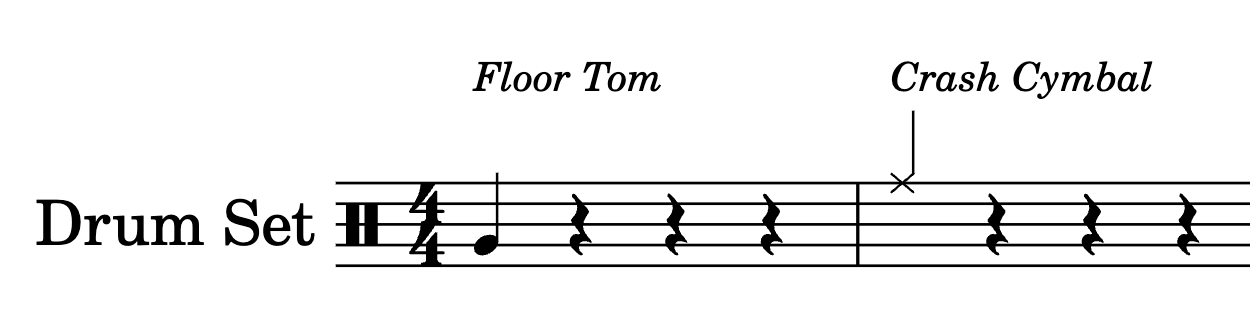
In a percussion part like a drum set, each instrument is associated with a line/notehead combination. For instance in our HQ Drum-Set, the Floor Tom is associated with the normal notehead in the second line. The Crash Cymbal is on the 5th line, with an "X" notehead.
Adding notes with the mouse
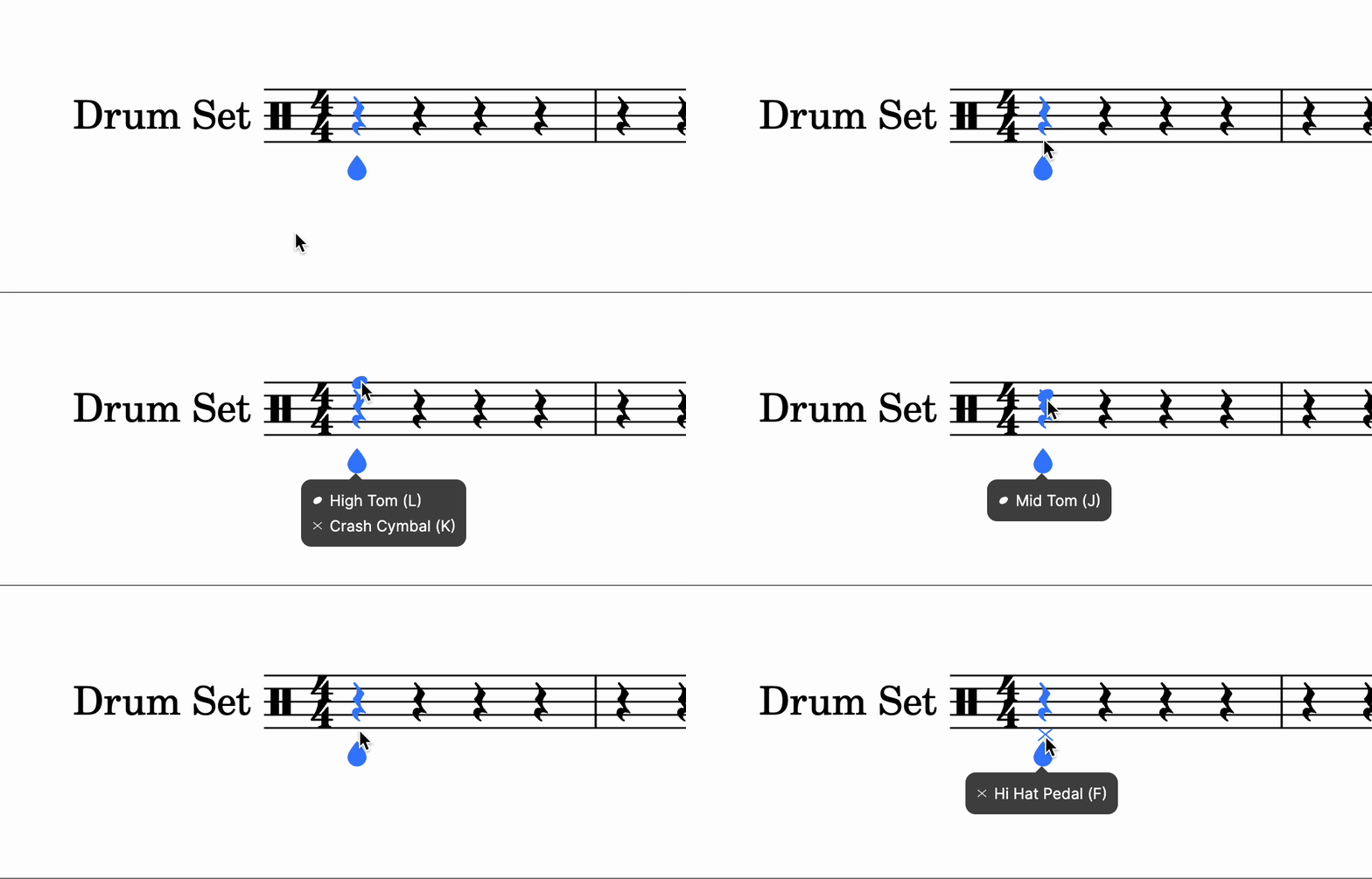
When you place the cursor over different lines, a tooltip will show the available instruments at the line/space where the mouse cursor is.
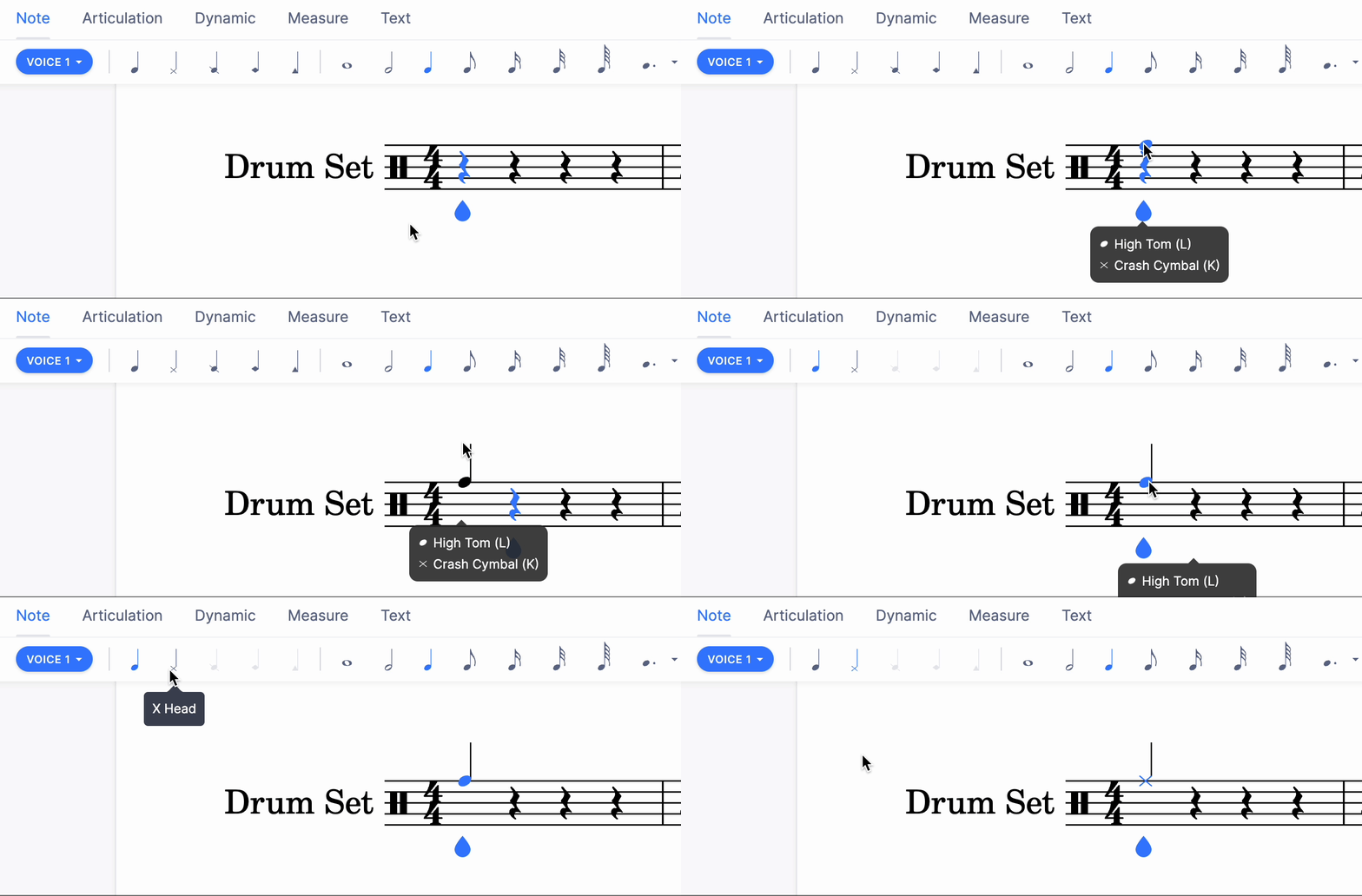
Then you can click to add a note, then adjust the notehead in the left panel.
Adding notes with the drums-pad
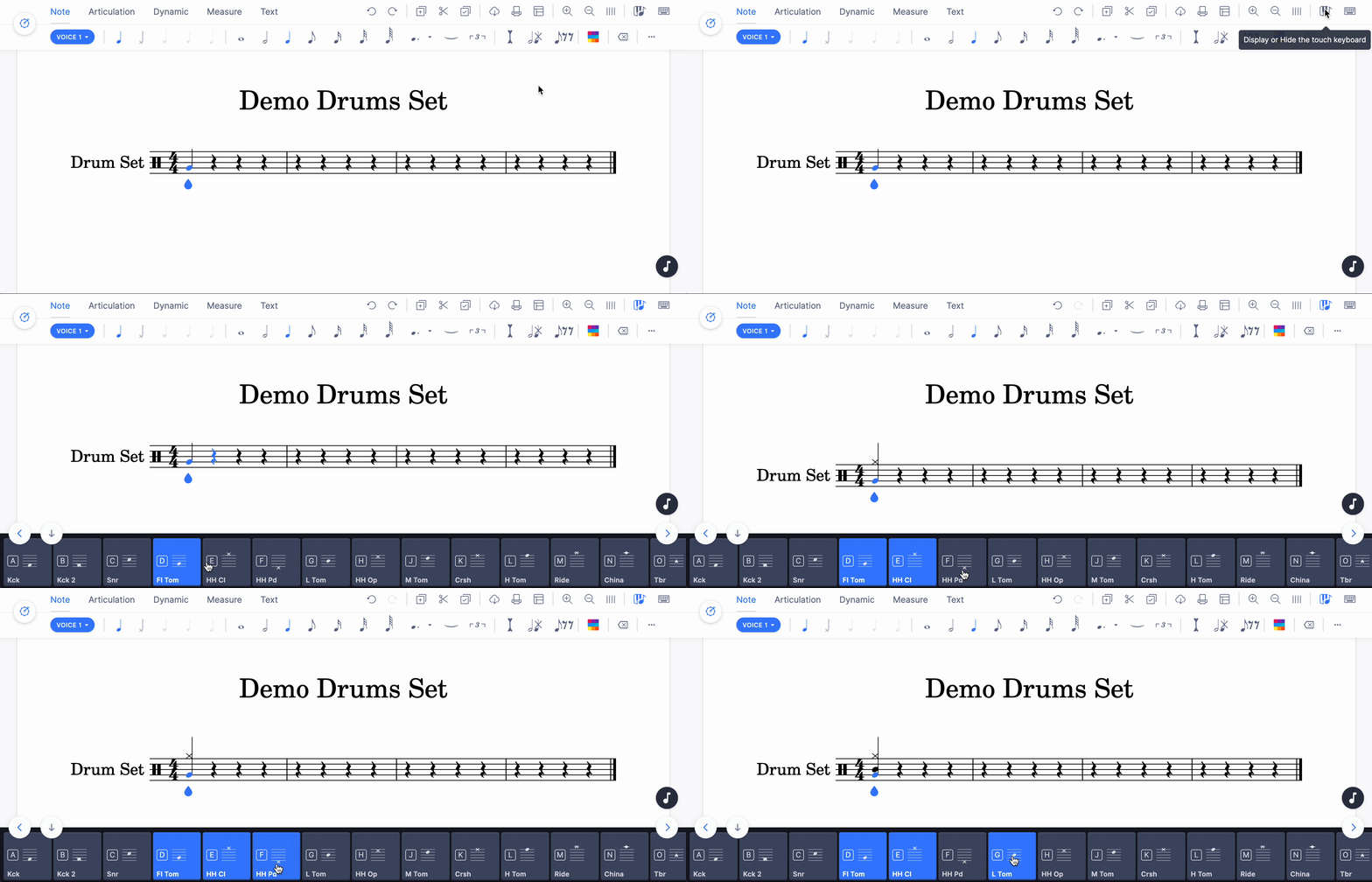
When the note cursor is inside one percussion part, the piano keyboard will be replaced by a drums-pad, that will show all the instruments available in the edited part.
You can then click on the different buttons in the drums-pad to add or remove notes.
Using keyboard shortcuts
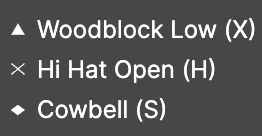
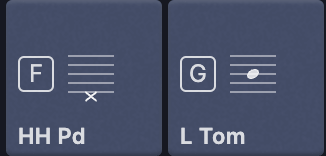
On the tooltip that appears when you hover the staff, or on the drums-pad, along with the instruments is displayed the keyboard shortcut that you can use to input the corresponding note.
Here you need to press T to add a note for the Cowbell.
And you need to press G to add a note for the Low Tom.
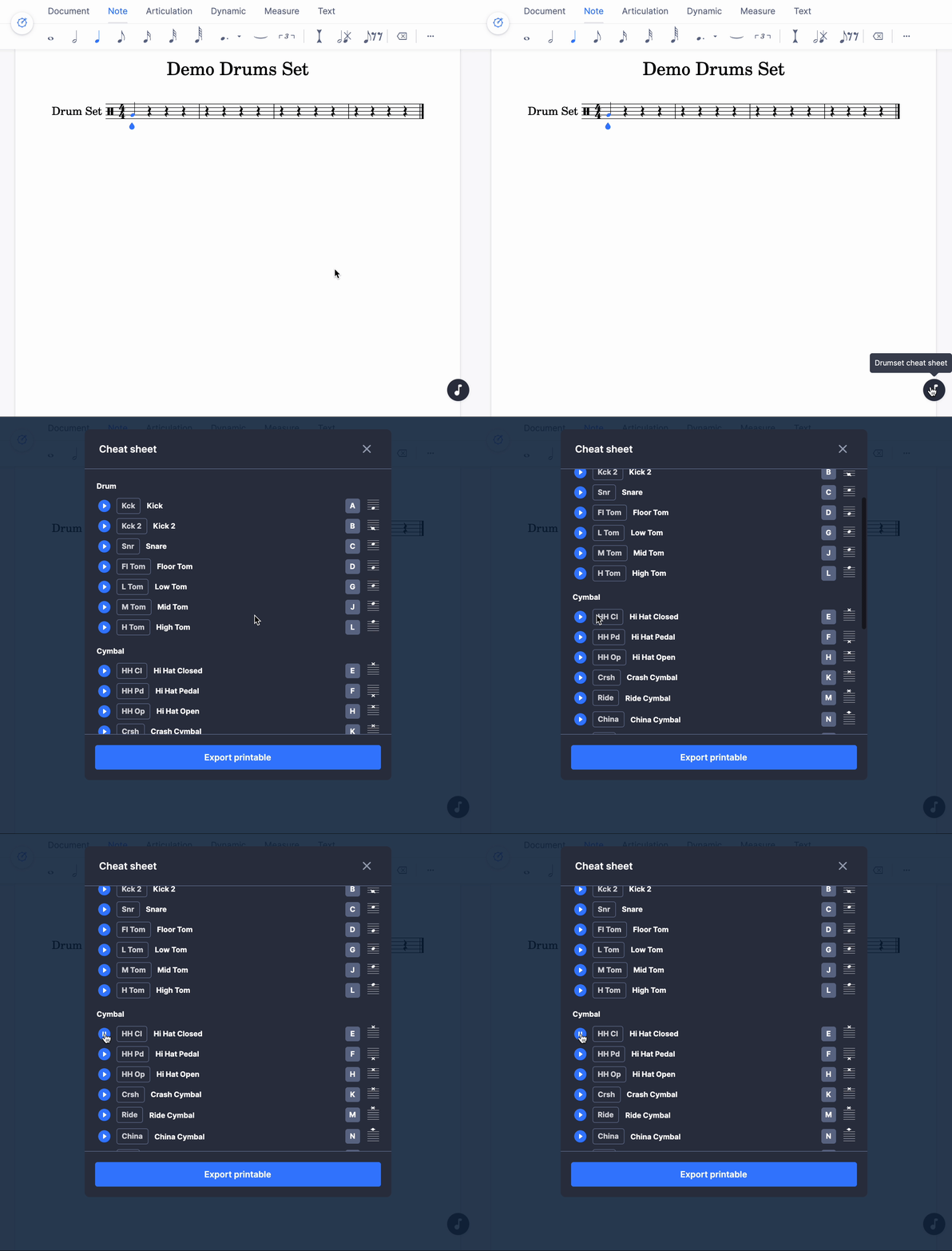
You can also display a cheat sheet to have the list of instruments, their staff placement, the shortcuts, and the possibility to hear the sounds of the different instruments. You can even export it to a printable format!
What happens when I copy and paste between percussion parts?
When copying notes from one percussion part to another, the result will depend on the layout of the staff you paste into.
For single-line parts like the triangle or the hand-clap, the system will first try to respect the line/notehead: the note in the middle line for the incoming content will be assigned to the middle line on the destination staff. Then it will try to match instruments from the incoming content to the destination staff.
For multi-lines parts like the drum set, the system will first try to match the instruments. Then it will try to match the line/noteheads.
Can I build my own drum kit?
If you want to use your own set, so you can select the instruments you want, and put them at the line/noteheads you want, you can create a custom drumset.
Frequently asked questions
Where do I find the drum set when creating a score?
In the Percussion section of the instrument list. It holds both individual unpitched instruments, such as Finger Snap or the triangle, and complete sets such as the Drum Set and the Hip-Hop Set. The same section is used when adding an instrument to an existing score.
How do I know which line and notehead an instrument uses?
Hover the staff and Flat shows a tooltip listing the instruments available at that line or space, with their keyboard shortcuts. The drums-pad shows the same information, and the drums cheat sheet lists every instrument, its staff placement, its shortcut, and its sound.
Why did my pasted drum part land on different instruments?
Because pasting matches what it can. On single-line parts Flat first tries to keep the line and notehead, then matches instruments; on multi-line parts it first tries to match the instruments, then the lines and noteheads. Pasting between kits with different mappings therefore moves some notes.
Can I print the list of drum shortcuts?
Yes. The drums cheat sheet lists the instruments, their staff placement, and their shortcuts, lets you hear each sound, and can be exported to a printable format - useful to hand out when several people are writing on the same percussion part.
Can I choose my own instruments and shortcuts for a kit?
Yes, with a custom unpitched instrument. You pick the percussion instruments, set the staff line and notehead for each, and can assign a keyboard shortcut per instrument. The configuration is saved in your account and reusable on any score.