Discover the interface
Last updated April 23, 2026
We designed our editor interface to be really simple and easy-to-use, discover its main elements:
Desktop/Laptop version
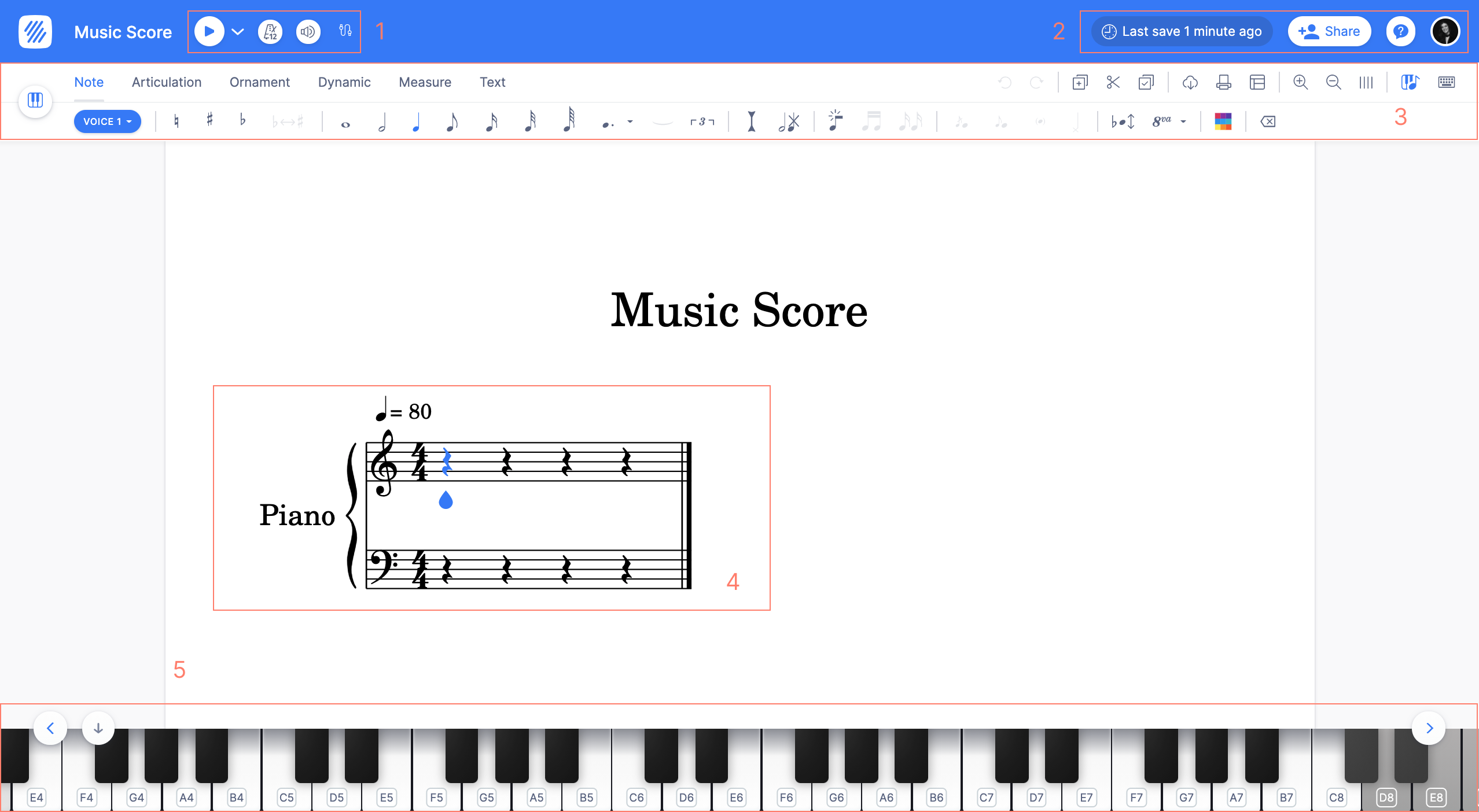
- The playback and MIDI devices settings.
- Collaboration tools: History, Collaborators and Sharing/Publication settings.
- Toolbars with all the notation tools.
- Your music notation.
- For touch screens: a small piano that allows you to quickly input notes and chords. You can also open it anytime using the icon on the right of the toolbar.
Mobile/Tablet version
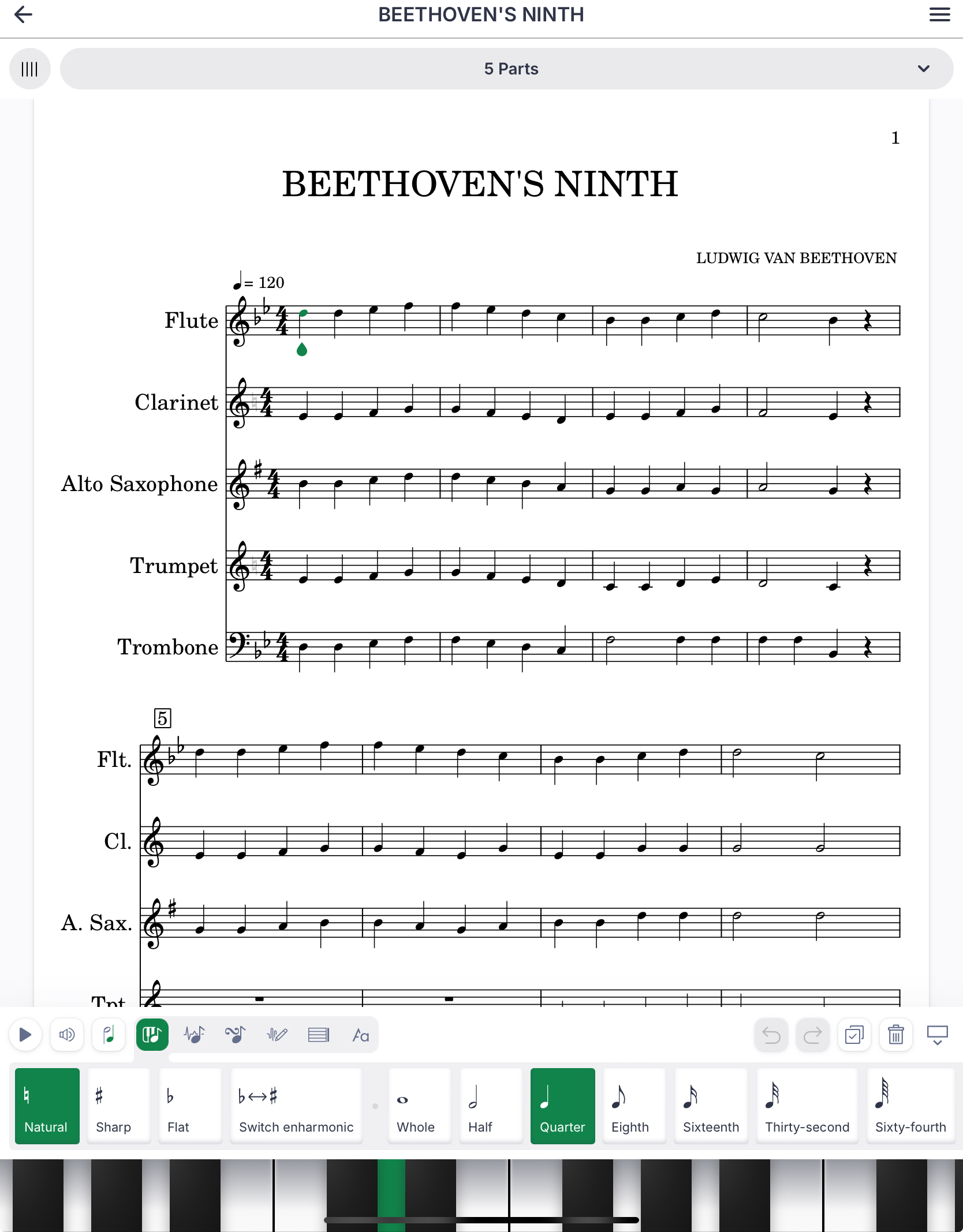
Mobile and tablets get a dedicated web interface that includes all the tools of our desktop/laptop interface (see below).
This mobile web interface has the same tools as our desktop web app. Document tools (Document settings, History, Export, Sharing, Help) are available on the top of the screen, and toolbars with notations tools and input keyboards at the bottom of the screen.
While most of the examples in this help include screenshots of our desktop interface, all the tools will be located at the same place on our mobile interface.