Import and edit existing scores and tabs
Easily import your existing sheet music and tablatures into Flat to edit, share, and collaborate with other composers. Our platform supports a wide range of file formats, making it simple to get started.
1. Import PDF
How to import a PDF score into Flat
You can easily import a PDF and turn it into an editable score. Our technology automatically converts the PDF into a fully editable file, saving you time and effort.
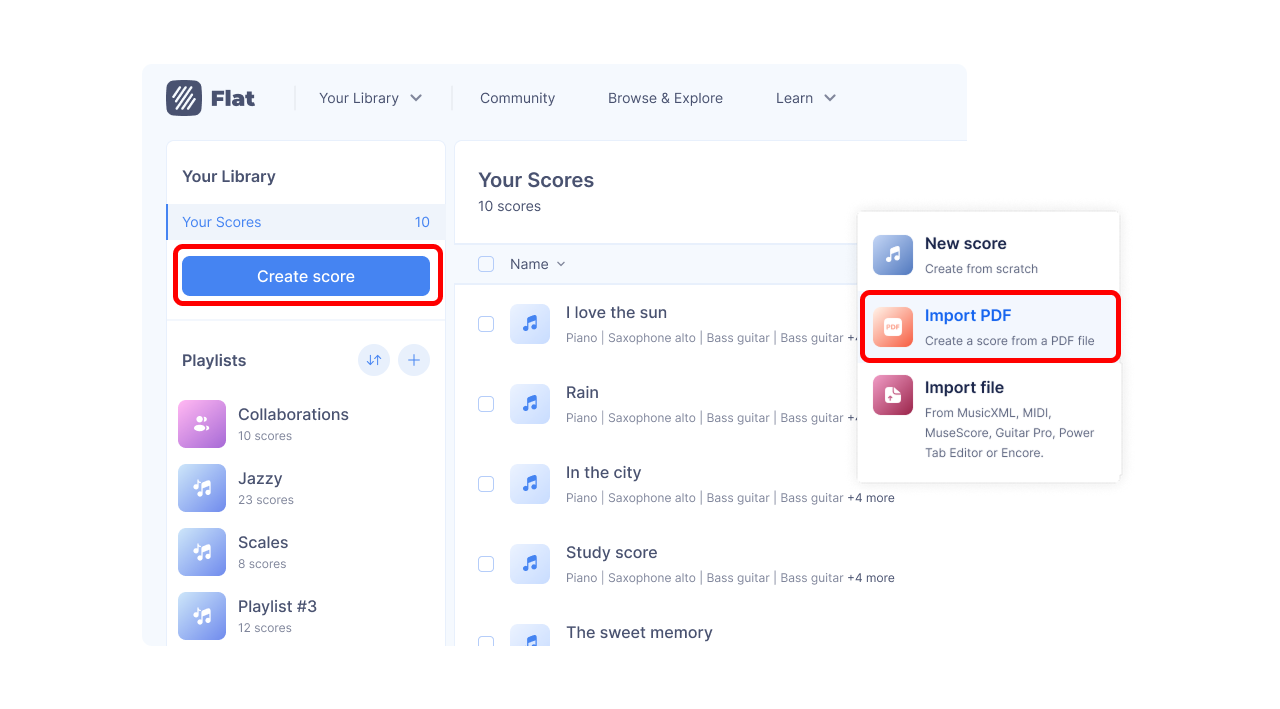
To import your PDF, go to your library, click on "Create a score" and then "Import PDF".
Free PDF import pages, credits, and plans
PDF Import is available to all users.
- 1 free page is included for everyone to try the feature.
- Monthly subscription: Includes 10 PDF pages per month, plus access to all premium features.
- Yearly subscription: Includes 20 PDF pages per month, along with full premium access.
- Lifetime plan: Includes 20 PDF pages (one-time, these credits do not renew), along with full premium access.
If you need more PDF imports pages, you can buy one-time credit packs:
| Credit pack | Price | Pages included | Price per page |
|---|---|---|---|
| Small | $9.99 | 30 pages | $0.33 |
| Medium | $17.99 | 70 pages | $0.26 |
| Large | $49.99 | 300 pages | $0.17 |
These credit packs are useful if you import PDFs occasionally or need additional pages beyond what's included in your plan. They give you flexibility and allow you to pay only for what you use. Credits don't expire as long as your account remains active.
Best practices for importing a PDF score on Flat
To ensure you get the best possible results with our PDF import feature, we recommend keeping your source files as clean as possible. The cleaner your PDF, the better the conversion will be.
For best results, your PDF should contain:
- Clear, horizontally-oriented musical staves.
- Standard music notation and symbols.
- Only one musical part per PDF file, if the score is for a single instrument.
Supported notation
PDF Import currently supports a wide range of common notation elements, including:
| Category | Supported elements |
|---|---|
| Clefs | G (treble), F (bass), C (alto and tenor), including clef changes within measures |
| Key signatures | All Western key signatures |
| Time signatures | 6/2, 5/2, 4/2, 3/2, 2/2, cut, 6/4, 5/4, 4/4, common, 3/4, 2/4, 12/8, 9/8, 7/8, 5/8, and more |
| Rhythms & durations | Whole notes to 64th notes and rests, up to 3 dots, all tuplets |
| Pitches | Up to ±5 ledger lines |
| Cue notes | Recognized when used for full measures |
| Multiple rests | Any duration, displayed using H-bar notation |
| Dynamics | pppp to ffff, sf, sfz, cresc, decresc, dim, hairpins |
| Articulations | Slur, tie, staccato, staccatissimo, tenuto, accent, marcato |
| Ornaments | Prall, mordent, turn, reverse turn, trill, appoggiatura (acciaccatura coming soon) |
| Technical marks | Up bow, down bow, fingerings, piano pedal (Ped, *) |
| Barlines | Simple, double, final, repeat (forward/backward), combined repeats |
| Repeat symbols | Endings (1st, 2nd), Da Capo, Dal Segno, Coda, Al Fine |
| Structure | System and page breaks, movement recognition |
| System structure | Part group separation, basic variable staff count support |
| Rehearsal marks | Letters and numbers |
| Text | Assigned to notes; supports English, French, German, Italian; basic lyrics |
| Transposing instruments | Detected and interpreted, solo or ensemble |
| Percussion | 1-, 2-, and 5-line staves; basic noteheads (cross, white, black) |
The following will negatively impact the conversion quality:
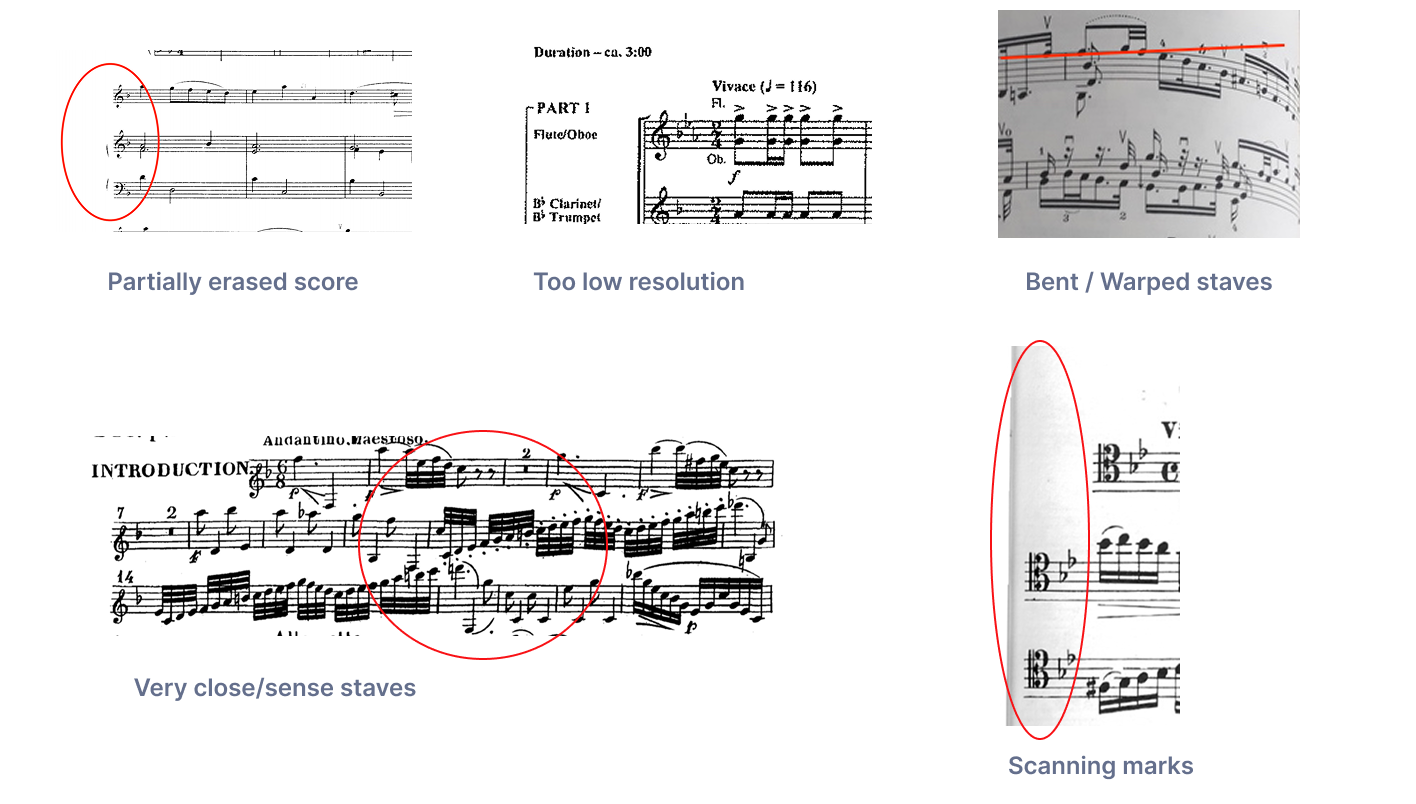
- Poorly scanned documents: This includes low resolution files, partially erased text, bent or wrapped staves, or scanning marks.
- Non-standard music notation: The tool may not accurately recognize handwritten music, complex contemporary notation, or graphic notation.
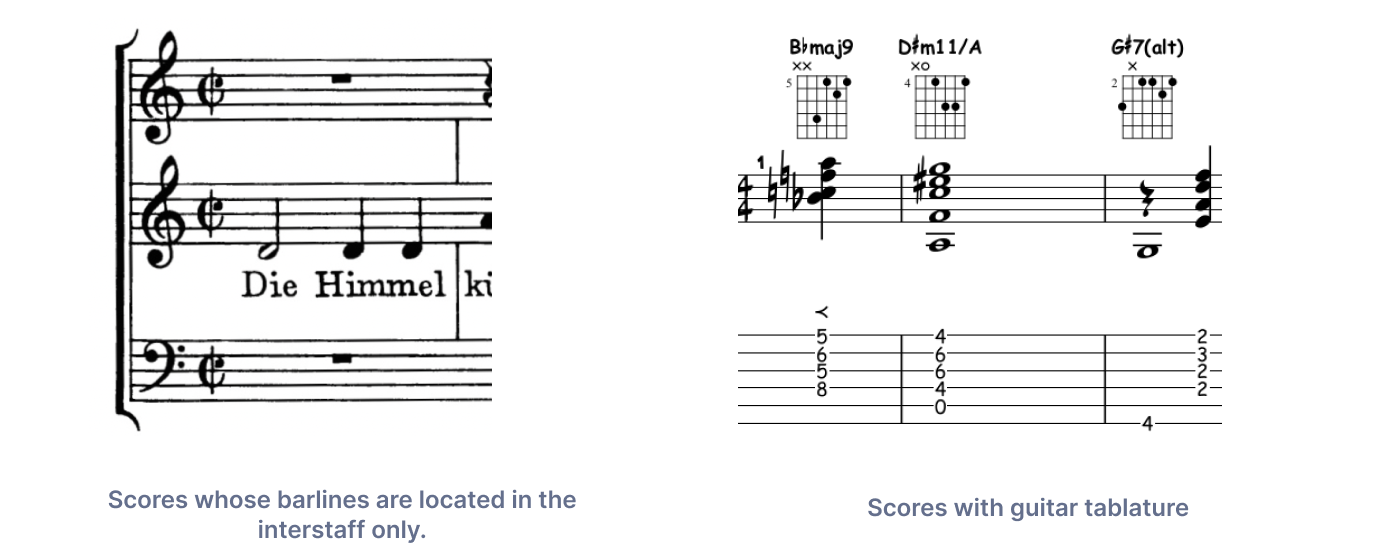
- Unsupported score types: Chord charts, lyrics with chords, and tablatures without musical staves will be ignored.
- Inconsistent formatting: Problems can occur with scores where the number of staves changes throughout the piece, or where key signatures are not repeated on every system.
- Complex layouts: Avoid importing "double-page scores" on a single PDF page or scores with barlines only in the inter-staff space.
Specific elements that may not be recognized:
- Noteheads other than regular, cross, harmonic, and triangle shapes (e.g., diamond, slash, arrow).
- 4- and 3-line percussion staves.
- Scores where instruments have different staff sizes, as the algorithm focuses on the larger staves.
- Staves containing polyphony (multiple voices on the same staff), which can lead to rhythm errors.
2. Import MusicXML and MIDI files
We support MusicXML (xml / mxl), and MIDI (mid / midi) files, and recommend you to use MusicXML files if you import sheet music from another software (you will have the exact music notation imported to Flat).
You can also import the following non-standard files formats to Flat. Please note that we don't offer an official support for them, they are provided to help you importing your existing files.
- MuseScore:
*.mscz - Guitar Pro files:
*.gp(v7 and v8),*.gpx(v6),*.gp5,*.gp4,*.gp3 - Power Tab Editor:
*.ptb - Encore:
*.enc
Import and edit the files online with Flat
To import your score go to My Library, click on Create score, and choose Import file:
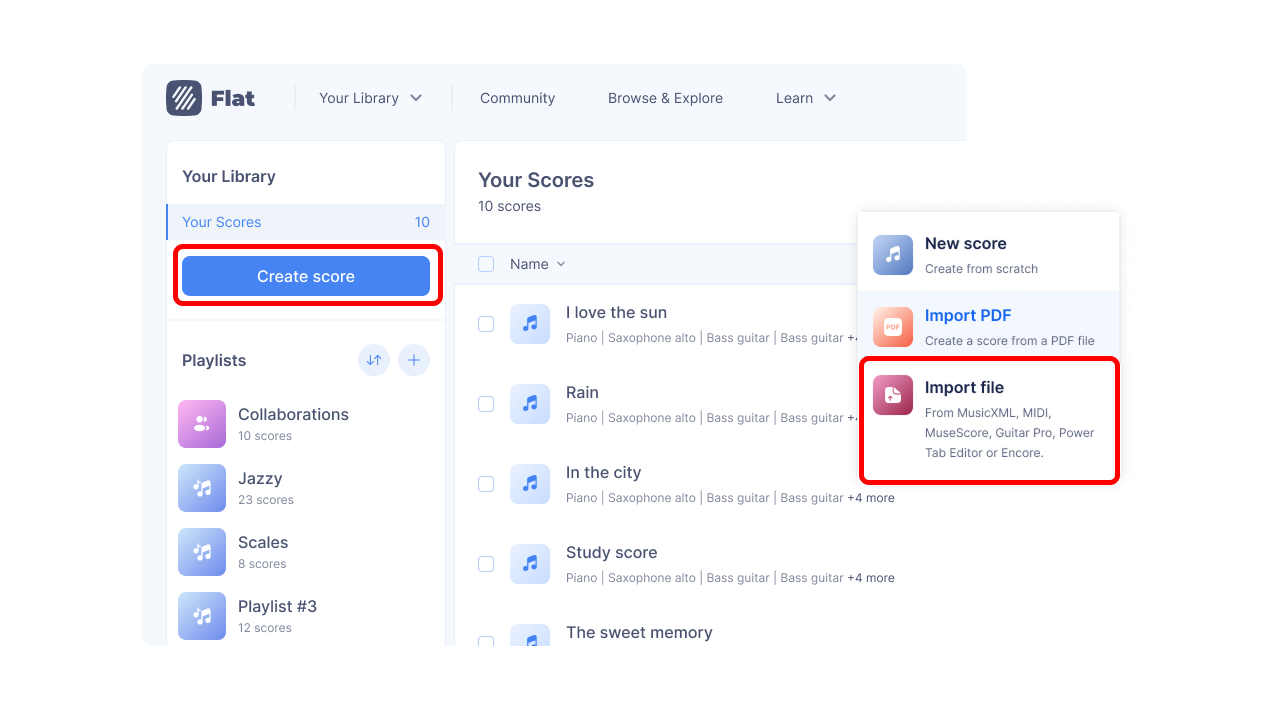
Choose your file(s) to import, and they will be directly added to your Flat account.
You can export your scores back in MusicXML from Flat and open them with most of the software available on the market.
How to export your files from another software?
Need help to export your files from another software and import them on Flat? Check out the dedicated help pages below: