Welcome to Your New Practice Toolkit!
We know that as an educator, your time is your most valuable resource. Whether you are guiding a middle schooler through their first scale or helping a high school ensemble master a complex concerto, having the right tools in one place makes all the difference.
Our Practice Tools suite is designed to be a digital companion for your students’ musical journey—moving seamlessly from your classroom demonstrations to their independent practice at home.
How to Find the Tools
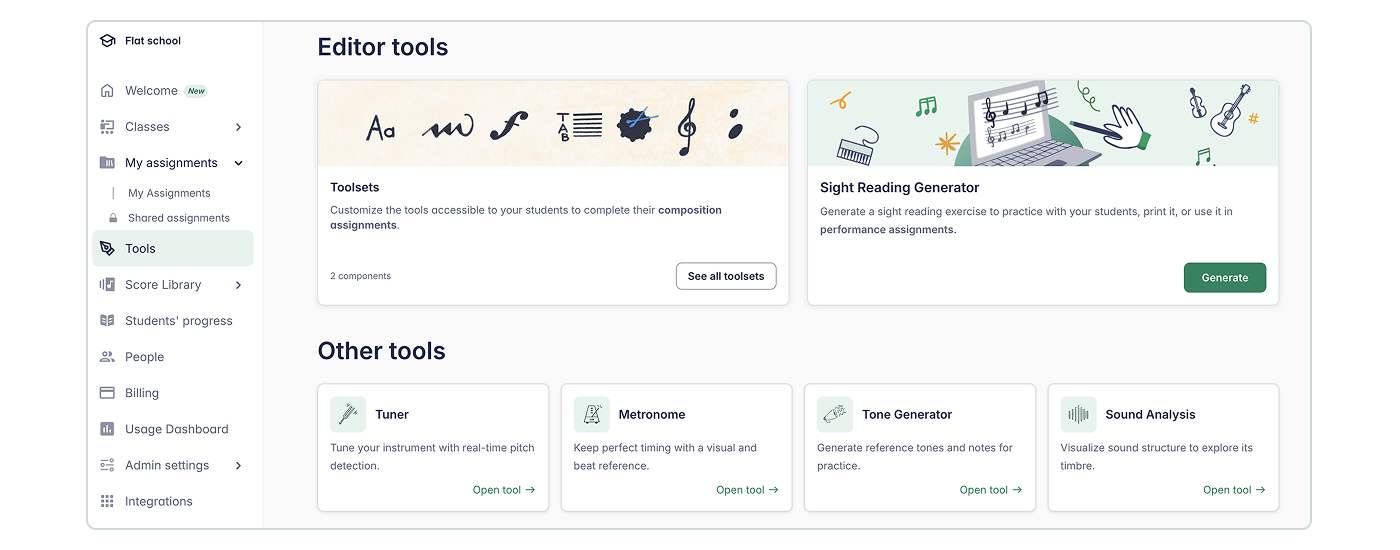
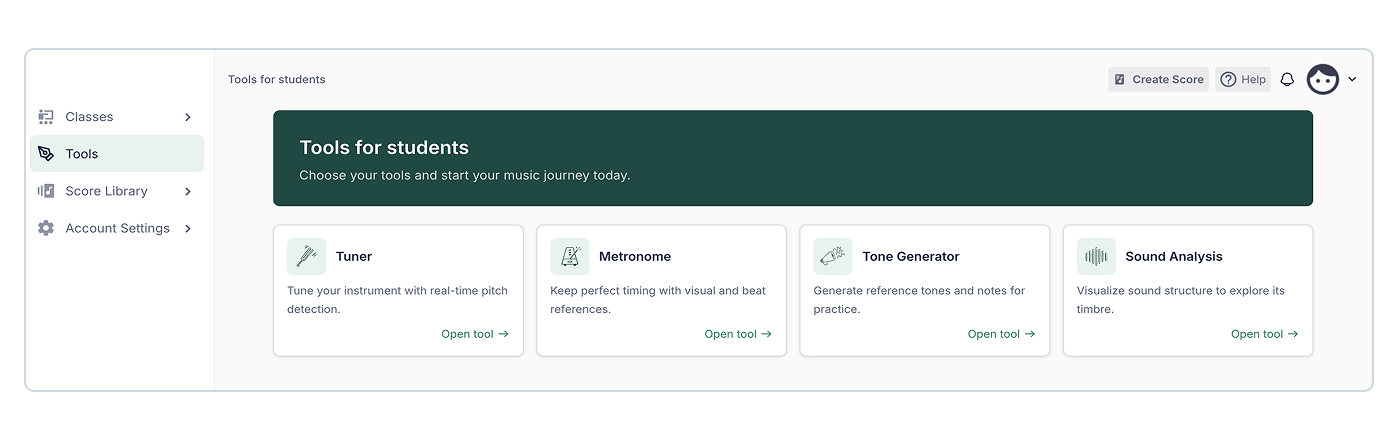
Getting started is simple! On the left-hand side of your screen, look for the main menu and click on Tools. All four tools will be right there, ready to use.
For teachers:
For students:
Explore Your Toolkit
Each tool is designed to help students "see" and "hear" their progress in real-time.
Tuner
No more guessing! When a student plays a note, the system identifies the current pitch. It’s the perfect way to ensure every instrument is sounding its best.

- In the Classroom: Start every rehearsal with a quick tuning check. It’s a great "soft skill" to teach students how to adjust their instruments based on the visual feedback.
- Independent Practice: Encourage students to check their tuning at the start of every home session. It builds the habit of active listening and accountability.
Metronome
Build steady rhythm and confidence. You or your students can set a Custom Tempo to match the piece they are working on.
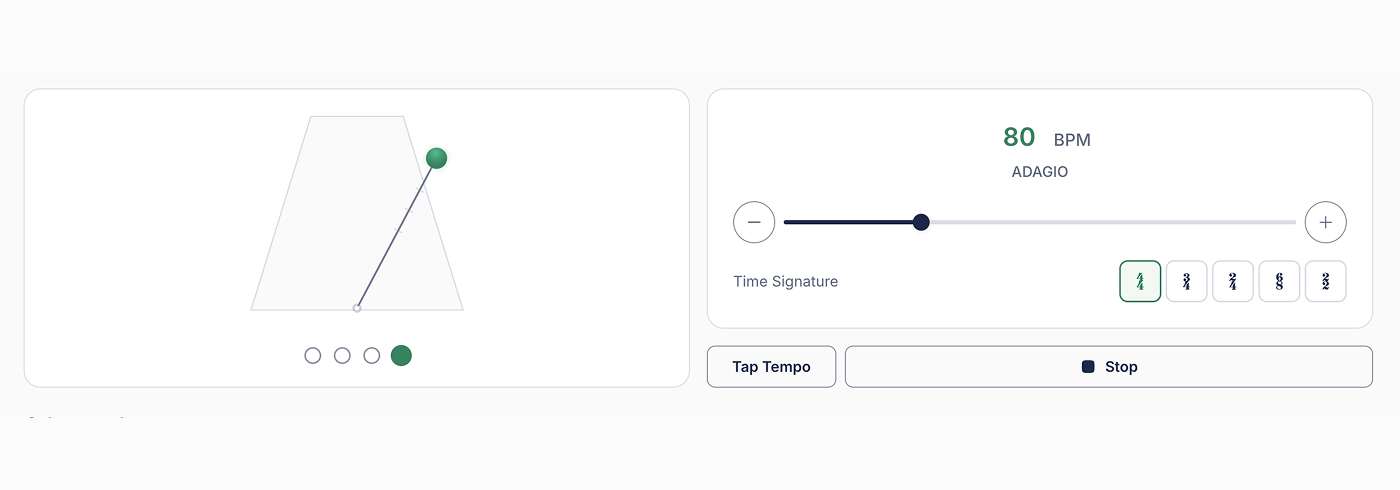
- In the Classroom: Use it when working on "nuts-and-bolts" sections of a new piece. It keeps the ensemble locked in while you focus on conducting or technique.
- Independent Practice: Essential for mastering difficult passages. Students can start at a slow tempo and gradually "level up" until they reach the target speed.
Tone Generator
Give your students a perfect reference point. This tool plays a clear, steady pitch for any note you select, making it an essential companion for ear training.
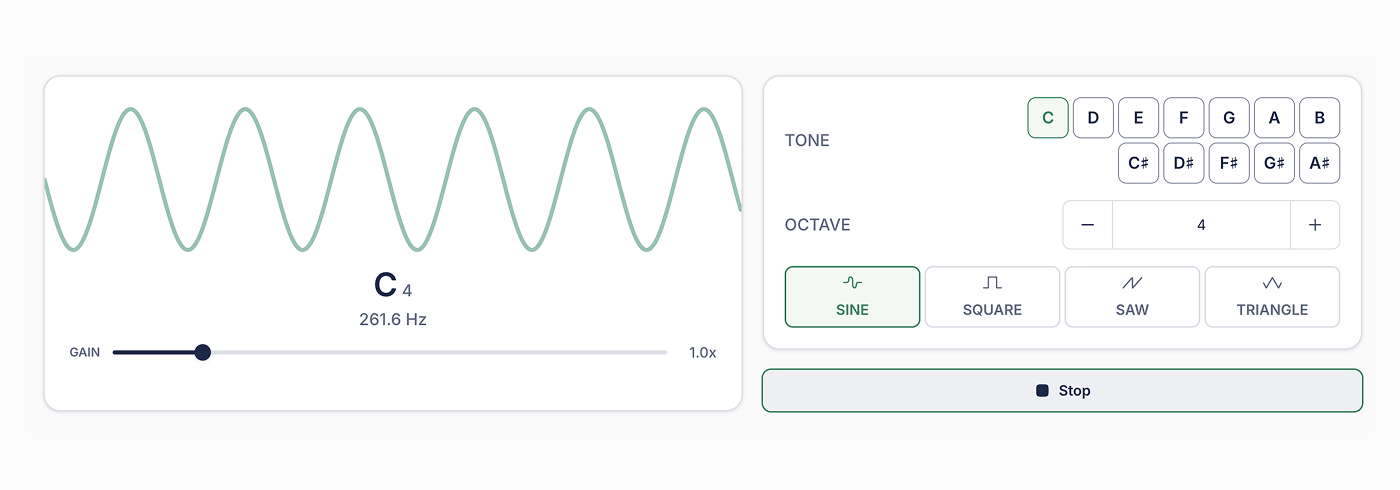
- In the Classroom: Use it during warm-ups for solfege or vocal matching. It helps younger ensembles develop their ears and lock in their pitch before they even pick up their instruments.
- Independent Practice: It’s the perfect "digital drone" for students to practice matching pitches, ensuring they aren't just playing notes, but playing them in tune.
Sound Analysis
This advanced feature provides a visual Waveform or Spectrum of the sound being played, turning abstract sound into a tangible image.
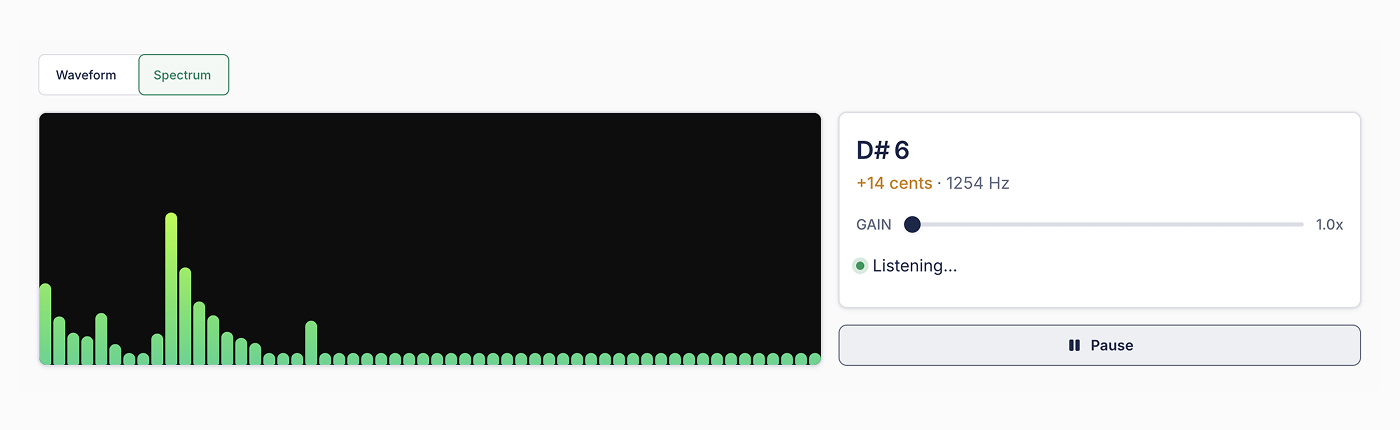
- In the Classroom: Use this tool on your projector to show a sectional how to balance sound. Once they see the visual "shape" of a good tone, they’ll have a clear goal to aim for.
- Independent Practice: Students can "see" their progress over time. It helps them visualize their tone quality and breath support, making their growth visible and measurable.
We’ve kept these tools just a click away to make them as easy as possible for your students to use. By integrating these into your assignments, you're giving your students a "go-to companion" for their daily musical life—both inside and outside the classroom.
Happy practicing!