Save Hours with the Sight Reading Generator
Last updated September 2, 2026
We know that finding or writing fresh sight-reading material for every rehearsal can feel like a second full-time job. Our Sight Reading Generator is here to act as your digital teaching assistant—creating unique, level-appropriate music scores in seconds so you can spend more time conducting and less time composing.
Generate a fresh, idiomatic sight-reading exercise in seconds.
Pick the instrument, difficulty, key, and time signature — Flat for Education keeps every exercise playable and in range automatically.
Why You’ll Love It
- Saves Hours of Prep: No more hunting through old method books or manually writing out exercises. Just pick your settings and go!
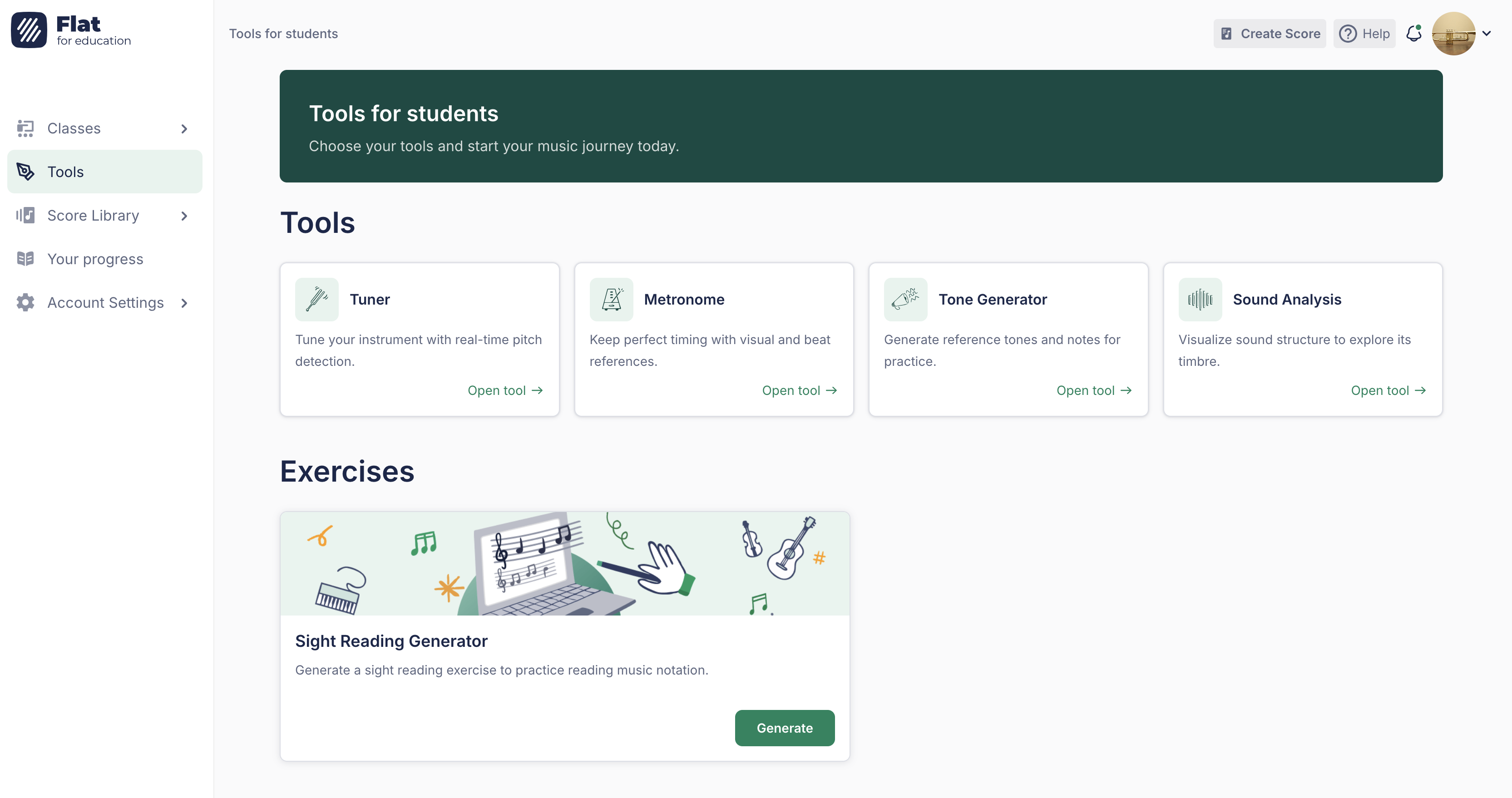
- All-in-One Experience: Students can practice their sight reading directly within the platform—and can now open the generator themselves from their own Tools page for independent practice.
- Perfectly Leveled: Whether your students are just learning their first three notes or preparing for a festival, you can generate music that matches their exact skill level.
- Idiomatic and Playable, Every Time: Every exercise is automatically kept within a realistic, comfortable range for the instrument you choose—never a flute part starting on a low C.
Getting Started
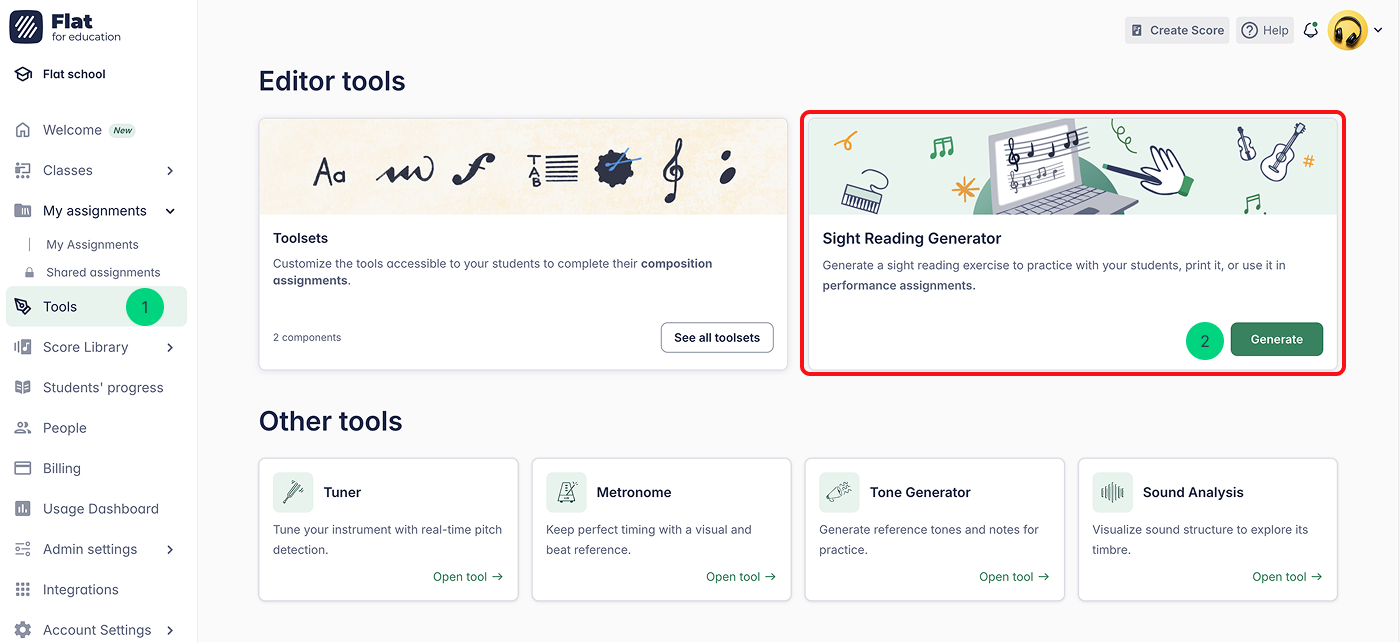
Simply click Tools in the left-hand menu to open your toolkit. From there, locate the Sight Reading Generator and hit Generate to build your first custom score in seconds!
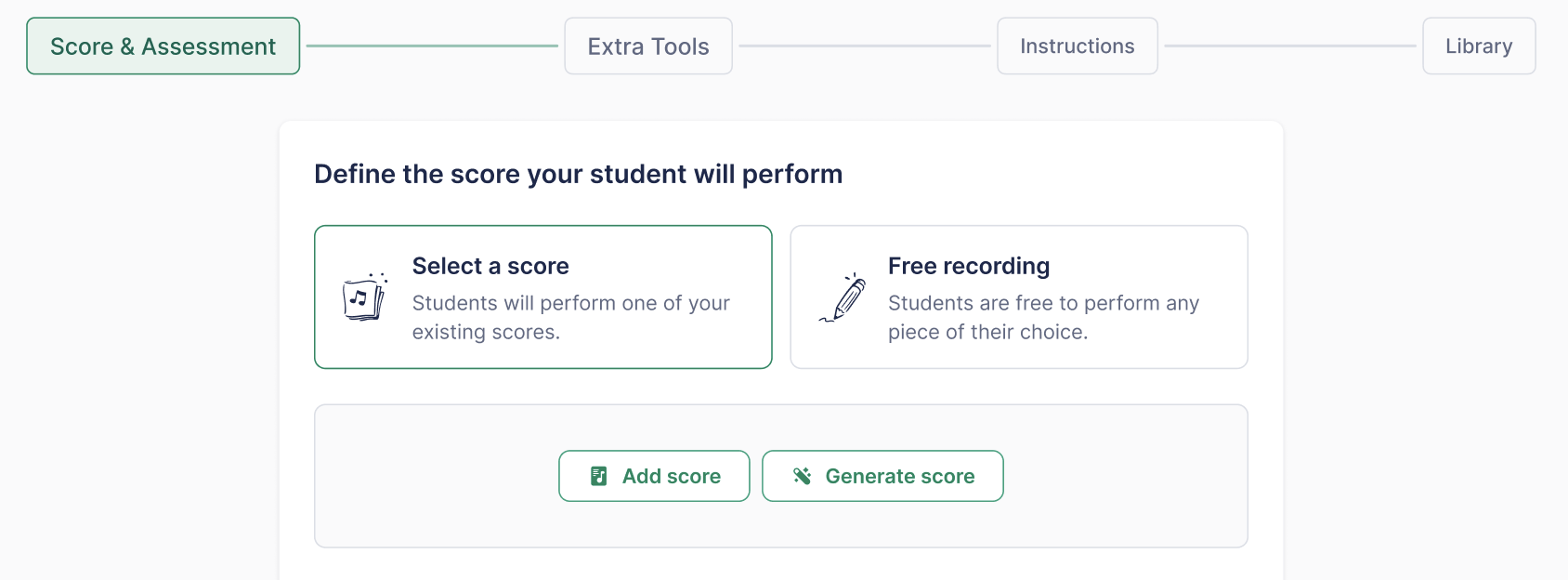
You can also open the generator directly while creating a Performance Assignment, so you can generate and attach an exercise without leaving the assignment flow. See Performance Assignments for details.
Step-by-Step Setup
Once you’ve opened the tool, follow these simple steps to generate a first sight reading score:
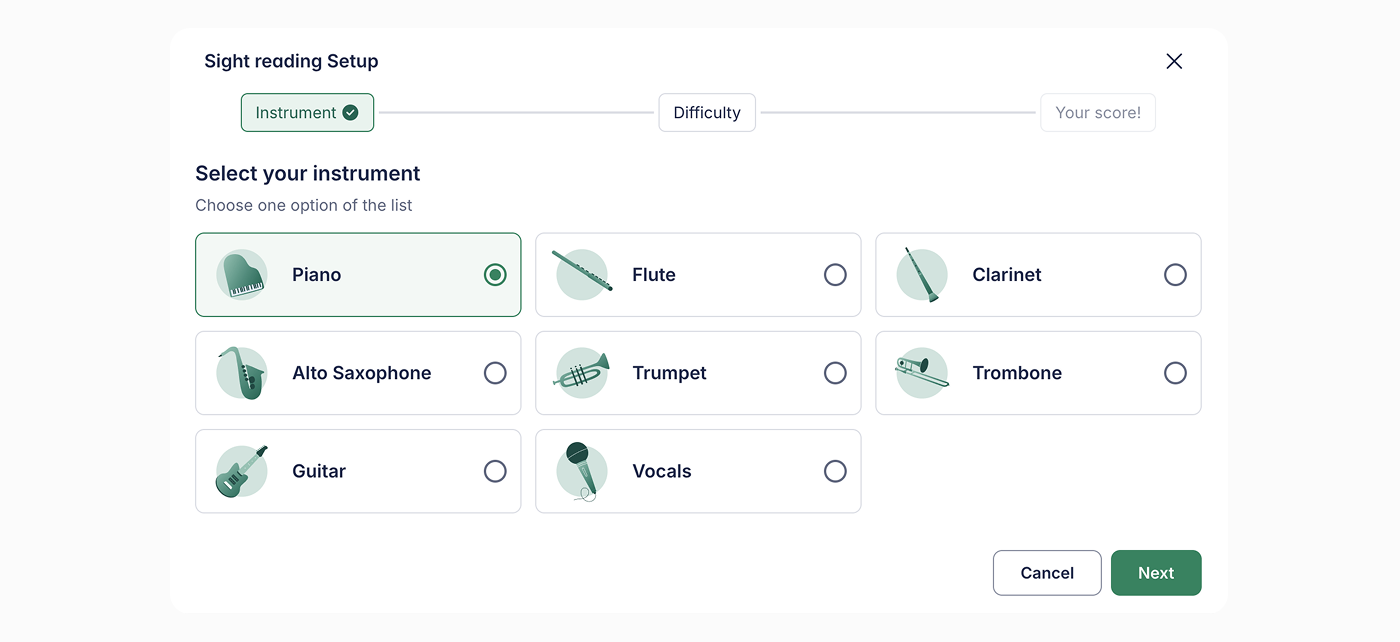
Step 1. Select Your Instrument
Choose a specific instrument your students are going to play.
Step 2. Pick a Difficulty Level
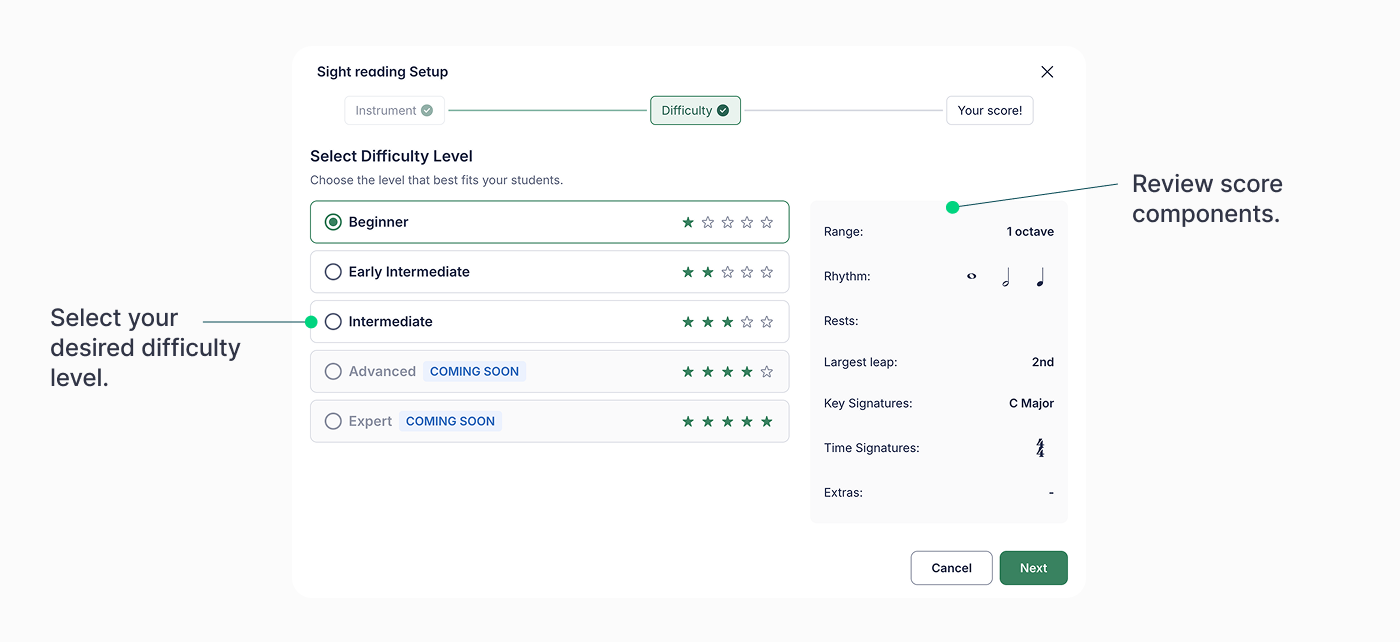
As you select a level, you’ll see a helpful summary of what the score will include—such as the note range, key signatures, and rhythms.
You can also fine-tune the exercise with two new settings:
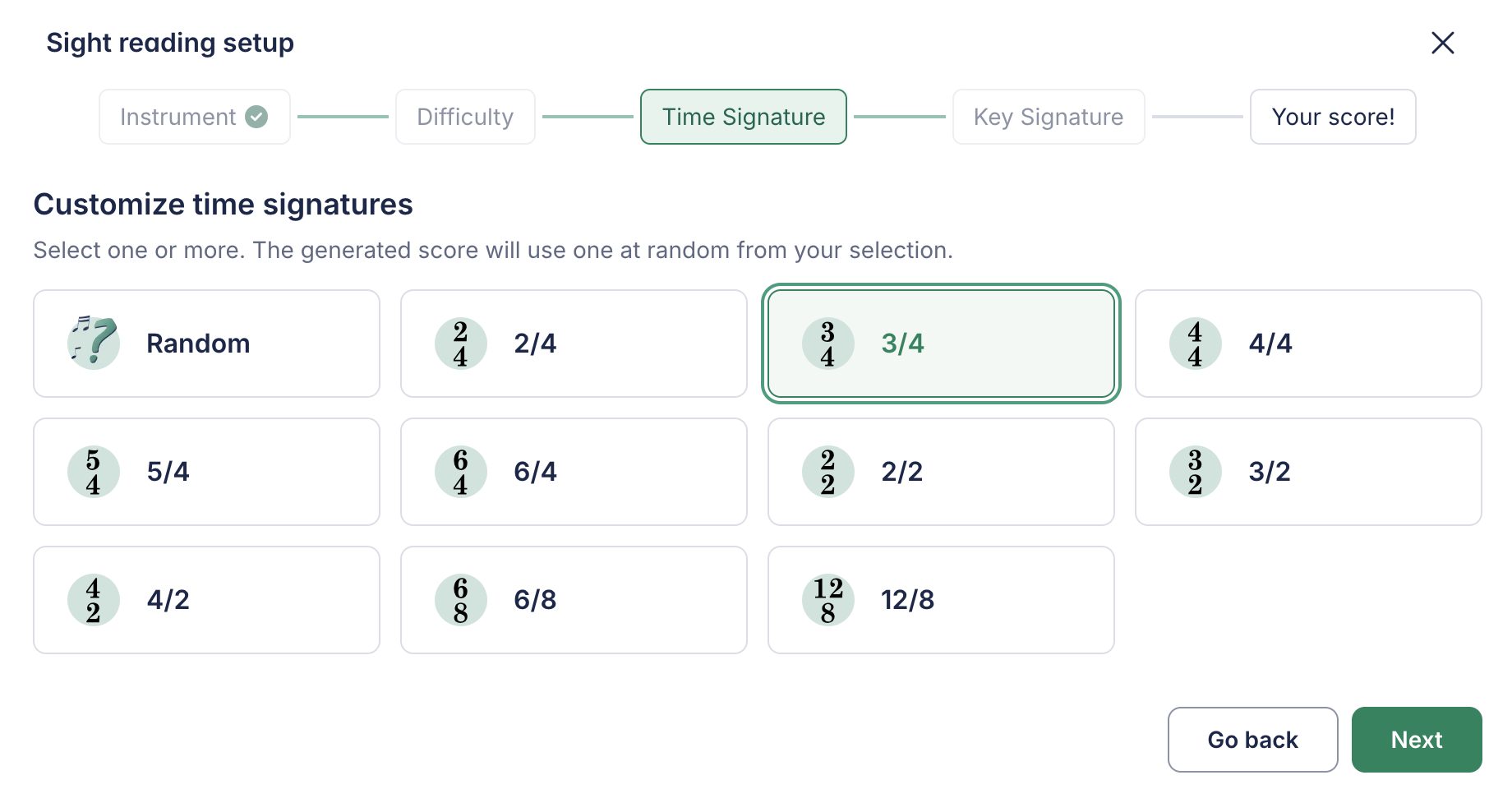
- Time signature: Choose one or more of 4/4, 3/4, 6/8, and more, to match the lesson or piece you're working on.
- Key signature: Pick one or more keys, or leave it randomized so every exercise is a little different.
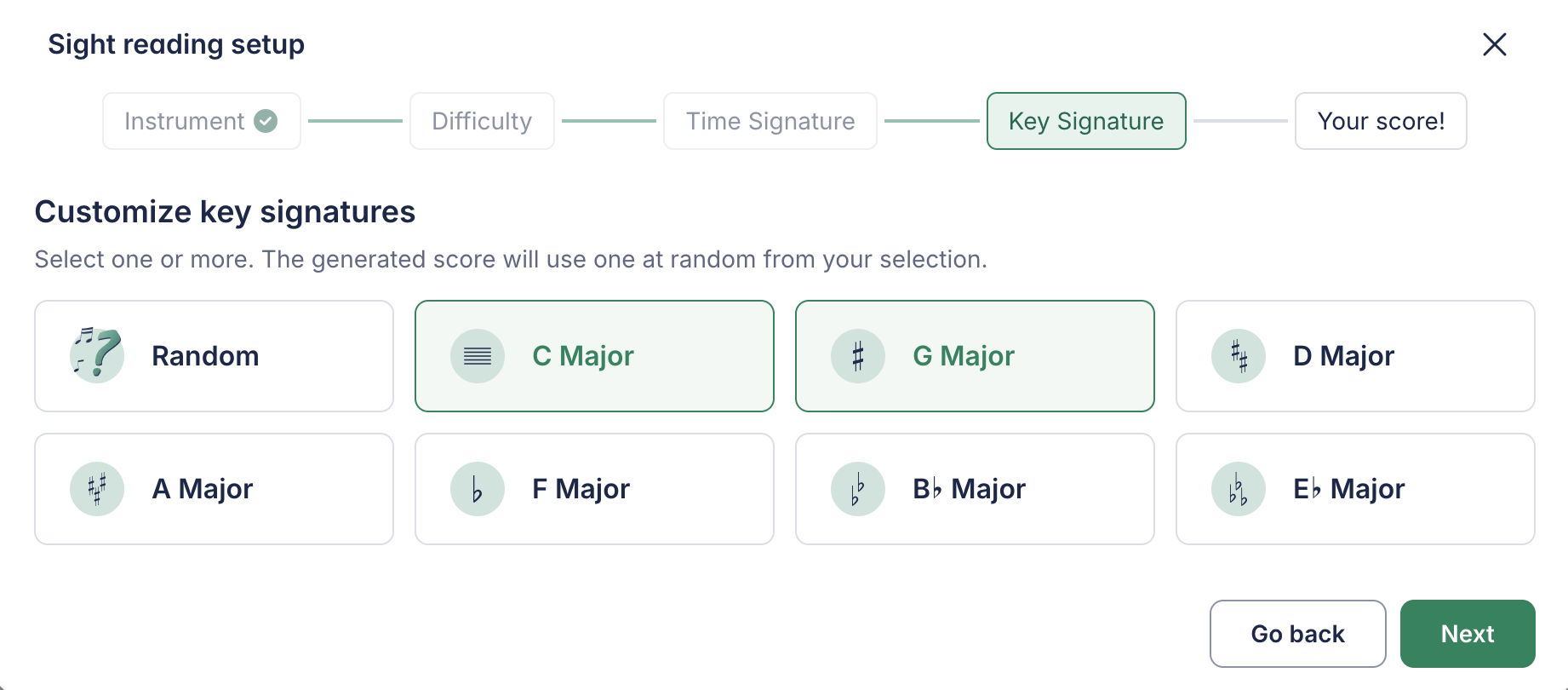
Whatever combination you pick, the generator automatically keeps the exercise within a realistic, playable range for the selected instrument.
Step 3. Generate
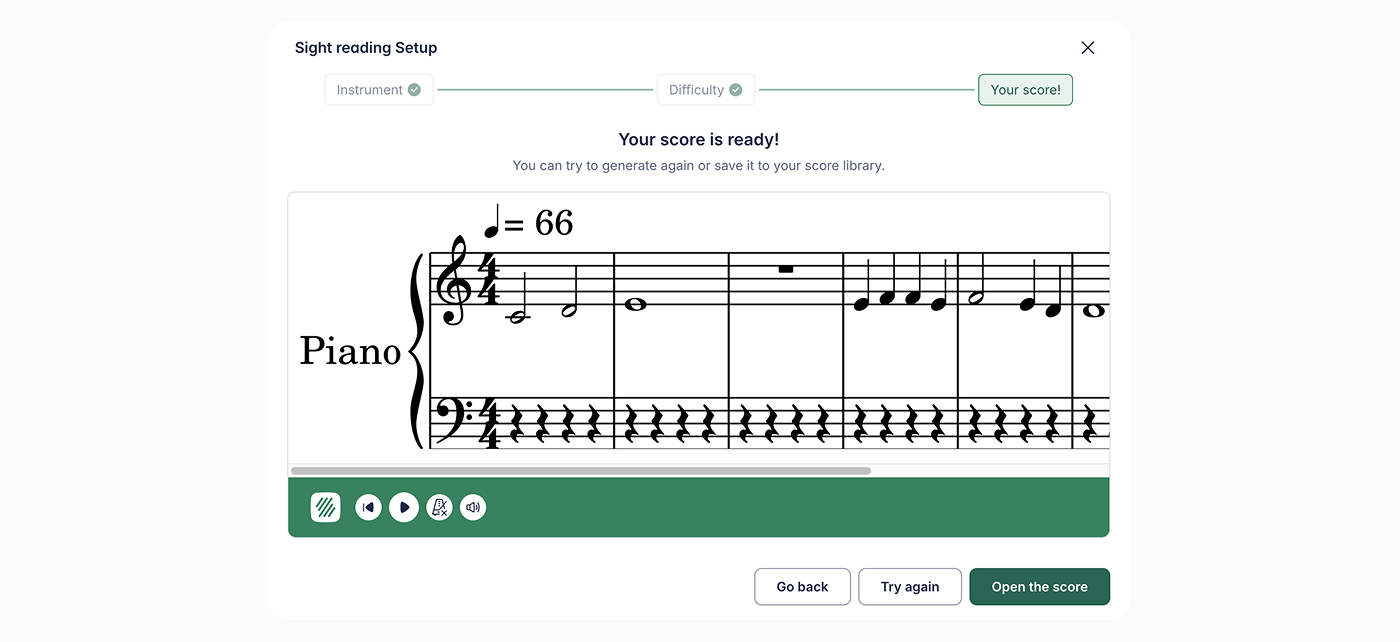
Once you’re happy with the settings, click Next. A brand-new piece of music will appear instantly!
Post Your Assignment
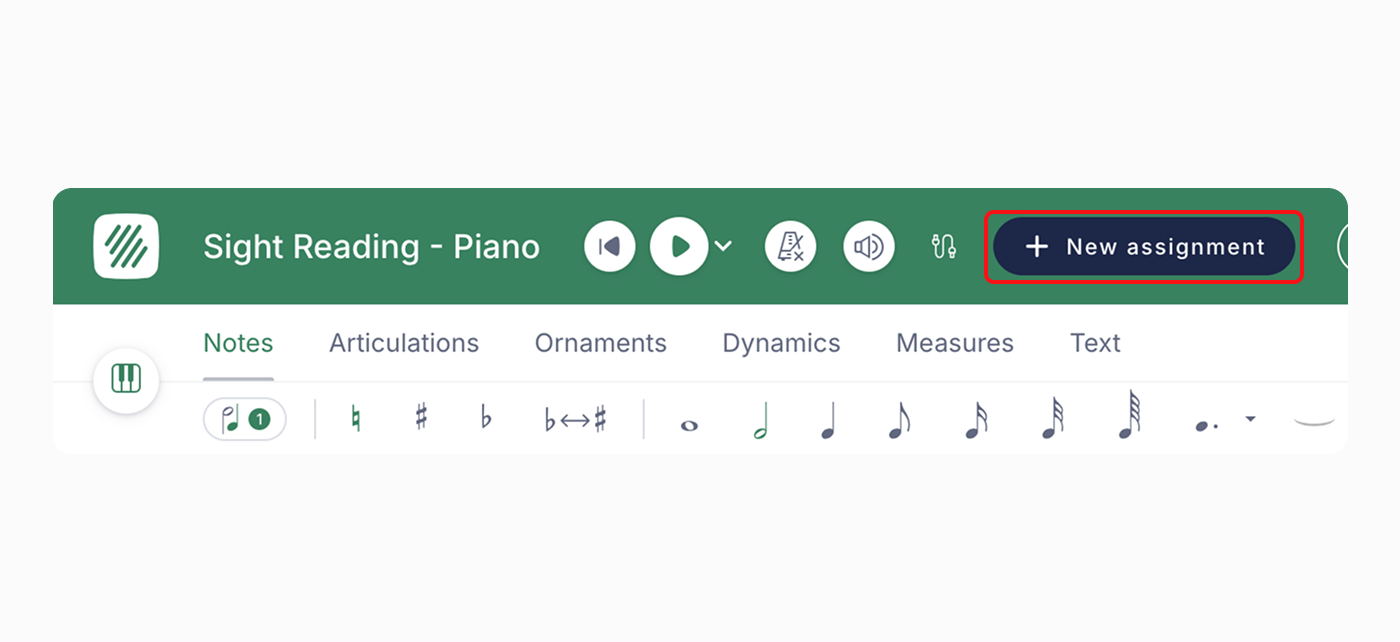
Open the score and click + New assignment to create an assignment using the score you just generated!
Your score will be automatically stored in your Score Library, so you can always turn it into an assignment later if you aren't ready to post it just yet.
Practice Mode for Students
Students aren't limited to the exercises you assign them. They can open the Sight Reading Generator themselves from their own Tools page to practice independently, at their own pace.
More instrument-specific customization is on the way—stay tuned!
Use the generator to create a "Challenge of the Week." Because it's so fast to generate, you can give students a fresh piece of music every Monday to keep their reading skills sharp!