Save Hours with the Sight Reading Generator
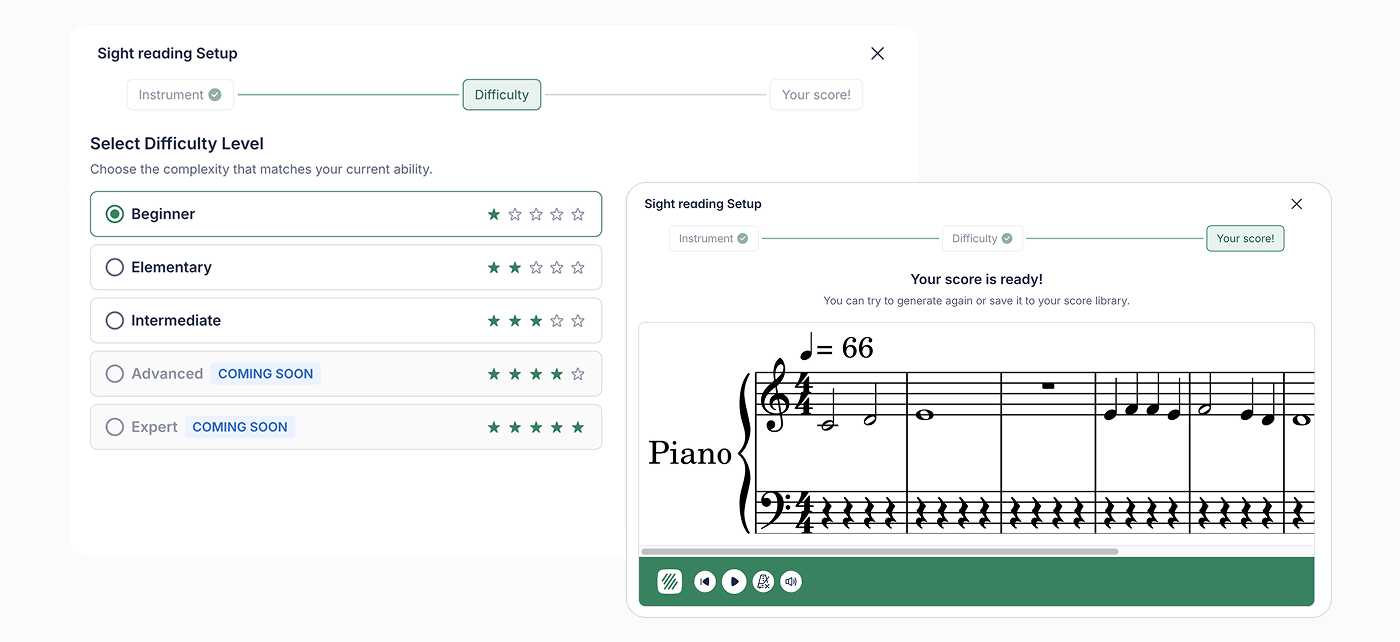
We know that finding or writing fresh sight-reading material for every rehearsal can feel like a second full-time job. Our new Sight Reading Generator is here to act as your digital teaching assistant—creating unique, level-appropriate music scores in seconds so you can spend more time conducting and less time composing.
Why You’ll Love It
- Saves Hours of Prep: No more hunting through old method books or manually writing out exercises. Just pick your settings and go!
- All-in-One Experience: Students can practice their sight reading directly within the platform. There’s no need for them to juggle multiple apps or physical printouts.
- Perfectly Leveled: Whether your students are just learning their first three notes or preparing for a festival, you can generate music that matches their exact skill level.
Getting Started
Where to Create Your Assignment
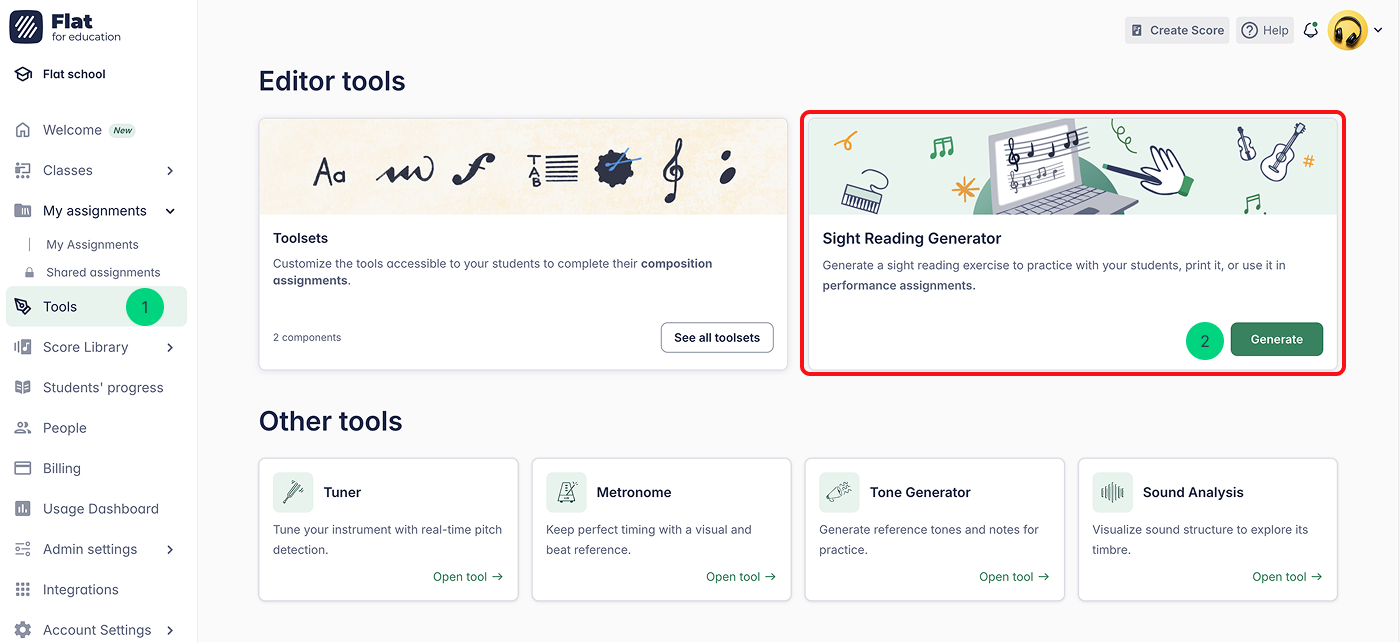
Simply click Tools in the left-hand menu to open your toolkit. From there, locate the Sight Reading Generator and hit Generate to build your first custom score in seconds!
Step-by-Step Setup
Once you’ve opened the tool, follow these simple steps to generate a first sight reading score:
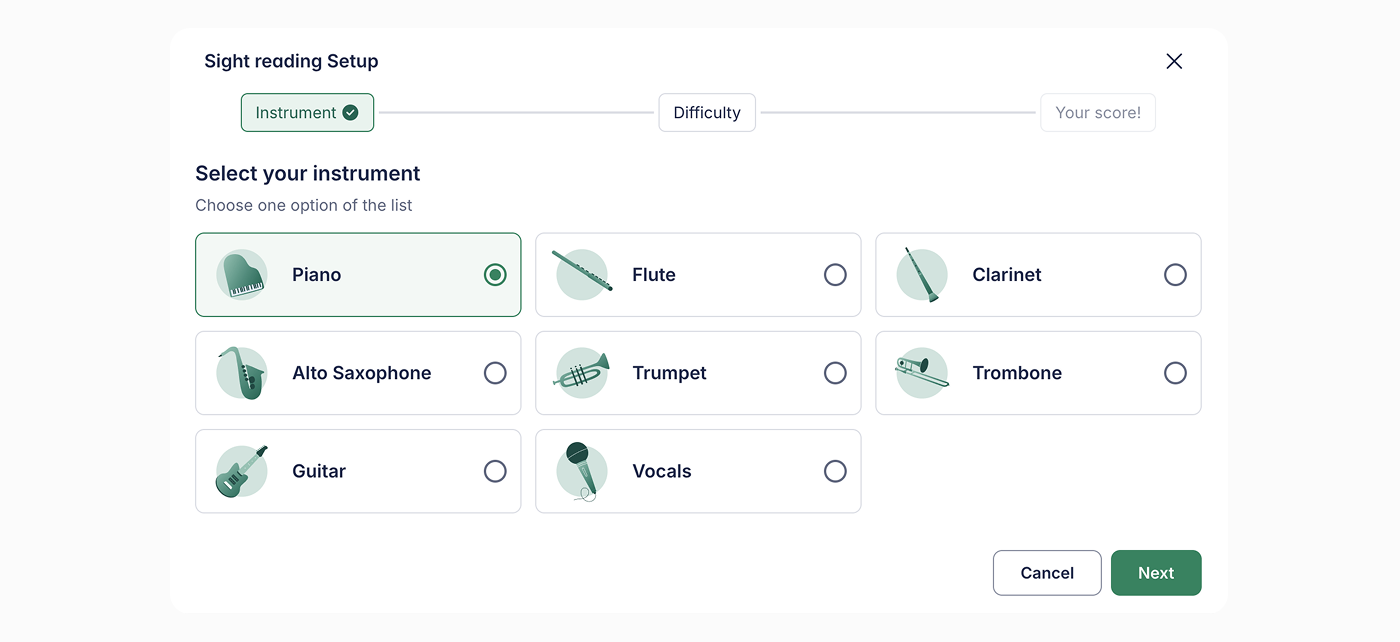
Step 1. Select Your Instrument
Choose a specific instrument your students are going to play.
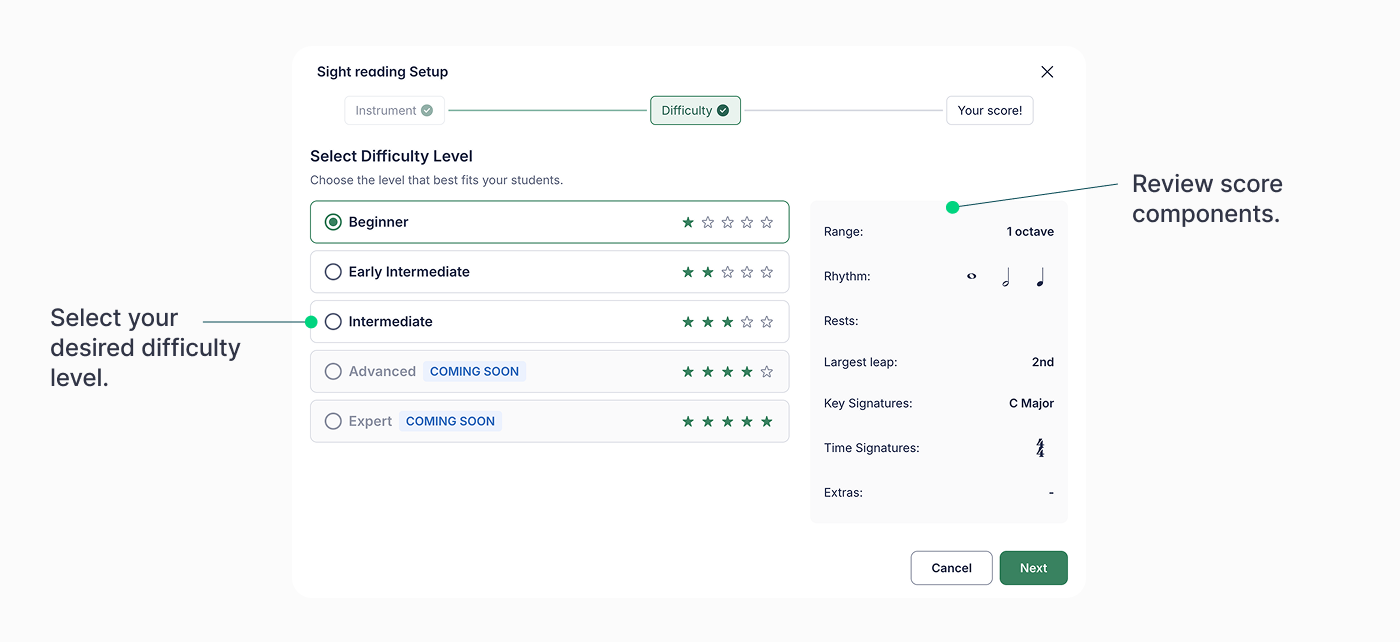
Step 2. Pick a Difficulty Level
As you select a level, you’ll see a helpful summary of what the score will include—such as the note range, key signatures, and rhythms.
Step 3. Generate
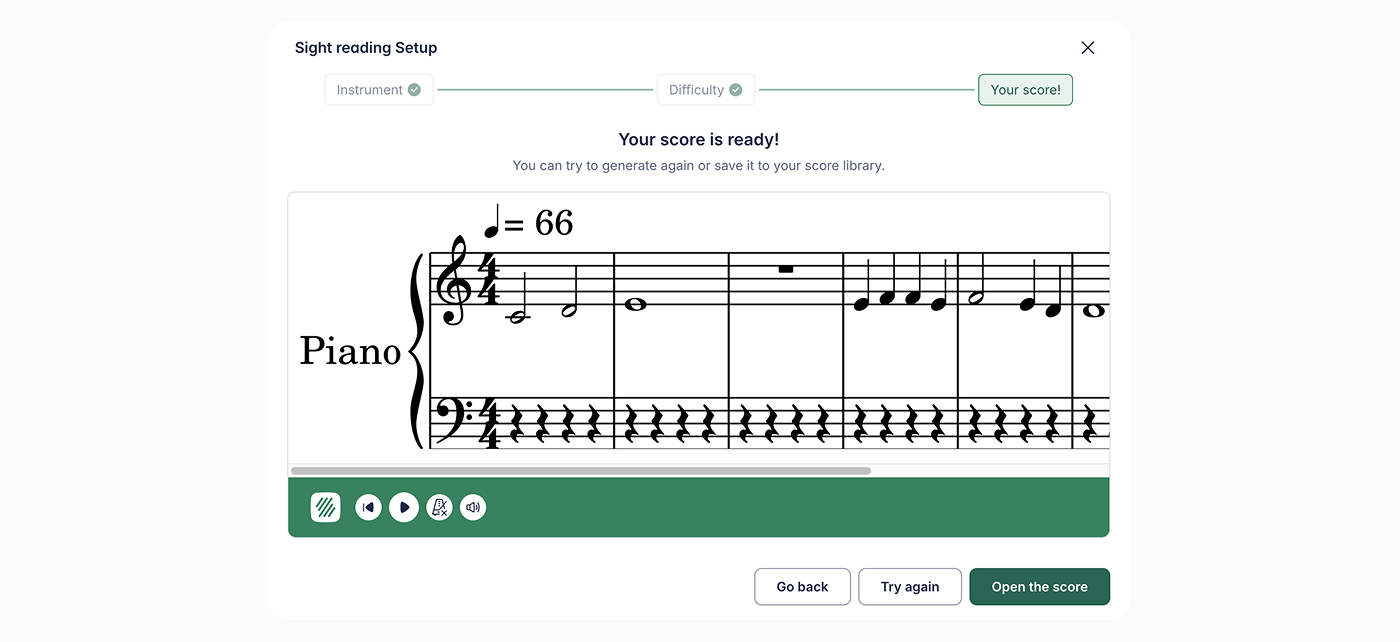
Once you’re happy with the settings, click Generate Score. A brand-new piece of music will appear instantly!
Post Your Assignment
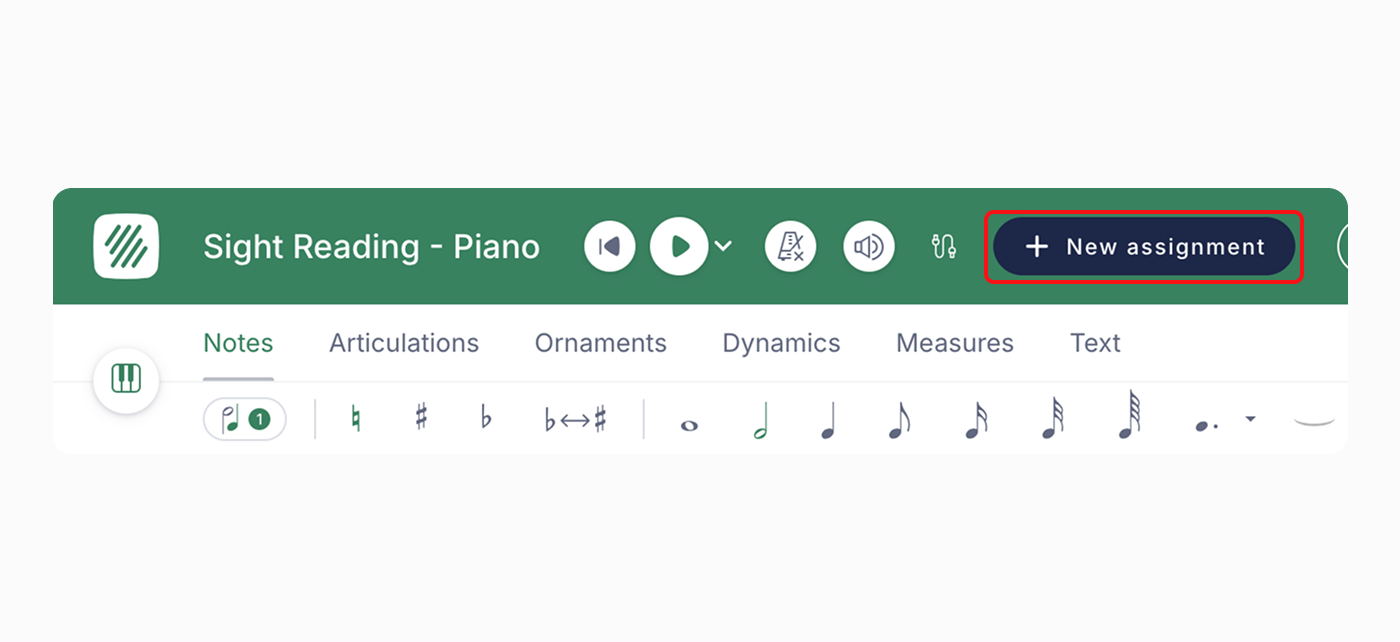
Click + New assignment to create an assignment using the score you just generated!
Your score will be automatically stored in your Score Library, so you can always turn it into an assignment later if you aren't ready to post it just yet.
🗒️ Note: While you can choose the overall difficulty, you cannot manually customize specific details like exact time signatures or specific rhythmic patterns just yet. We are working hard on these features, and full customization is coming in the future!
💚 Pro-Tip for Growth: Use the generator to create a "Challenge of the Week." Because it's so fast to generate, you can give students a fresh piece of music every Monday to keep their reading skills sharp!