How to use Boomwhackers colors in Flat
Last updated November 4, 2026
Boomwhackers colors in Flat are an automatic notehead coloring mode that gives each pitch the color of the matching Boomwhacker tube. Flat applies the scheme to every note in your sheet music at once, keeps new notes in step as you write, and lets you replace it with a color of your own for each pitch.
How do I turn on Boomwhackers colors?
Flat provides a mode to automatically color all the notes of your sheet music using the Boomwhackers colors. To enable this Boomwhackers colorization mode, open the Layout tab in the left panel, go to the Note heads settings and choose Boomwhackers. This will update all your existing notes with the Boomwhackers colors.
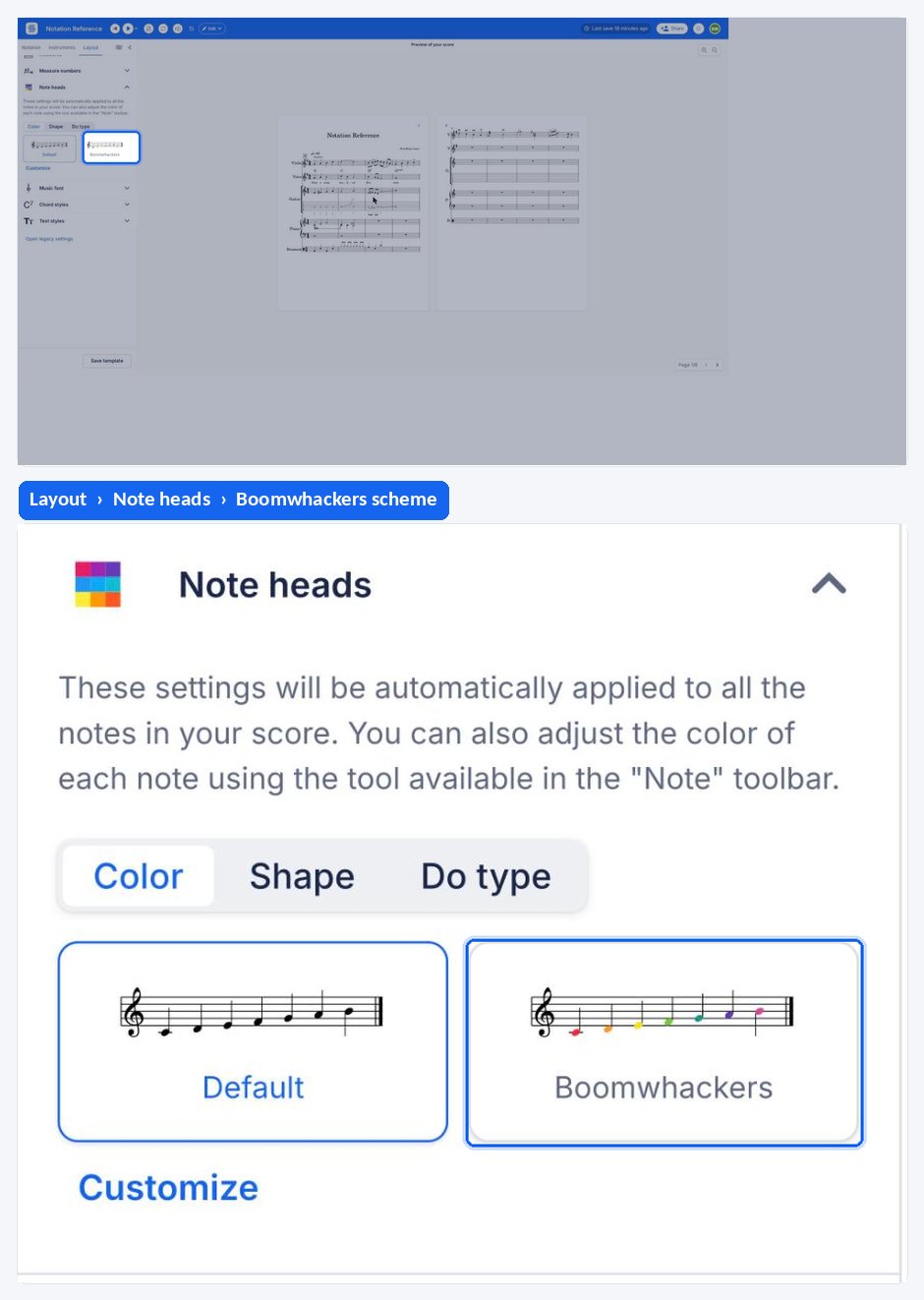
This feature is available for all Flat for Education users.
Can I create my own color scheme?
You can craft your very own color scheme! To get started, simply go to the layout settings and choose custom.
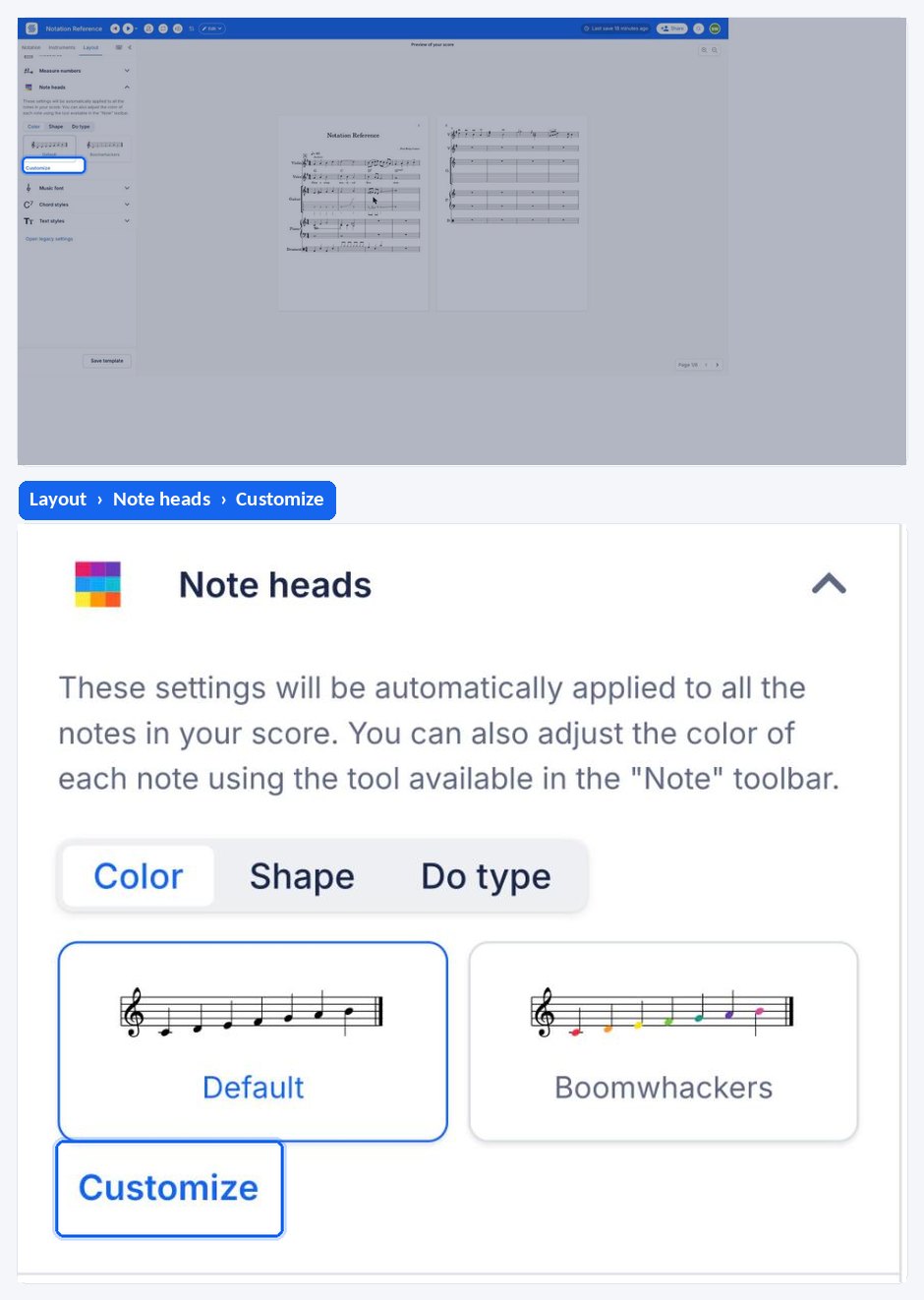
There you'll find the option to handpick colors for each unique note pitch, giving you the creative freedom to create a musical experience that looks just the way you like it.
Want to manually set your own colors on notes? Use our dedicated tool to set colors on notes.
Frequently asked questions
What are Boomwhackers colors?
Boomwhackers are tuned percussion tubes, and each pitch of the set has its own color. Flat reuses that color code on the noteheads, so a class can match the note on the page to the tube in their hand without reading pitch names first.
Does the mode color notes I add later?
Yes. Boomwhackers coloring is an automatic mode, not a one-off action: it colors all your existing notes when you enable it and keeps applying to the notes you write afterwards. Switching the mode off returns every notehead to black.
Can I change the color assigned to one pitch?
Yes, by switching from Boomwhackers to the custom scheme. The layout settings let you handpick a color for each unique note pitch, so you can start from the Boomwhackers logic and adjust the pitches that need a different color.
How is this different from coloring notes by hand?
The automatic mode colors the whole score by pitch and keeps doing so. The manual tool colors only the note under your cursor or the notes you selected, with any color from the picker - see color music notes.