How to create and apply layout templates in Flat
Last updated September 23, 2026
A layout template in Flat is a saved set of layout settings you can reuse on any score. Flat provides its own templates and lets you save your own from a score you have finished styling, apply one in a click with a live preview, and mark a template as the default so future scores start from it.
What is a score layout?
The Score Layout is how the score is displayed. It comprises all the elements that you can customize in the Layout settings, from the paper size to the systems' margins, from the text fonts to the display of noteheads. A template is that whole set, saved under a name.
How do I save a layout as a template?
After you have finished editing the layout of a score, if you want to easily reuse it in other scores, you can save it as a new template. Flat stores it in your own list of templates, available from every score in your account.
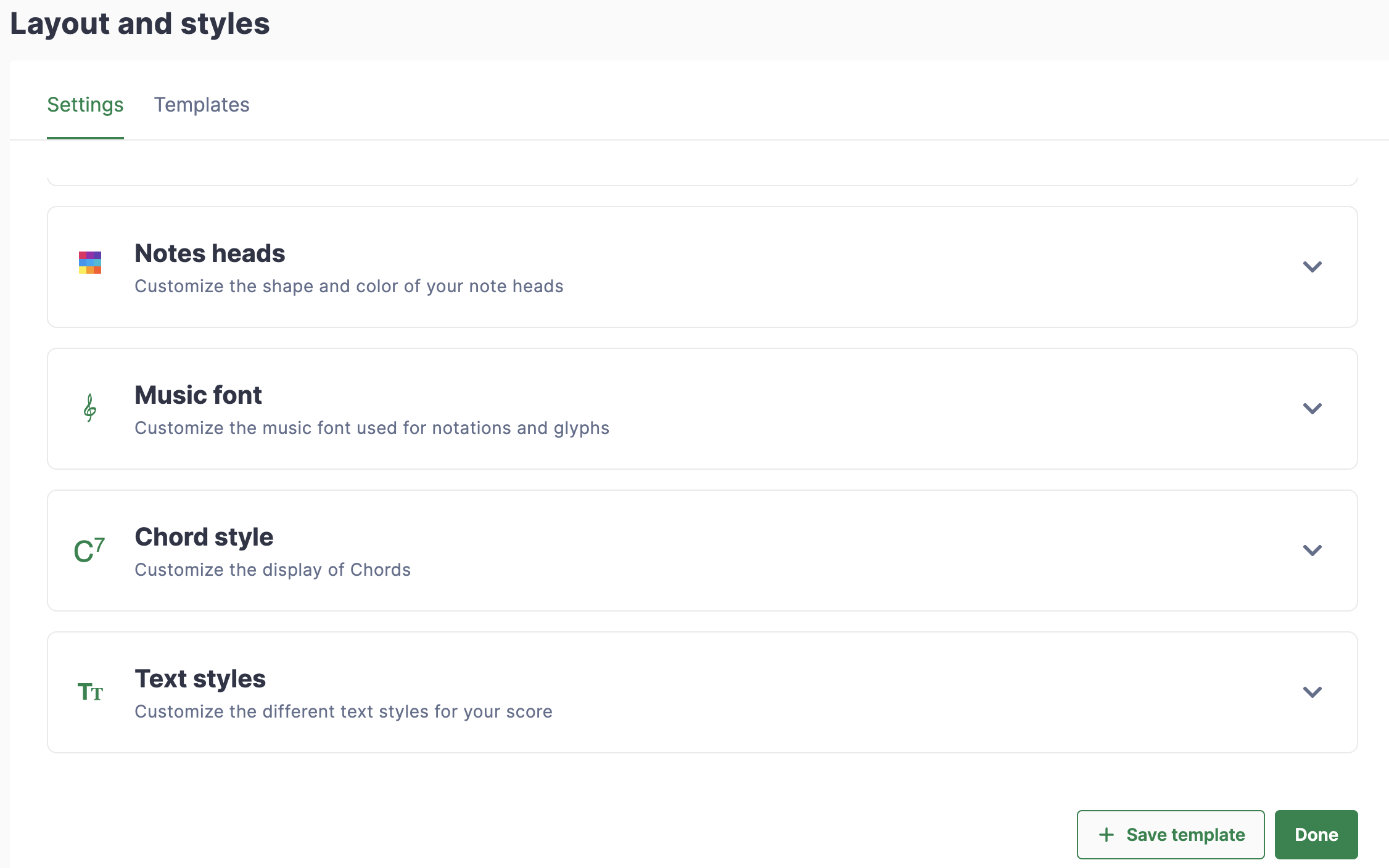
To do so, click on the Save template button. You will then be prompted to give a name to this new template.
How do I apply a template to my score?
Flat lists every available template in the Templates section of the Layout tab, in the left panel. Selecting one updates the preview on the right, so you can compare templates before committing, and applying it rewrites the current score's layout settings in one step.
On the top you will see the templates you have created, on the bottom, there are the templates provided by Flat. If you click on a template, the preview on the right will be updated with it. You can then click on the Apply button to apply the selected template to the score you are editing.
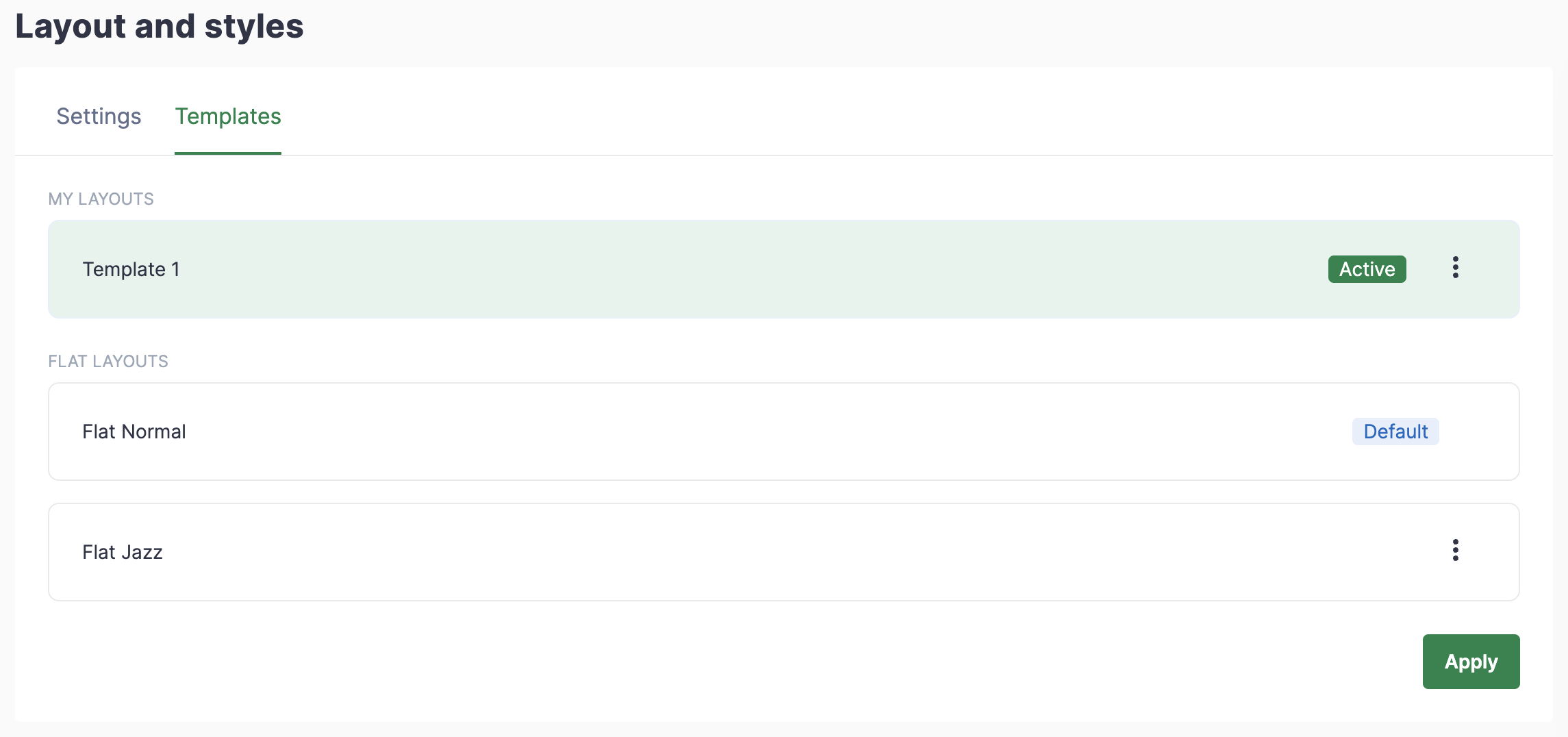
The template currently used with the current score has the label Active.
Flat's own templates are listed as Flat Normal and Flat Jazz, with View all templates to see the full list.
How do I set a default template?
If there is a template that you are using very often, you can select it as a default so it will be automatically used with the scores you will create in the future. Existing scores keep the layout they already have.
You just need to click on the dots icon, then click on Set as default.
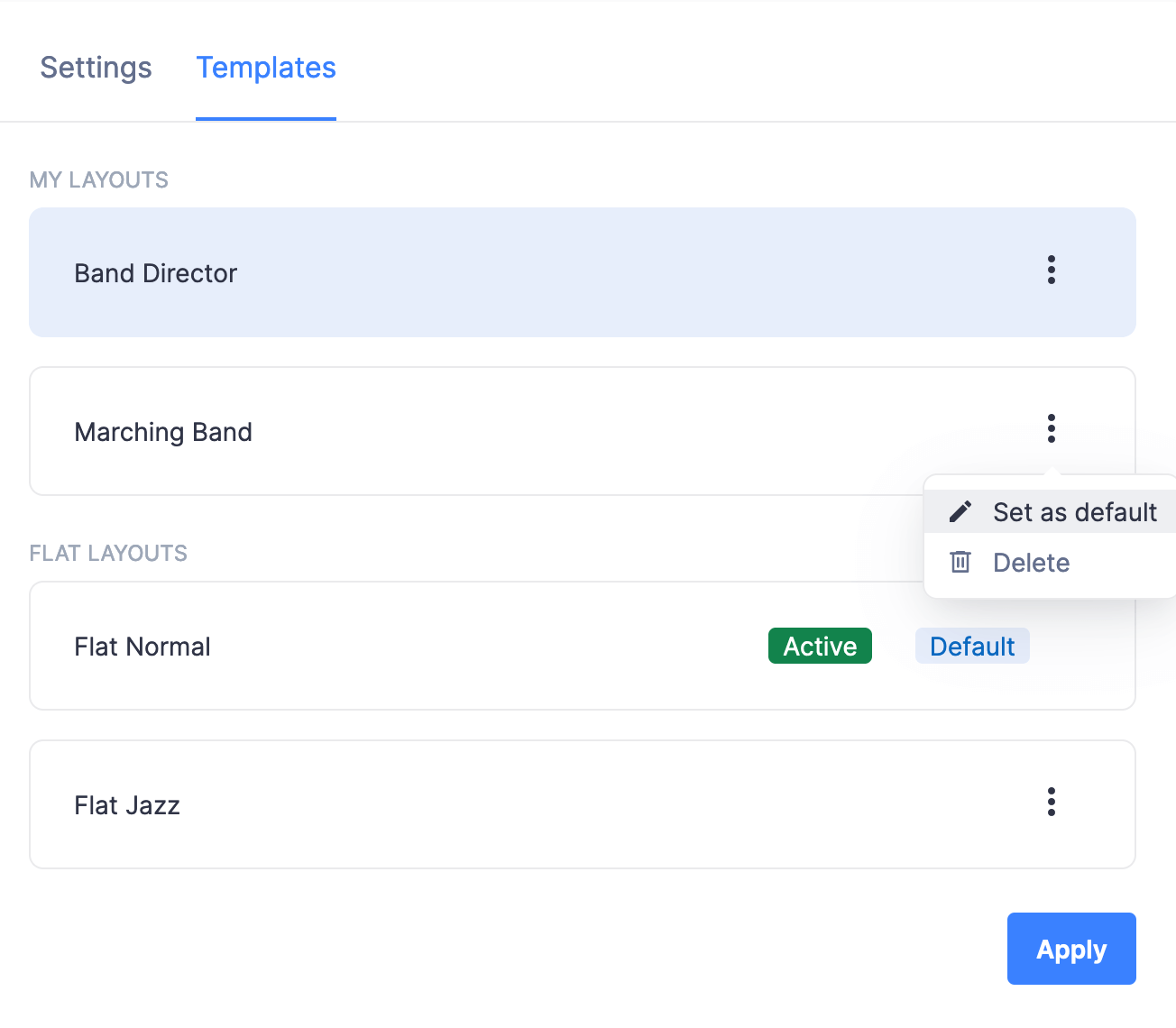
The current default template has the label Default.
Frequently asked questions
What exactly does a layout template store?
Everything the layout settings control: paper size and orientation, margins, the space between staves and systems, staff size, measure numbering, note spacing, noteheads, music font, and text styles. It does not store the music - applying a template to a score never changes a note.
Does applying a template change my other scores?
No. A template is applied to the score you are editing, one score at a time. Setting a template as the default only affects the scores you create afterwards; scores you already have keep the layout they were saved with.
How do I know which template a score is using?
The template currently used with the score carries the label Active in the template list, and the one that will be used for new scores carries the label Default. A score can show both labels on the same template when your default is also what it uses.
Can I edit a template after saving it?
Templates are saved from a score's finished layout, so the way to revise one is to adjust the layout settings on a score and save a template again. Flat's own templates stay available at the bottom of the list as a starting point.