How to add recorder fingering diagrams in Flat
Last updated September 23, 2026
Recorder fingerings in Flat are diagrams that show which holes to cover for each note of a recorder part. Flat generates them from the notes written on your recorder part, so they follow the music as you edit it. Flat draws diagrams for soprano recorder in C5 and alto recorder in F4, with a Baroque or German hole layout on soprano.
How do I turn on recorder fingerings?
Flat enables recorder fingerings per part, from that part's instrument settings. Open the settings for the recorder part, then configure the fingering diagrams. Flat reads the notes already written in the part, so the diagrams appear without any extra input.
In the left panel, open the Instruments tab and open the settings for the recorder part. You can also click the instrument name directly in the score.
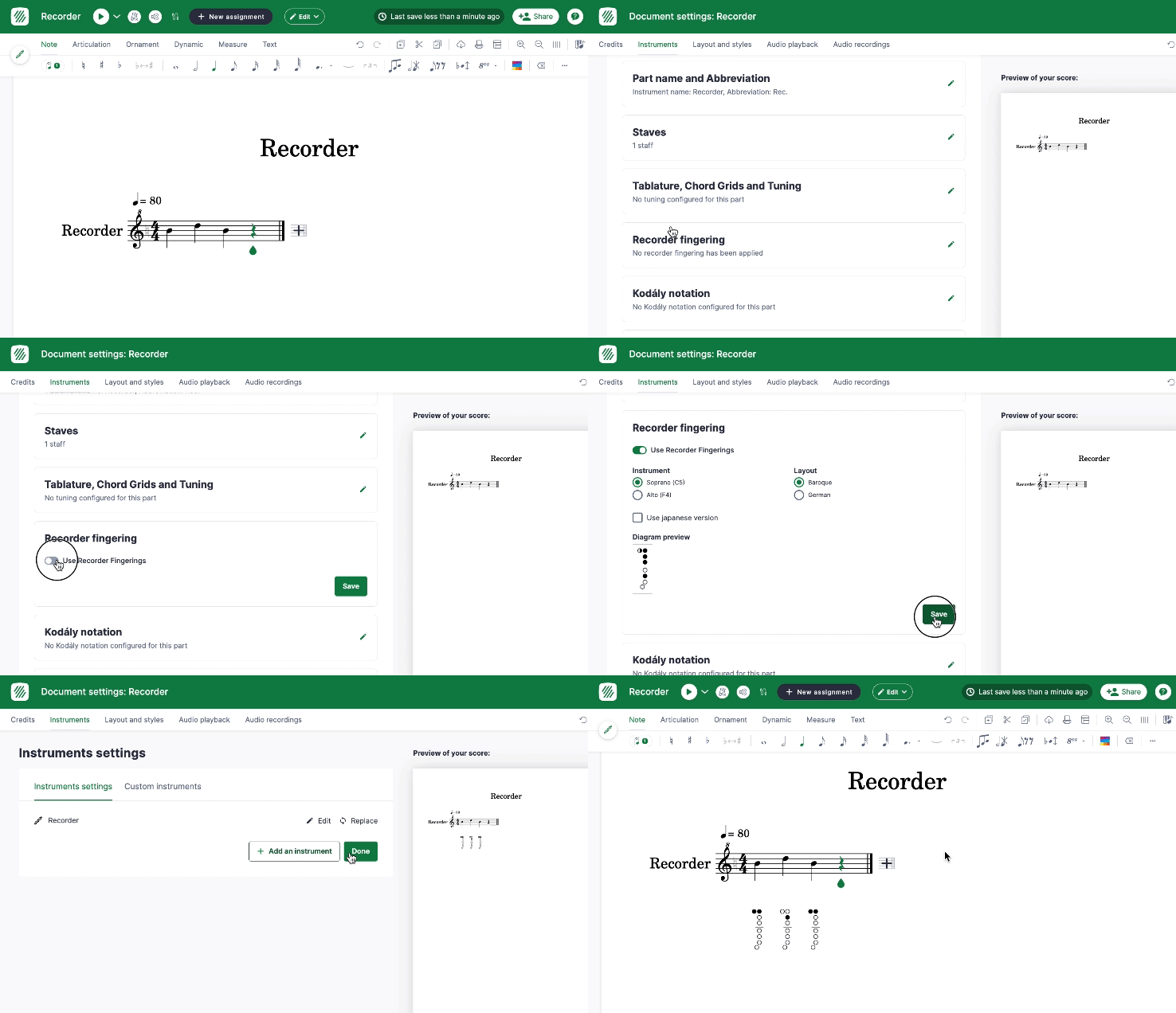
From there, you can configure the recorder fingerings diagrams:
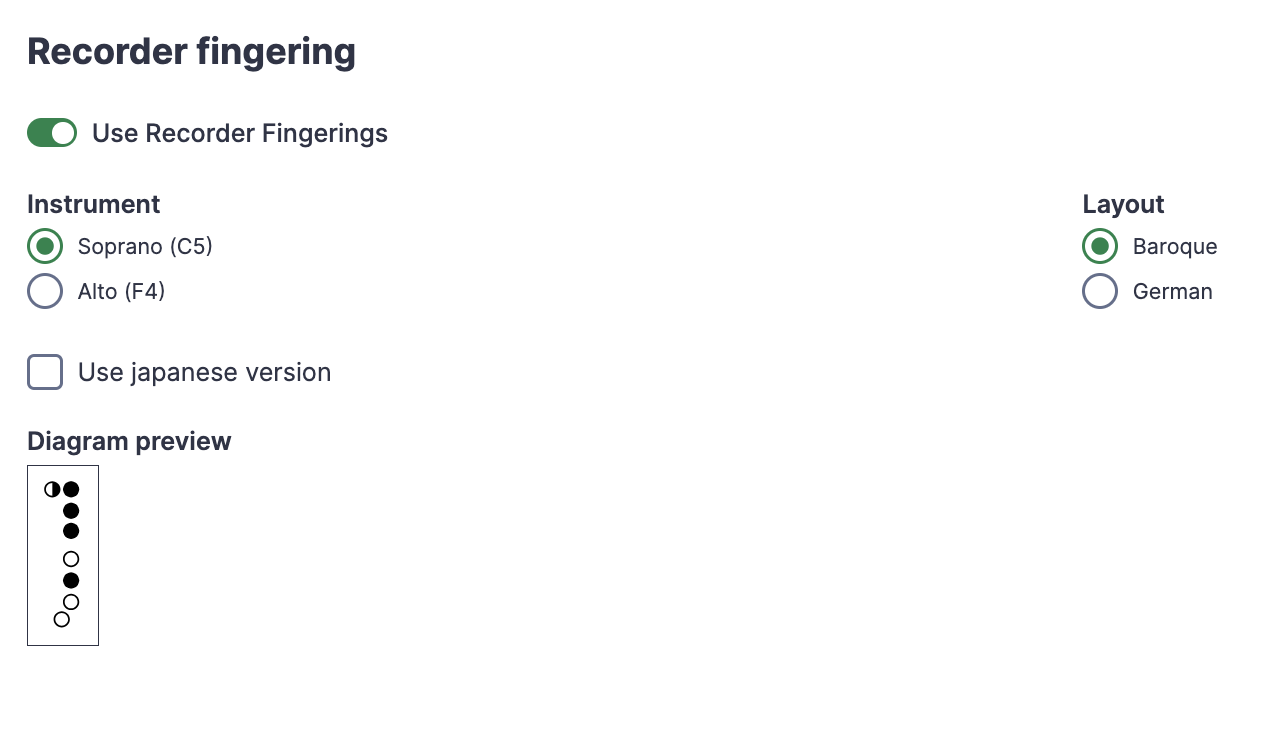
Which recorder can Flat draw fingerings for?
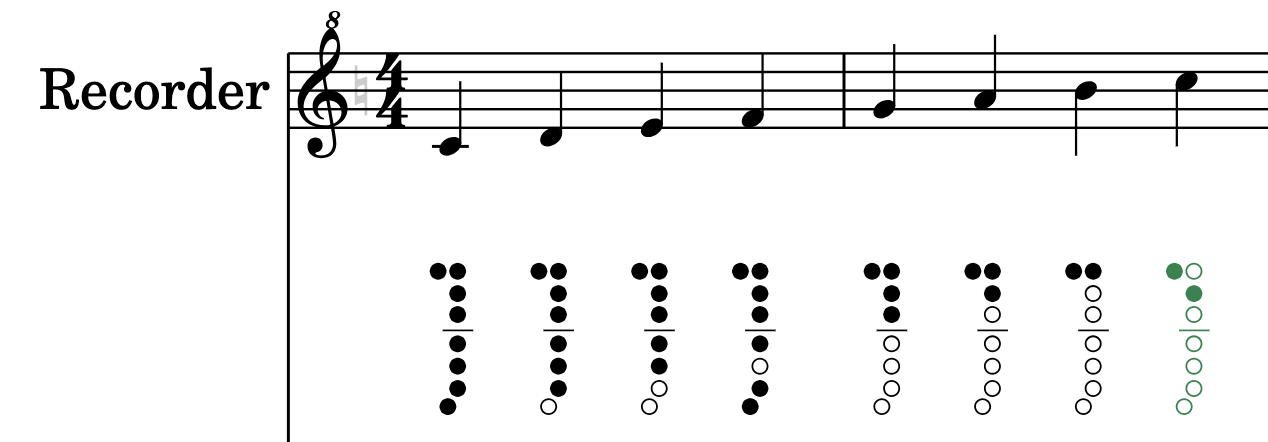
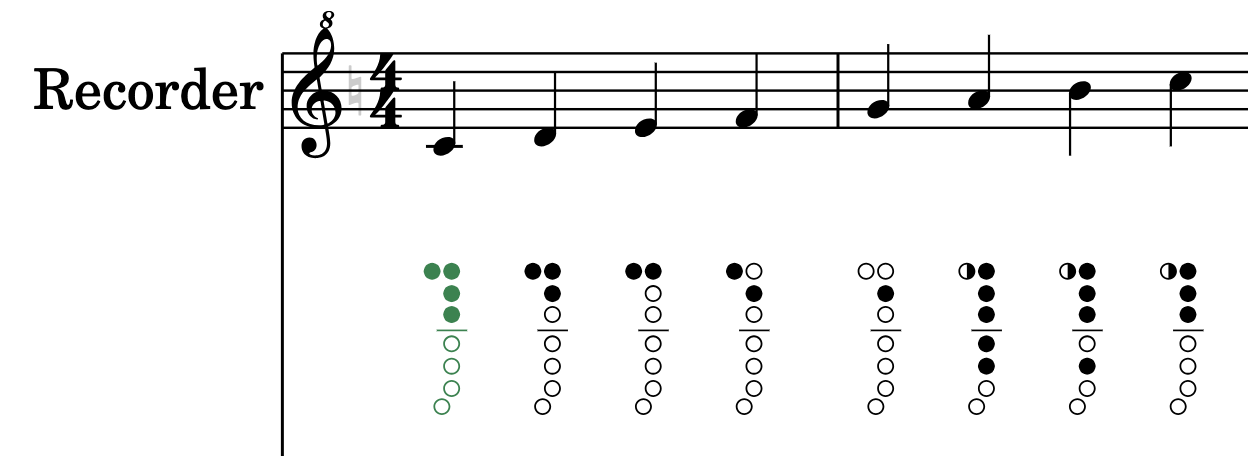
Flat draws two sets of diagrams, one per instrument size. You can choose if you want the fingerings diagrams for a Soprano recorder (in C5), or an Alto recorder (in F4). The two instruments are fingered differently, so picking the wrong one gives correct-looking but wrong diagrams.
Soprano
Alto
What is the difference between the Baroque and German layouts?
For soprano recorders, there are two possible layouts for the holes in the instrument. Baroque is the more widespread one. German is a more unusual one, that can be used in an educational context.
On this layout, the F/5 is played with a fingering that seems to fit more with how other notes are played. However, notes with higher pitch sound slightly incorrect.
Baroque
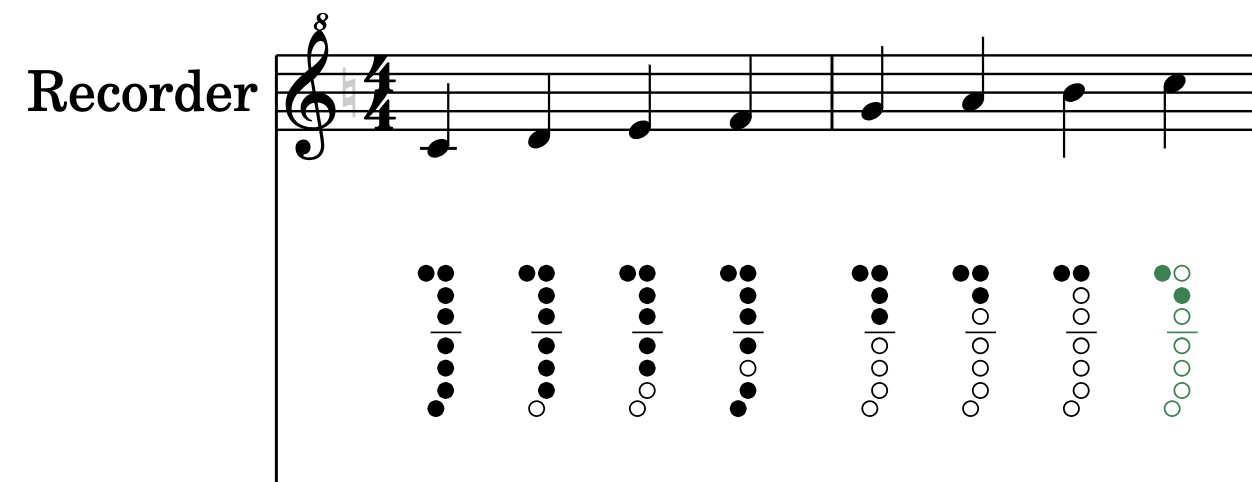
German
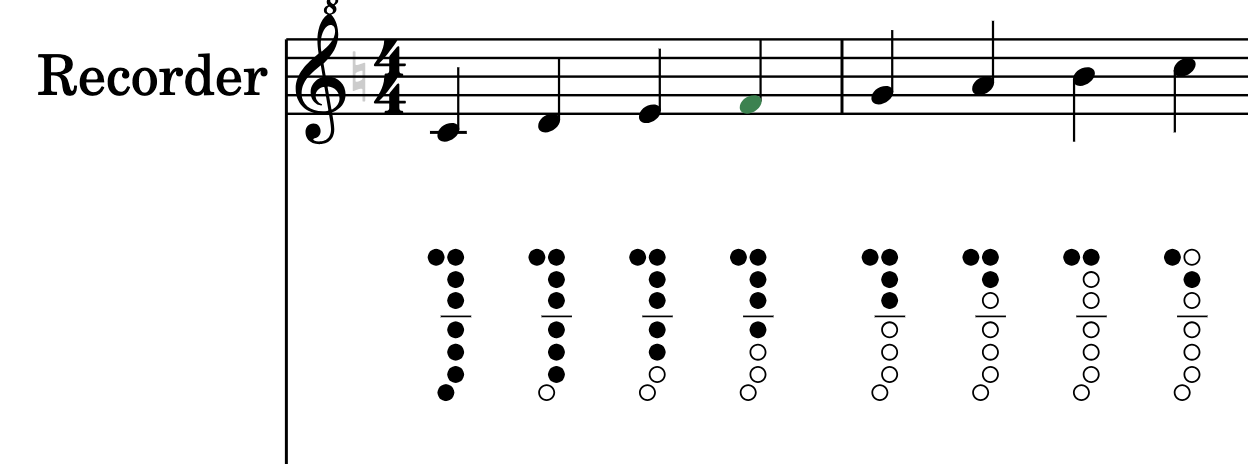
Choose the layout that matches the recorders your players actually hold. A German-fingered instrument read from Baroque diagrams will not sound right on F/5.
Frequently asked questions
Do the fingering diagrams update when I change the notes?
Yes. Flat generates the diagrams from the notes written on your recorder part, so rewriting a phrase, transposing it, or correcting a wrong pitch redraws the fingerings with it. There is no separate diagram layer to maintain by hand.
Should I pick Baroque or German fingering?
Baroque is the more widespread layout and the safer default. German is more unusual and is mainly used in an educational context: F/5 is played with a fingering that fits better with how other notes are played, but higher notes sound slightly incorrect.
Can I get diagrams for a tenor or bass recorder?
Flat offers two instrument settings for the diagrams: Soprano recorder in C5 and Alto recorder in F4. A tenor recorder is fingered like a soprano an octave lower and a bass like an alto, so the matching setting is the closest available option.
Can I show fingerings for other instruments?
Yes, for brass. Flat prints automatic valve numbers on trumpet and Horn in F, D, and C parts - see brass fingerings for how to enable them.