How to add Kodály notation in Flat
Last updated November 4, 2026
Kodály notation in Flat is a solfege layer generated directly from the content of your score. Flat displays each note as a letter (do re mi fa so la ti) or as a hand sign, supports both fixed do and movable do, transposes the notation between a source and a recommended singing pitch, and can print the Kodály line on its own.
Enabling Kodály notation
Flat enables Kodály notation per part, from that part's instrument settings. Open the settings for the vocal part you want, then configure the Kodály options. Flat reads the notes already written in the part, so there is nothing to enter twice.
In the left panel, open the Instruments tab, open the menu next to the part, and click the pencil icon. You can also click the part name on the score. Then open Kodály notation and turn on Use Kodály Display.
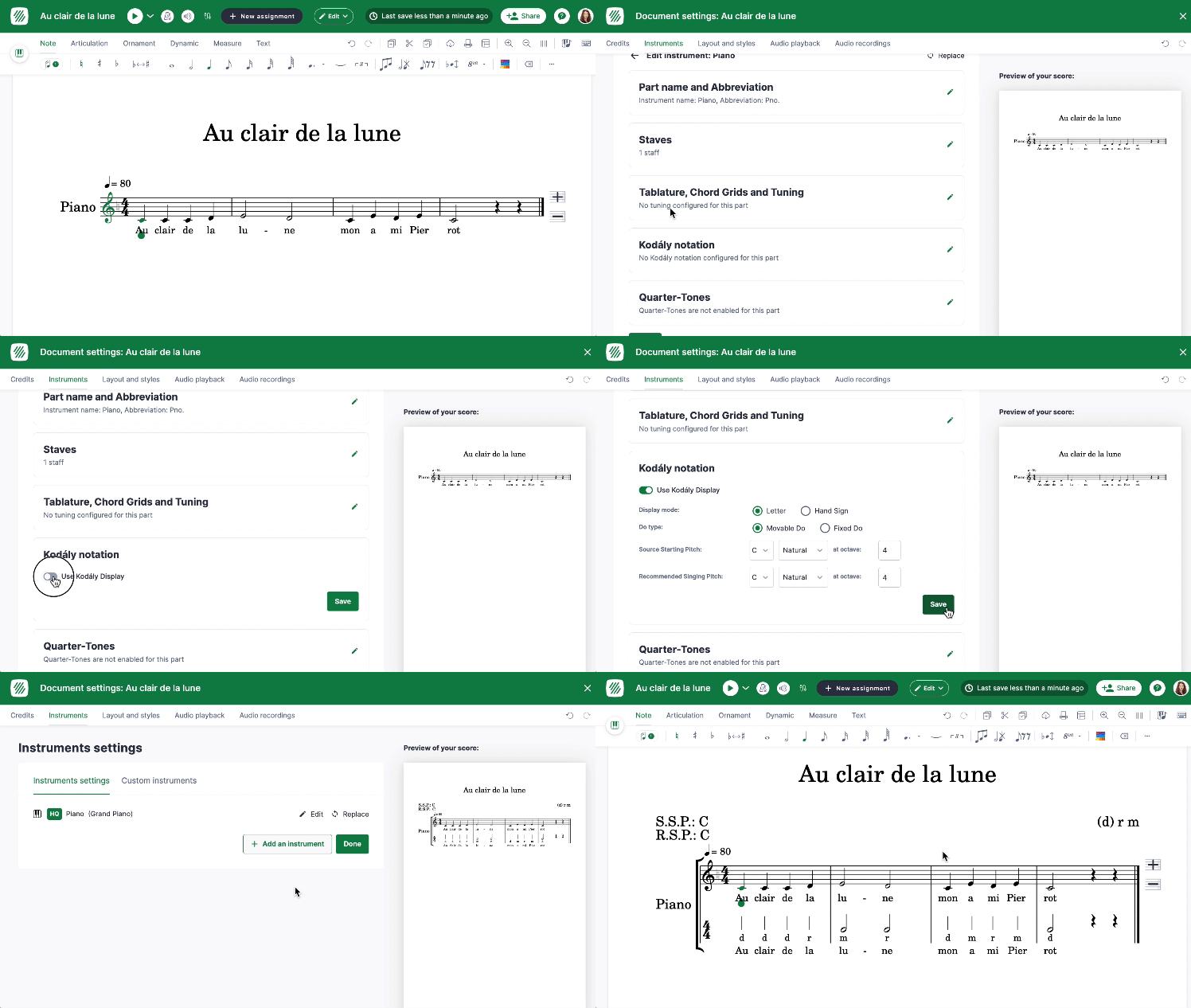
From there, you can choose the Display Mode, the Do Type, the Source Starting Pitch, and the Recommended Singing Pitch:
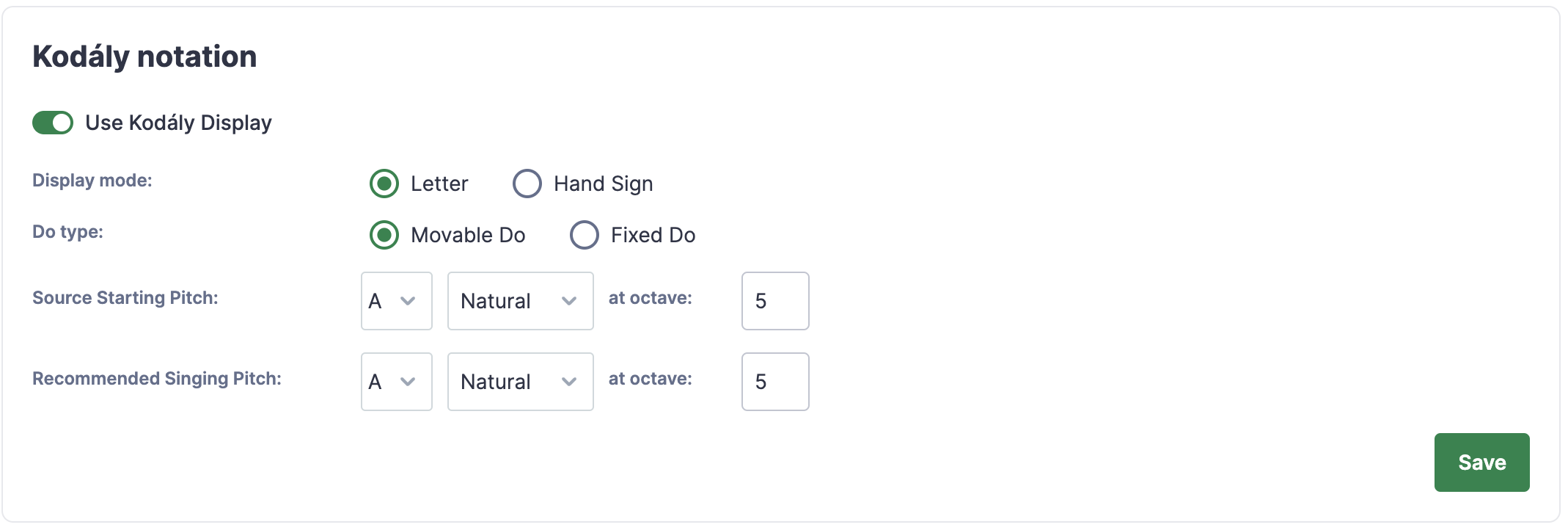
What can Kodály notation display?
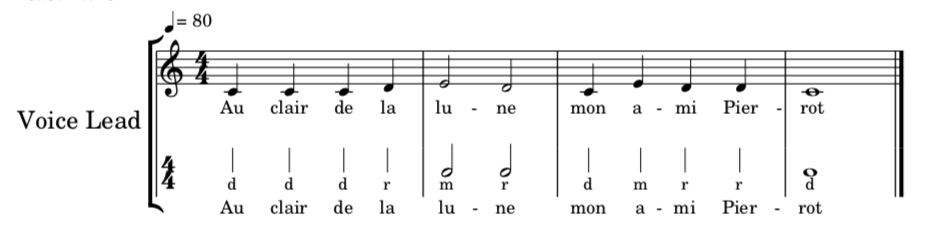
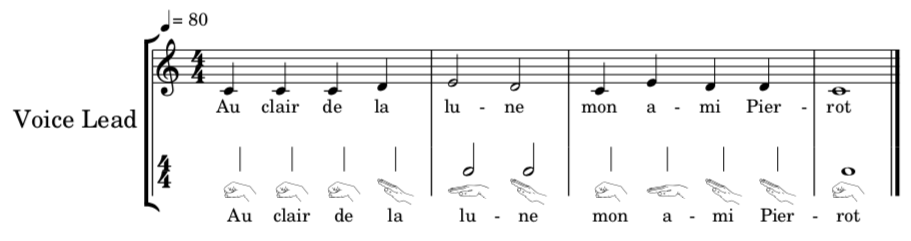
Flat offers two display types for the Kodály layer. You can choose to display notes as letters (do re mi fa so la ti), or as hand signs. Both are generated from the same notes, so switching between them changes only how the layer is drawn.
Should I use fixed do or movable do?
You have the option to use either a Fixed Do or a Movable Do system. Fixed do names notes by their actual pitch; movable do names them relative to the key. Which one you want depends on how your students were taught to read.
If you choose Fixed Do, the solfege notation will directly correspond to the actual pitches you sing. In this system, a "C" will be referred to as "Do".
On the other hand, if you opt for Movable Do, the solfege notation will be determined by the key you are in. In this case, the tonic note of the key will be called "Do". For example, if you are singing in the key of "G", the "G" note will be called "Do", and the "A" note will be called "Re".
Source starting pitch & Recommended singing pitch
The source singing pitch refers to the "original" pitch of the song, while the recommended singing pitch is the pitch that students are advised to use when singing the song.
If you're using a Fixed Do system, the Kodály notation will be automatically transposed according to both the source and recommended singing pitches.
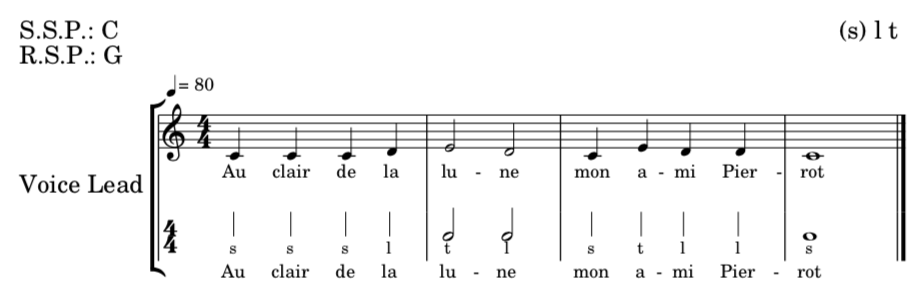
In this specific example, the source singing pitch is "C" and the recommended singing pitch is "G":
Printing only Kodály notation
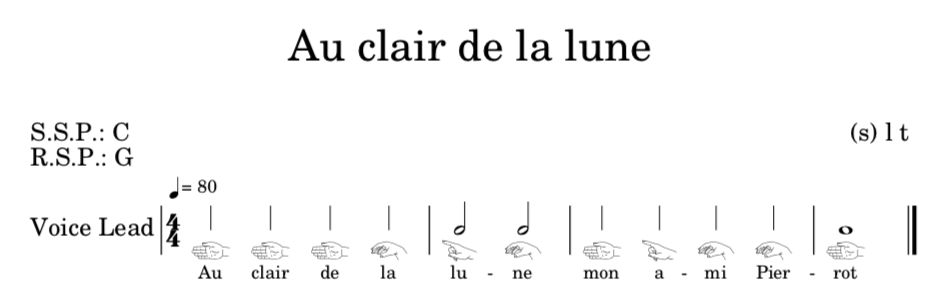
When printing your score, you might want to keep only the Kodály notation and remove the regular staff. To do so, you just need to enable the option to "Only print Kodály".

Here is the result, with only the Kodály notation:
Frequently asked questions
Do I have to type the solfege syllables myself?
No. Flat generates the Kodály notation directly from the content of your score, so the letters or hand signs follow the notes you already wrote. Edit the melody and the solfege layer follows; there is no second copy of the music to keep up to date.
What is the difference between fixed do and movable do here?
With fixed do, the syllable follows the actual pitch, so a C is always "Do". With movable do, the syllable follows the key, so the tonic is "Do" - in G major, G is "Do" and A is "Re". Pick the one your students already read.
Why is my Kodály notation transposed?
Because a source starting pitch and a recommended singing pitch are set. In a fixed do system, Flat automatically transposes the Kodály notation according to both, so the syllables match the pitch the students are advised to sing rather than the written one.
Can I print the solfege without the staff?
Yes. Enable the "Only print Kodály" option and the printed score keeps the Kodály notation and drops the regular staff - useful for a singing handout. The score in the editor is unchanged; only the print output differs.