How to use automatic notehead modes in Flat
Last updated November 4, 2026
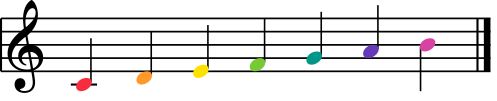
Notehead modes in Flat are automatic rules applied to every notehead in a score: you enable a mode and we automatically apply the set of rules to your complete sheet music. Modes currently include automatic colors (Boomwhackers color scheme) and shapes (Notes names, Shape Notes - Aiken), computed from fixed do or movable do.
Which notehead modes does Flat offer?
Flat splits the modes into two groups - one color mode and four shape modes - and all of them are found in the Note heads section of the Layout tab. A color mode and a shape mode can be active at the same time; two modes of the same group cannot.
| Mode | What it applies to every notehead |
|---|---|
| Boomwhacker | The Boomwhackers color matching the note's pitch |
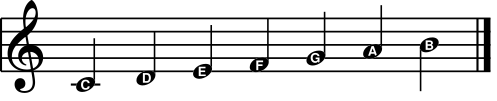
| Notes names | The letter name of the note, printed inside the head |
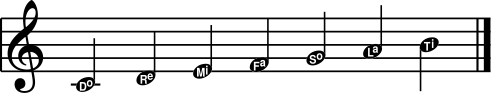
| Solfege (with ti) | The solfege syllable, using ti for the seventh degree |
| Solfege (with si) | The solfege syllable, using si for the seventh degree |
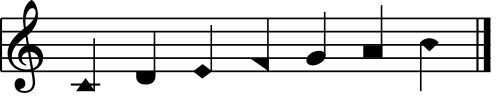
| Shape Notes (Aiken) | The Aiken shape-note head for the degree |
How do I turn on a notehead mode?
Flat applies a mode to the whole score in one step. To enable one or multiple modes, open the Layout tab in the left panel, go to the Note heads settings and choose the modes that you want to use. Existing notes are updated immediately, and notes you add afterwards follow the mode.
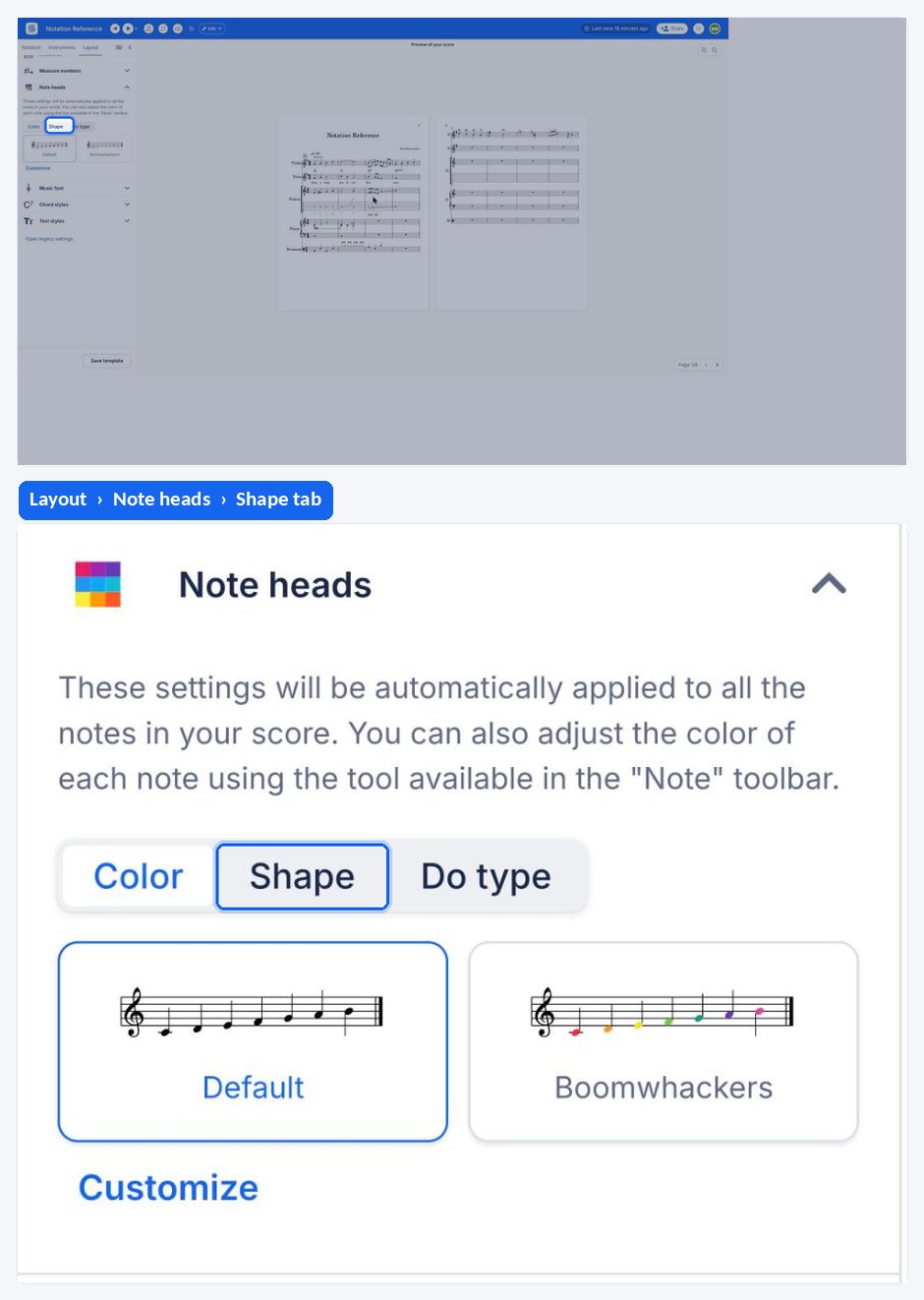
Examples
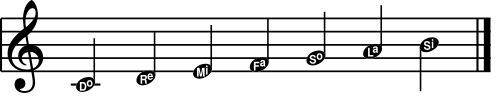
Here are some examples of the automatic modes applied to a scale:
Color: Boomwhackers
Shape: Notes names
Shape: Solfege with Ti
Shape: Solfege with Si
Shape: Aiken
Do type
You can choose whether to use movable do or fixed do.
Fixed Do
With the fixed do, the color/shape used with a note will only depend on its pitch. A G will always be displayed with a So in Fixed do.
Movable Do
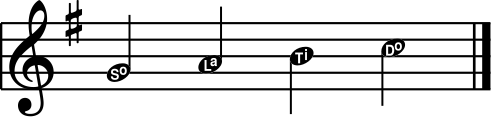
With the movable do, the color/shape used with a note will depend on the pitch and the key signature's tonic. A G with a G major key signature will be displayed with a Do in movable do.
Combined modes
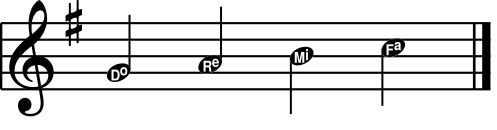
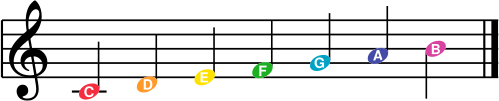
You can combine a color mode and a shape mode, for example, the notes names and the Boomwhackers colors:
Frequently asked questions
Can I use a color mode and a shape mode together?
Yes. A color mode and a shape mode belong to different groups, so both can be active at once - note names printed inside Boomwhackers-colored heads is a common combination for beginner material. Two shape modes, or two color modes, cannot be combined.
What is the difference between fixed do and movable do here?
With fixed do, the color or shape depends only on the pitch, so a G is always So. With movable do, it depends on the pitch and the key signature's tonic, so a G in G major is Do. Movable do follows a modulation; fixed do does not.
Why do some of my students read ti and others si?
Because two solfege traditions name the seventh degree differently. Flat ships both as separate modes - Solfege (with ti) and Solfege (with si) - so you can match whichever syllable set your class already uses without rewriting anything.
Do the modes change my music?
No. A notehead mode is a display rule applied on top of the notes you wrote: the pitches, rhythms, and playback are untouched. Switch a mode off and the score returns to standard noteheads exactly as it was.
Can I choose my own colors instead of Boomwhackers?
Yes. Flat lets you handpick a color for each note pitch and use that scheme instead - see Boomwhackers and custom color schemes, or color music notes to color individual notes by hand.