How to add or update the credits of a score in Flat
Last updated October 13, 2026
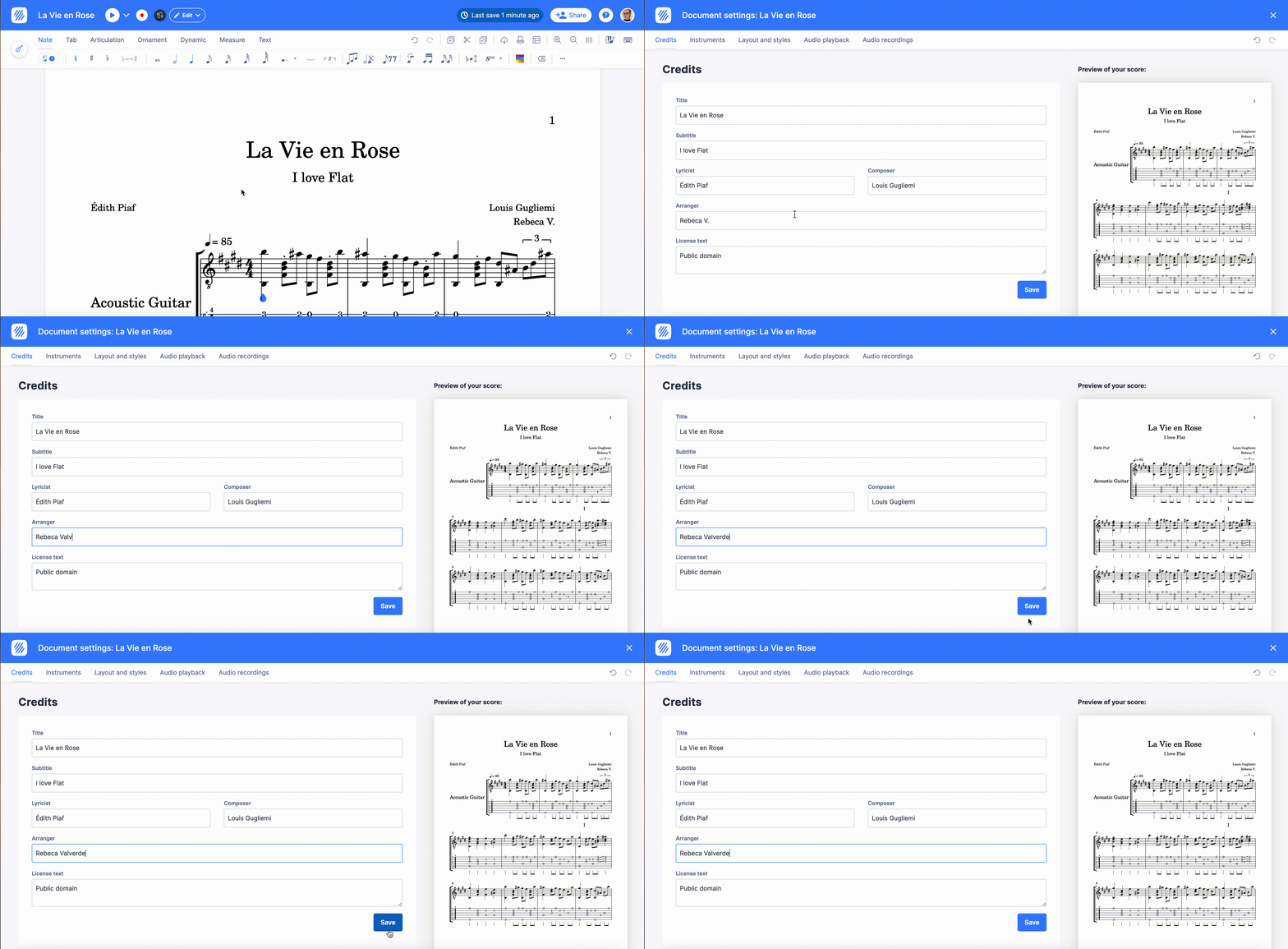
The credits in Flat are the information printed at the top of your sheet music: the Title, Subtitle, Lyricist, Composer, Arranger, and the License information. Flat stores them with the score, prints them on every export, and lets you edit them at any time without touching a note of the music.
How do I add or edit the credits of a score?
To add or change information about your score, click on the title of your score to access the credits. You can then add or edit details like the Title, Subtitle, Lyricist, Composer, Arranger, and License information, and the score header updates as you type.
How should I write the license text?
The most common format for the license text is "© year of publication name of the owner of the rights of the piece. All Rights Reserved" — for example: "© 2020 John Silver. All Rights Reserved".
In case you want to read more on how copyright works, check this page.
How do I update the publication details of a public score?
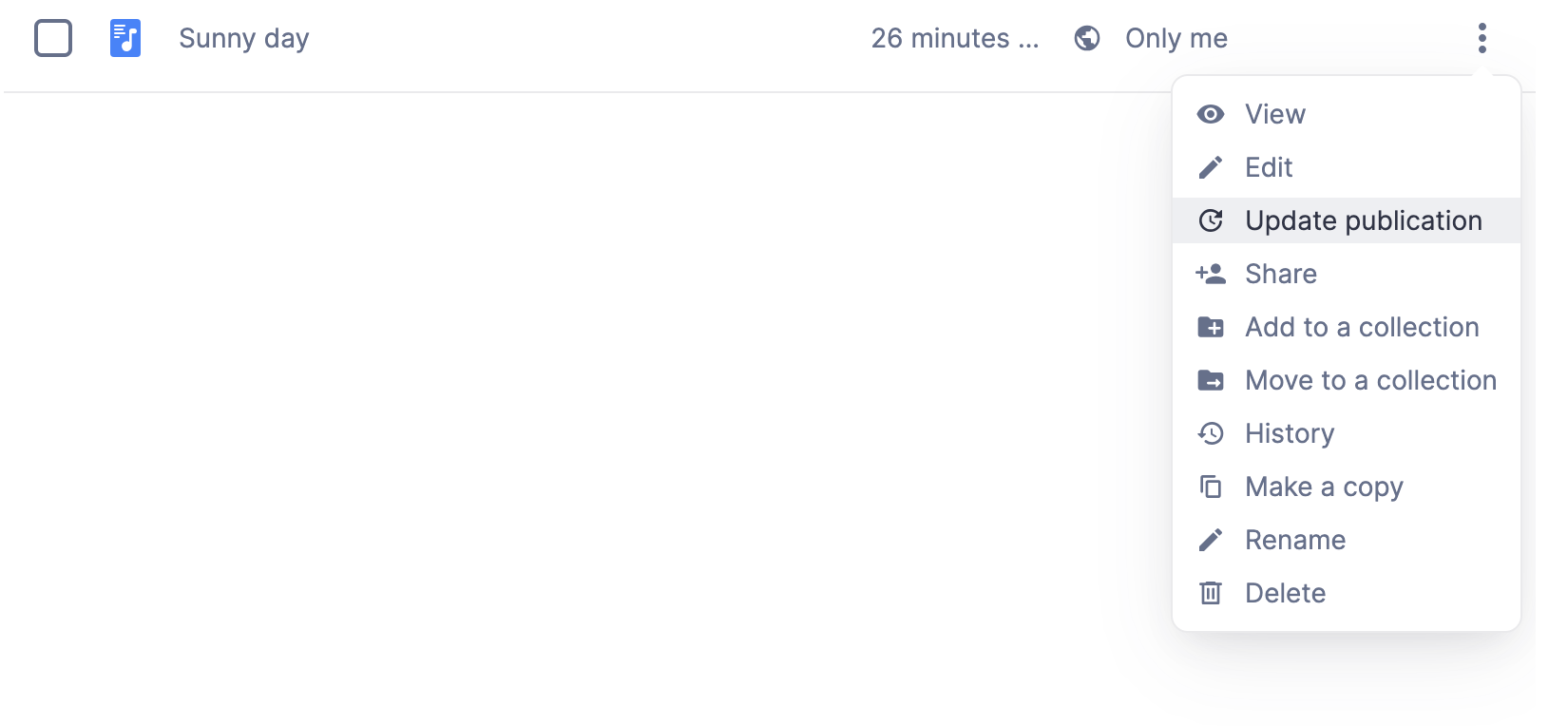
If your score is public and you wish to edit the additional metadata such as Description, Tags, License, and so on, you can do so directly from your My Library page. Simply click the "..." icon next to the score, and select Update Publication.
How do I add or edit the credits of a score?
Open the menu at the top right and tap Credits. The title, subtitle, lyricist, composer, arranger and licence all live there, and the score header follows what you type.
How should I write the license text?
The most common format for the license text is "© year of publication name of the owner of the rights of the piece. All Rights Reserved" — for example: "© 2020 John Silver. All Rights Reserved".
In case you want to read more on how copyright works, check this page.
How do I update the publication details of a public score?
A public score carries additional metadata on top of its credits — Description, Tags, License, and so on. These publication details belong to the published score rather than to the notation, so they are edited from your library rather than from the credits panel.
The publication details of a public score - description, tags, licence - are edited from your library rather than from inside the editor: open the score's menu there and choose Update Publication.
Frequently asked questions
What is the difference between the credits and the publication details?
The credits are printed on the sheet music itself — title, subtitle, lyricist, composer, arranger, and license — and travel with the score into every export. The publication details, such as the description, the tags, and the license of a public score, describe the published page and are edited from your library.
Do the credits appear when I print or export my score?
Yes. The credits are part of the score, so the title, composer, arranger, and license text appear on the printed page and in the files you export, exactly as they appear in the editor.
What should I put in the license information?
The usual form is "© year of publication rights owner. All Rights Reserved", for example "© 2020 John Silver. All Rights Reserved". If you are unsure which rights apply to an arrangement or a cover, read how copyright works on Flat first.
Can I change the credits after sharing a score?
Yes. The credits can be edited at any time, and the change applies to the score everyone sees, including anyone who already has the link. Editing the credits never changes the music itself.