How to sign in to Flat for Education from Canvas
Last updated October 29, 2026
Flat for Education adds a link to your Canvas course navigation that signs you in automatically, with no separate password. This is called single sign-on (SSO). This page is for teachers: it explains what happens the first time you and your students open Flat for Education from Canvas, and how your classes are created.
How do I open Flat for Education from Canvas?
Once Flat for Education is set up in your Canvas course, click Flat for Education in the course navigation on the left. This works with both LTI 1.3 and LTI 1.1. With LTI 1.3, the link appears as long as the Course Navigation placement stays turned on in your admin's setup.
Canvas opens Flat for Education and signs you in to the account linked to your Canvas account. You're also signed in every time you open a Flat for Education link from Canvas, such as a linked score or an assignment.
The first time you open Flat for Education
If you don't have a Flat for Education account yet, one is created for you automatically in your Flat for Education school account. There's nothing to fill in.
If you already have an account, Flat for Education can link it to Canvas using your email address. See how to keep existing accounts for what's needed.
What students see
Students click the same Flat for Education link in the course navigation, or open a Flat for Education assignment, and they're signed in right away. Students who don't have an account yet get one automatically in your school account, and they're added to your class.
How are my classes created?
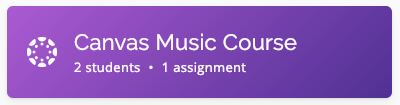
When you sign in to Flat for Education from Canvas, a Flat for Education class is created for your course automatically. Students who open Flat for Education from your Canvas course are enrolled in that class.
Even if you manage assignments in Canvas, Flat for Education classes are useful for sharing scores with your students and choosing exactly what each person can do with them.
Your classes are listed in your Flat for Education account: