Microsoft Teams and Flat for Education
Last updated September 2, 2026
This page gives you an overview of everything Flat for Education can do alongside Microsoft Teams.
The music notation tool that fits straight into your Teams workflow.
Sign in with Microsoft, sync your Teams class roster, and create music assignments that post automatically to your Teams channel — with grades sent back to your Teams gradebook.

Sign in with Microsoft accounts
All of your students can sign into Flat for Education using their existing school Microsoft 365 accounts — no separate password or new account needed. Once your class is set up, students click the assignment link in their Teams feed and land straight in Flat for Education, already signed in.
Students won't know they have access to Flat for Education until you post an assignment or share a link. Syncing a roster alone doesn't notify them, and we never send marketing emails to students.
Sync your Microsoft Teams class roster
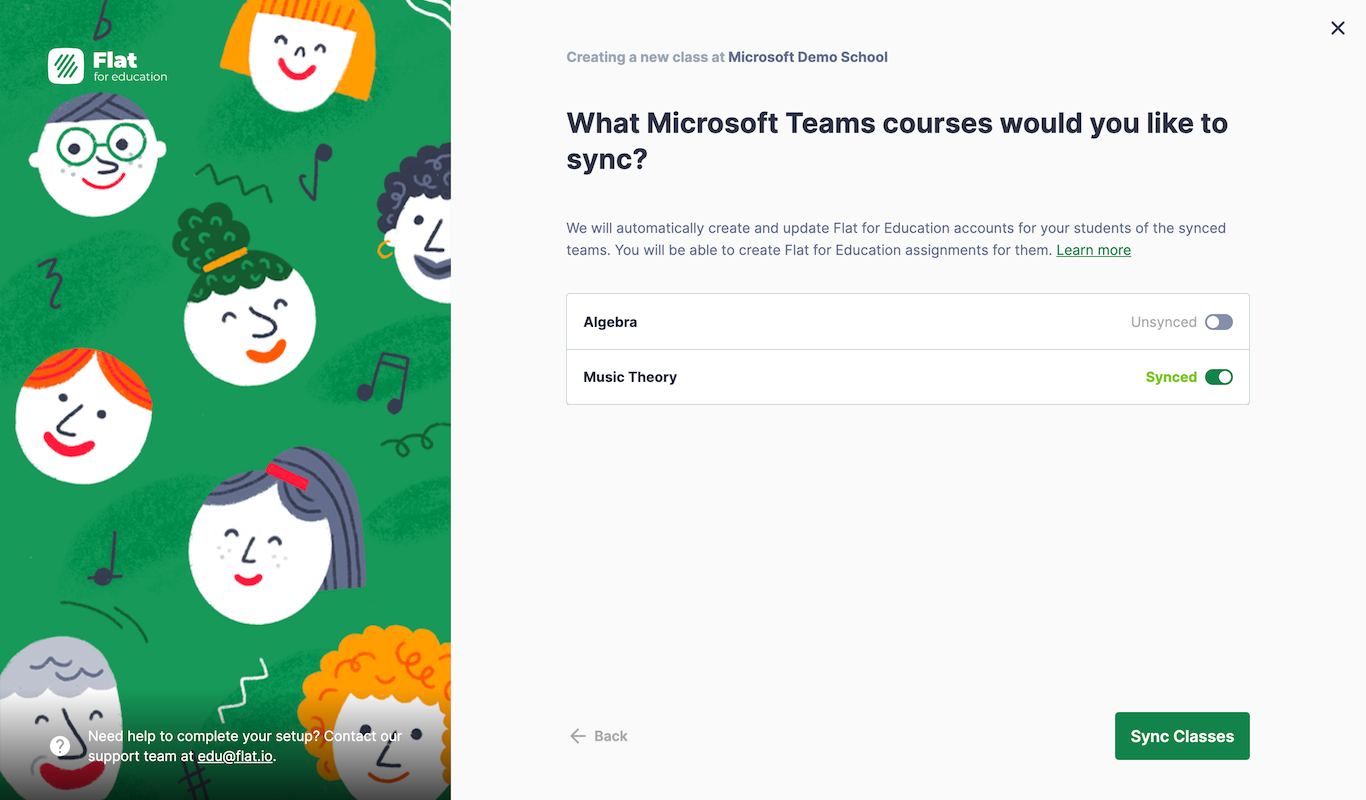
Setting up a class on Flat for Education takes just a few clicks. Connect your Microsoft 365 account, choose which Teams classes to use with Flat for Education, and we handle everything else — creating student accounts and enrolling them in your class.
Before a teacher can connect Teams classes for the first time, a Microsoft 365 admin needs to grant consent for Flat for Education in your school's Azure portal. This is a one-time step. If you're not the admin, share the admin consent instructions with your IT team before you start setup.
Set up your Microsoft Teams class →
Create music notation assignments that post to Teams
Once your class is set up, you can create any Flat for Education assignment — compositions, auto-graded worksheets, or performance activities — and it will be posted automatically to your Microsoft Teams channel with a direct link for students.
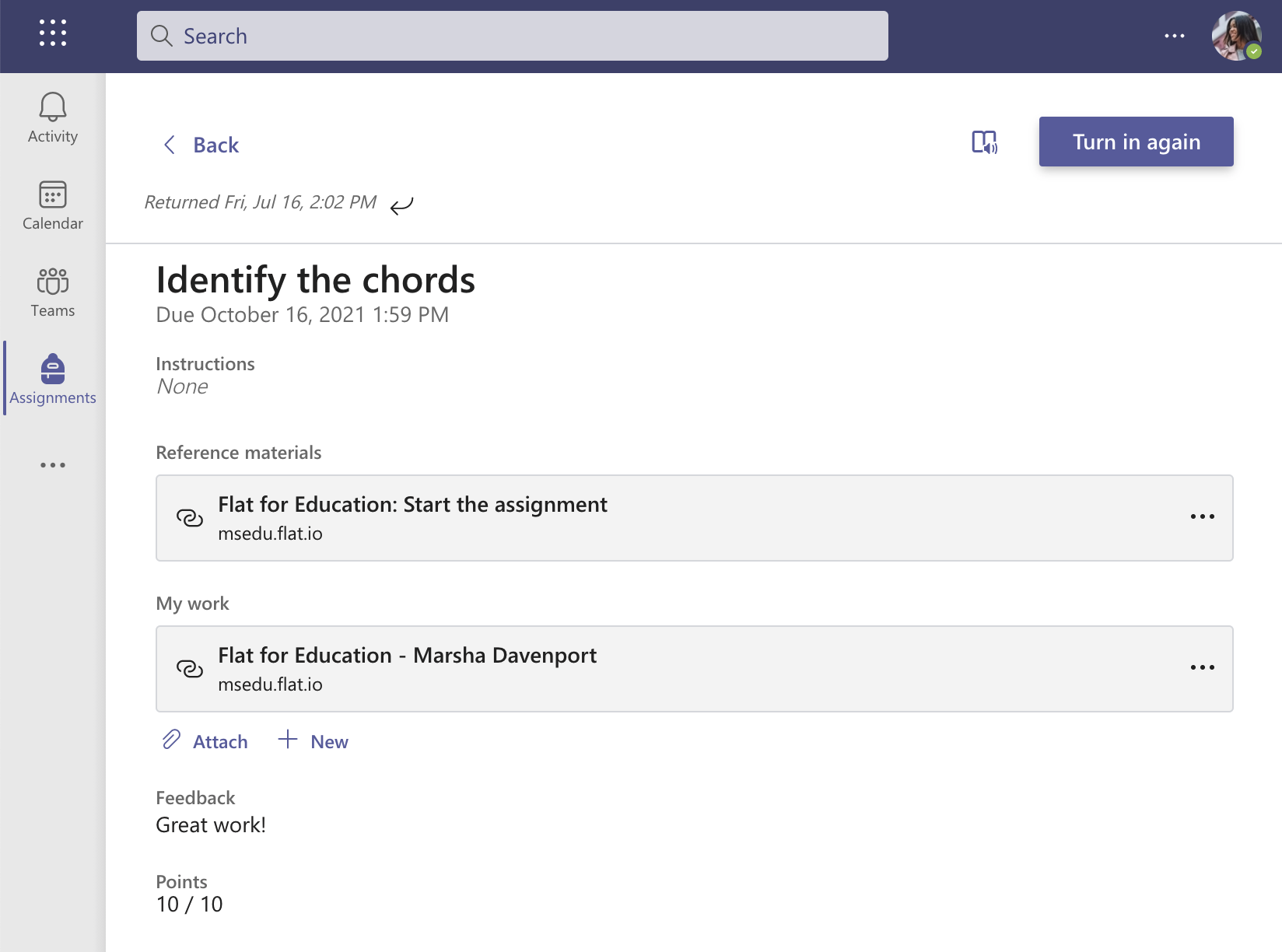
Students open the assignment straight from their Teams feed with one click. Their completed work and grades are sent back to your Teams gradebook automatically, whether grades are set manually or by Flat for Education's auto-grading.
Create your first Teams assignment →
Share interactive sheet music in any Teams channel
Alongside the class integration, Flat for Education also has a Teams app that lets you share any music score as an interactive tab directly in a Teams group or chat — without students needing to sign in to Flat for Education.
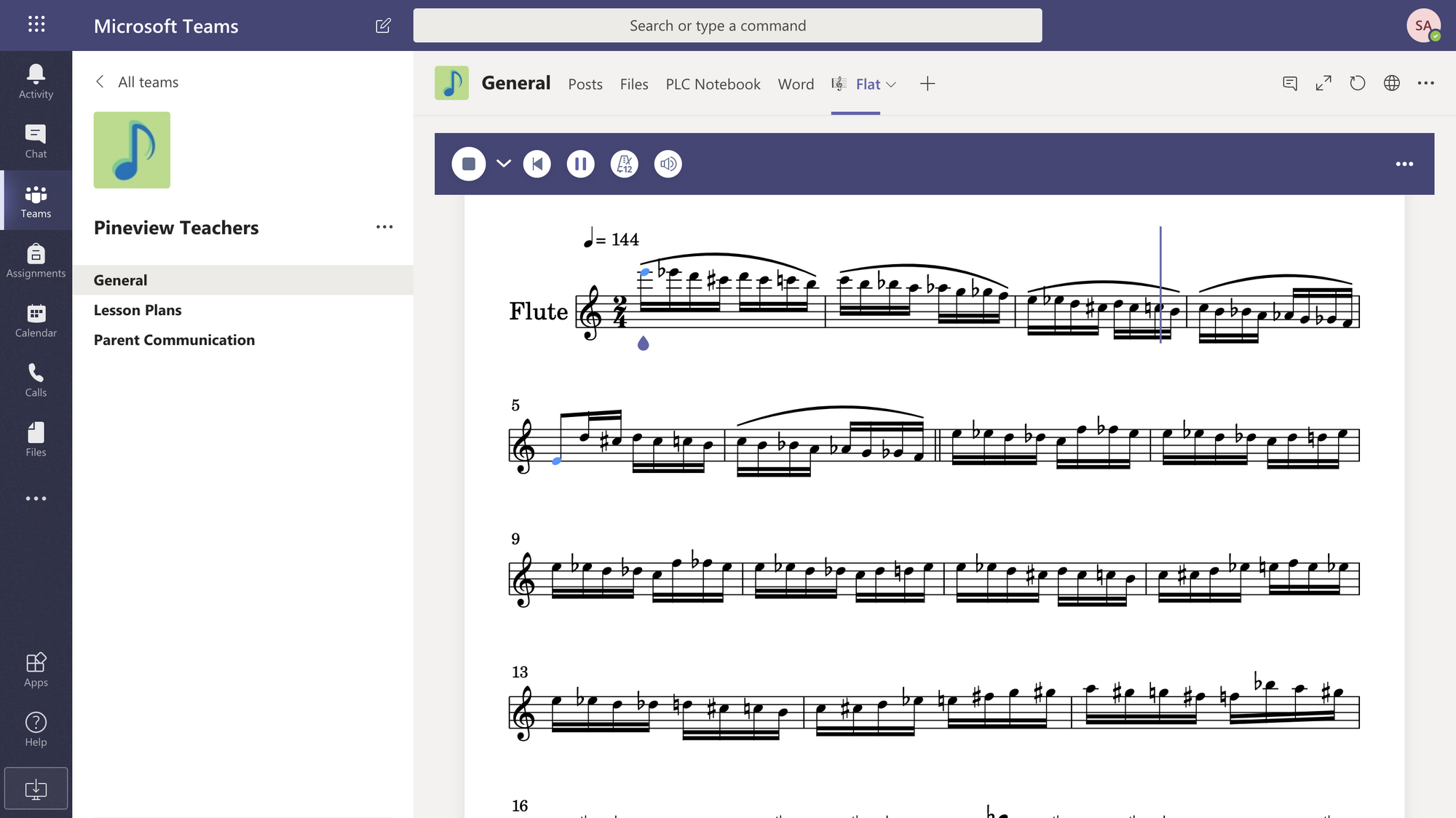
This is handy for sharing a reference score with a group, embedding sheet music in a channel for a school ensemble, or letting students explore a piece before an assignment.
Get the Flat for Education Teams app from Microsoft AppSource →
Video tutorial
New to Flat for Education with Microsoft Teams? This tutorial walks you through the setup and your first assignment.