How to add and remove an arpeggio in Flat
Last updated October 13, 2026
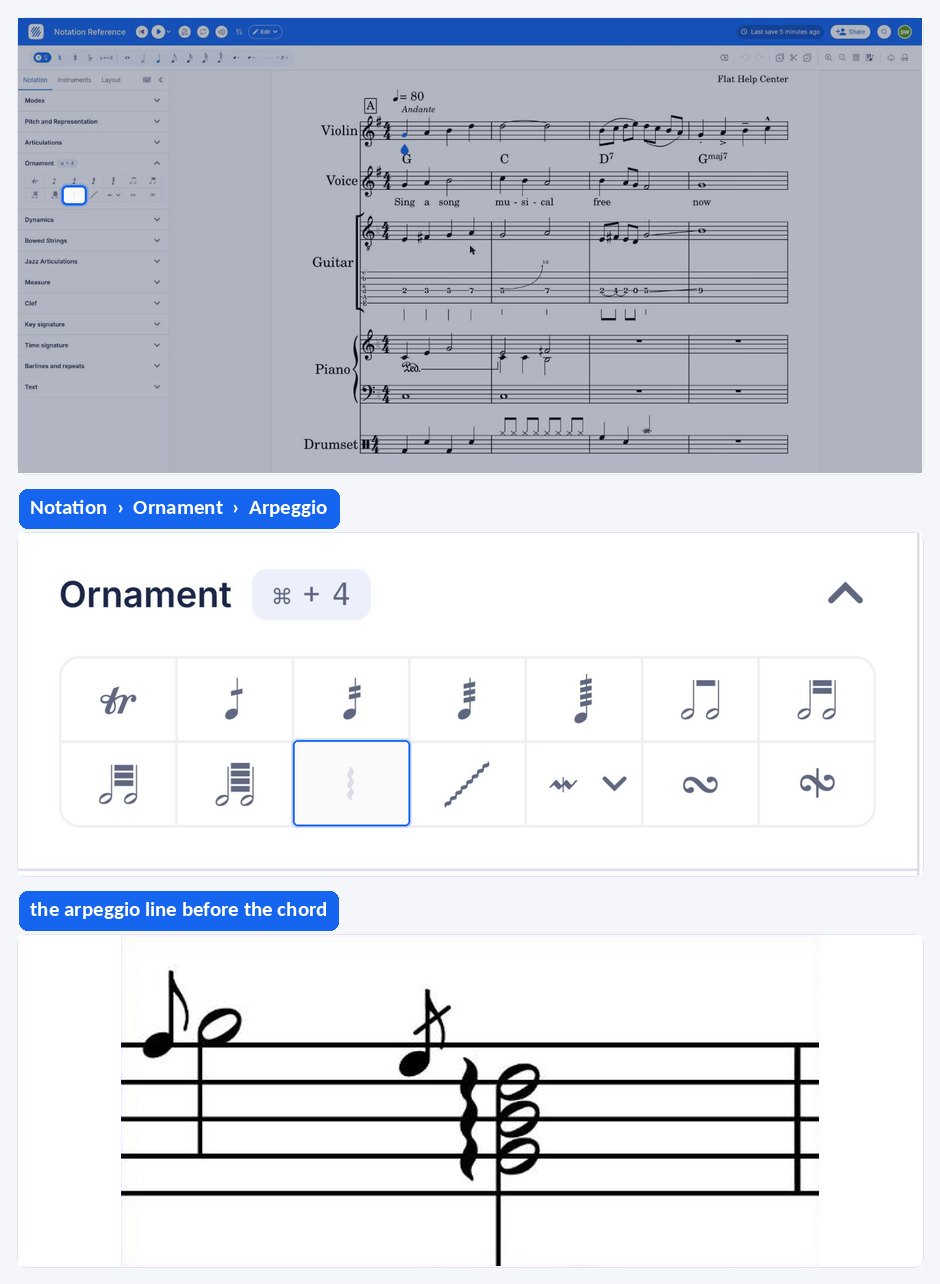
An arpeggio in Flat is an ornament that marks a chord whose notes are played one after the other rather than together, written as a vertical wavy line beside the chord. Flat adds and removes the arpeggio from the Ornament section of the Notation panel with the same button.
Where is the arpeggio button?
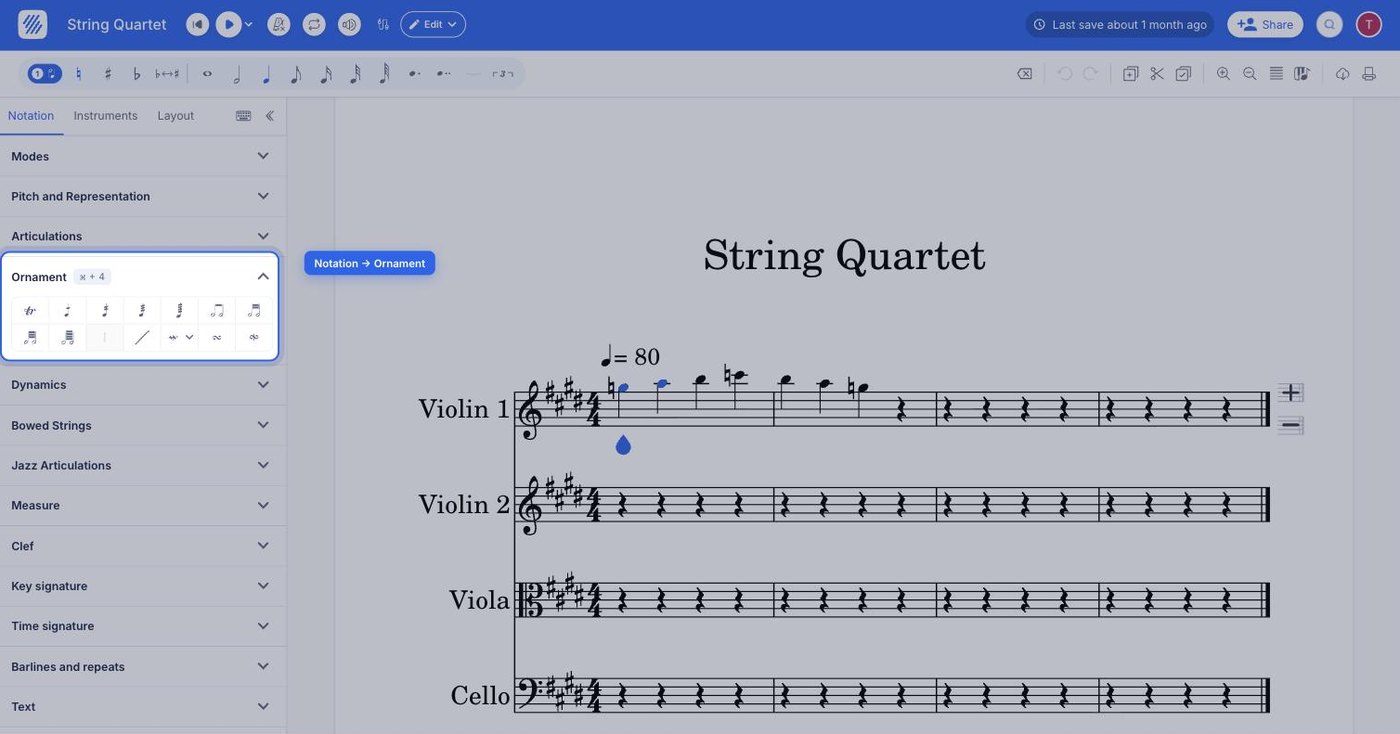
The arpeggio button sits in the left panel, in the Notation tab, under Ornament — the same section that holds the trill, mordent, turn, tremolo, and glissando. Select the chord first, then click the button.
| Available in | Notation > Ornament |
| Icon |  |
What is an arpeggio?
An arpeggio is a chord in which notes are played one after the other, either in a rising or descending order. This musical ornament is typically symbolized by a vertical wavy line placed next to the chord.
How do I add or remove an arpeggio?
Open the Notation tab in the left panel, select the desired chord, and click Arpeggio under Ornament. Click again to remove the arpeggio. The wavy line appears immediately to the left of the chord it decorates.
Where is the arpeggio button?
The arpeggio button sits in the Ornament section, alongside the trill, mordent, turn, tremolo, and glissando.
| Icon | |
What is an arpeggio?
An arpeggio is a chord in which notes are played one after the other, either in a rising or descending order. This musical ornament is typically symbolized by a vertical wavy line placed next to the chord.
How do I add or remove an arpeggio?
Select the chord, drag the tool palette up from the bottom of the screen, and tap Arpeggio under Ornament. Tap it again to remove the arpeggio. The wavy line appears immediately to the left of the chord it decorates.
Frequently asked questions
Do I select the whole chord or a single note?
Select the chord. The arpeggio decorates the chord as a whole, which is why Flat draws one wavy line beside it rather than a mark on each notehead. Click the desired chord in the score, then click the arpeggio button under Ornament in the Notation panel.
What does the arpeggio symbol look like?
A vertical wavy line placed next to the chord, running roughly the height of the notes it covers. It tells the player to sound the notes one after the other instead of striking them together, either in a rising or a descending order.
What is the difference between an arpeggio and a glissando?
An arpeggio spreads the notes of a single chord so they sound one after the other. A glissando instead slides smoothly from one written pitch to another, drawn as a wavy line between the two notes. Both live in the Ornament section of the Notation panel.