How to add or change a key signature in Flat
Last updated October 13, 2026
A key signature in Flat sets the sharps or flats that apply to a passage. Flat covers every signature from seven flats to seven sharps, applies a new key from where you add it until the next key or the end of the score, and can limit the change to a range of measures you select first.
Where do I find the key signature tool?
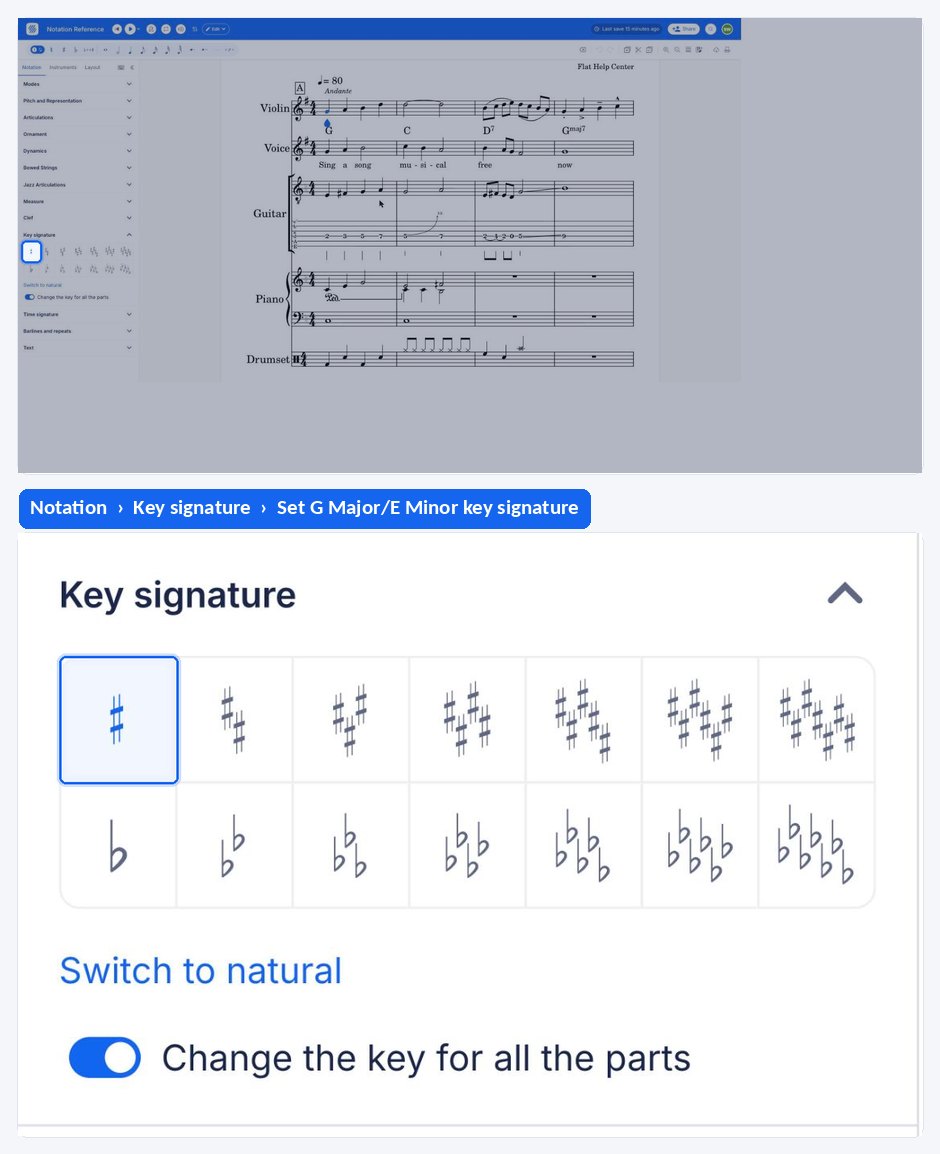
The key signature tool lives in the left panel: open the Notation tab and go to the Key signature section. It applies the key you choose to the measure your cursor is in, or to the range of measures you selected before opening it.
| Feature | Where to find it | Icon |
|---|---|---|
| Key Signature | Notation tab, Key signature section |  |
How do I add a new key signature?
Open the Notation tab in the left panel, go to the Key signature section and choose the new key. If there is no range selection, the new key signature will be applied until the next key or the end of the score. If you only want to change the key on specific measures, make a range selection of the measures before choosing the new key signature.
How do I change an existing key signature?
You can change an existing key signature by clicking on the key in the score and choosing the new key, or by using the tool available in the Key signature section of the Notation tab. The replacement applies from that point onwards, in the same way as a key you add.
To take the score back to C major, click the blue Switch to natural button under the key signatures in the Key signature section.
How do I add a new key signature?
A new key signature applies from where you add it until the next key or the end of the score when nothing is selected. To restrict it to specific measures, make a range selection of those measures first, and Flat writes the key change only across that range.
Tap the measure where the key should change, drag the tool palette up, and pick the new key under Key signature. With no range selected the key applies until the next key or the end of the score; to change it on specific measures only, select that range first.
How do I change an existing key signature?
An existing key signature can be replaced by the new key you choose, and the replacement then applies from that point onwards exactly like a key you add. To return the score to C major, tap the blue Switch to natural button under the key signatures.
Tap the key signature in the score and pick the new key, or select the measure and use the Key signature section of the palette. The replacement applies from that point onwards, in the same way as a key you add.
Frequently asked questions
Which key signatures can I use in Flat?
Every standard one: up to seven sharps and up to seven flats, plus the signature with no accidentals used by C major and A minor. Flat writes the accidentals in the conventional order, so choosing the key is all you have to do.
Does changing the key signature transpose my notes?
No — these are two different operations. The key signature tool writes the signature onto the measures you choose. To move the music itself, use the transposition tool, which shifts the notes and has an Update key signature option so the signature follows the new pitch level.