How to add or remove rehearsal marks in Flat
Last updated October 13, 2026
A rehearsal mark in Flat is a label placed on a measure so a conductor can start the music from there. Flat writes three kinds: a rehearsal letter it maintains automatically from A, the number of the measure itself, or custom text of your own.
Where do I find the rehearsal tools?
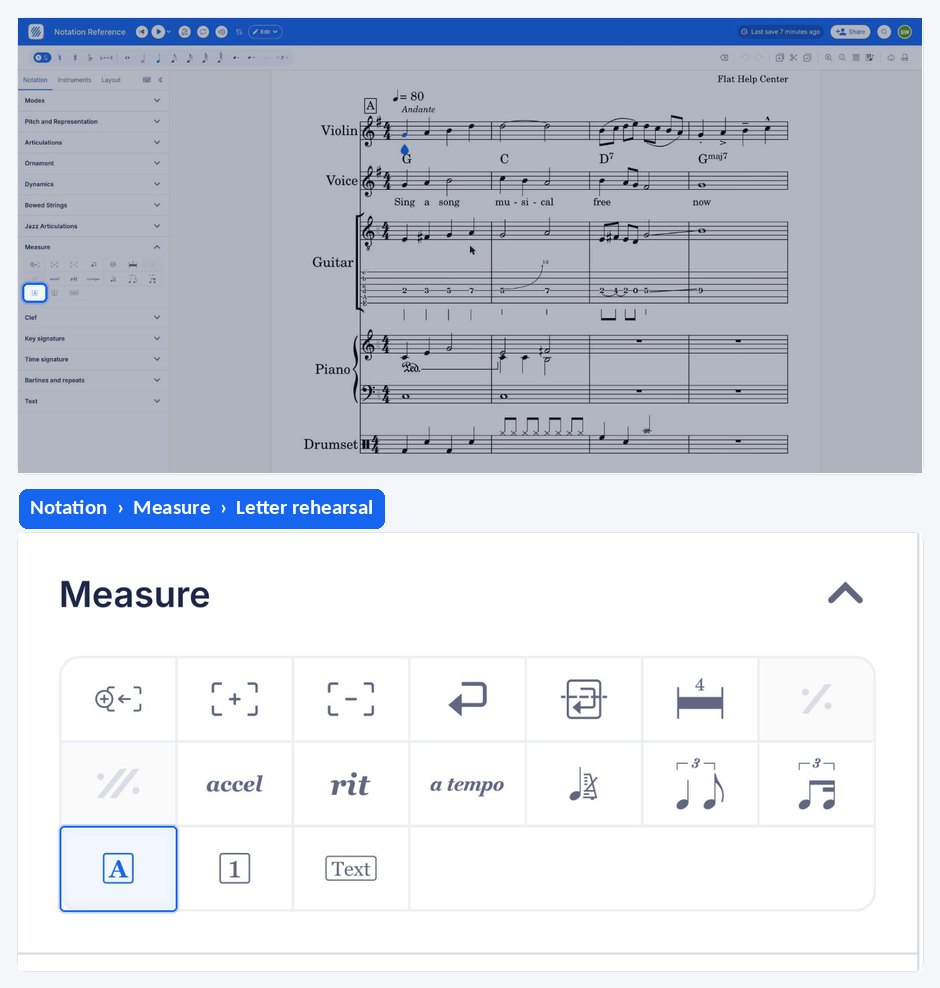
The rehearsal tools live in the left panel: open the Notation tab, go to the Measure section and open the rehearsal tool. It offers the three kinds of mark below, each applied to the measure your cursor is on.
| Feature | Where to find it | Icon |
|---|---|---|
| Rehearsal Letter | Notation tab, Measure section > Rehearsal |  |
| Rehearsal Number (Measure number) | Notation tab, Measure section > Rehearsal | |
| Custom Rehearsal Text | Notation tab, Measure section > Rehearsal |  |
What is a rehearsal mark?
A rehearsal letter is a boldface letter of the alphabet in an orchestral score, and its corresponding parts, that provides the conductor, who typically leads rehearsals, with a convenient spot to begin at places other than the start of movements or pieces.
How do I add or remove a rehearsal mark?
Put your cursor on the measure where you want to add your rehearsal mark. Go to the Measure section of the Notation tab, then click on the rehearsal icon and choose the type of rehearsal that you want to add.
| Type | What Flat writes |
|---|---|
| Rehearsal Letter | Flat automatically maintains a list of rehearsals for you, starting from A. |
| Rehearsal Number | The number of the current measure is displayed as a rehearsal mark. |
| Custom rehearsal | You can choose the text you want to add as a rehearsal mark. |
To remove an existing rehearsal mark, click on the mark, then press the delete icon. You can also update it from this rehearsal mark popover.
What is a rehearsal mark?
A rehearsal letter is a boldface letter of the alphabet in an orchestral score, and its corresponding parts, that provides the conductor, who typically leads rehearsals, with a convenient spot to begin at places other than the start of movements or pieces.
How do I add or remove a rehearsal mark?
A rehearsal mark is added to the measure your cursor is on, and Flat offers three kinds of mark to choose from. An existing mark can be updated or removed again from its own popover.
| Type | What Flat writes |
|---|---|
| Rehearsal Letter | Flat automatically maintains a list of rehearsals for you, starting from A. |
| Rehearsal Number | The number of the current measure is displayed as a rehearsal mark. |
| Custom rehearsal | You can choose the text you want to add as a rehearsal mark. |
Tap the measure, drag the tool palette up, and tap Letter rehearsal or Measure number rehearsal under Measure depending on which kind of mark you want. Add custom rehearsal takes your own text instead.
Frequently asked questions
Do rehearsal letters stay in order when I add one in the middle?
Flat automatically maintains the list of rehearsal letters for you, starting from A, so the lettering is handled by the editor rather than typed in by hand. Choose the custom rehearsal type instead when you need a label that does not follow that sequence.
What is the difference between a rehearsal mark and a text annotation?
A rehearsal mark is a structural label attached to a measure, meant as a starting point in rehearsal, and Flat can generate its letter or number for you. Annotations are free text you place on the staff — expression marks, instructions, notes to the player — with no structural role.
Can I use measure numbers instead of letters?
Yes. The Rehearsal Number type displays the number of the current measure as the rehearsal mark. How the measure numbers themselves are shown is a layout matter — see measure numbers to change where and how often they are printed.