How to add lyrics in Flat
Last updated October 21, 2026
Lyrics in Flat are the words written under the notation, attached note by note. Flat writes them with the Lyrics tool in the Text section, moves to the next note as you type, connects syllables of a word with hyphens, stretches one syllable over several notes with a melisma, and stacks as many verses as a song needs.
Where is the Lyrics tool?
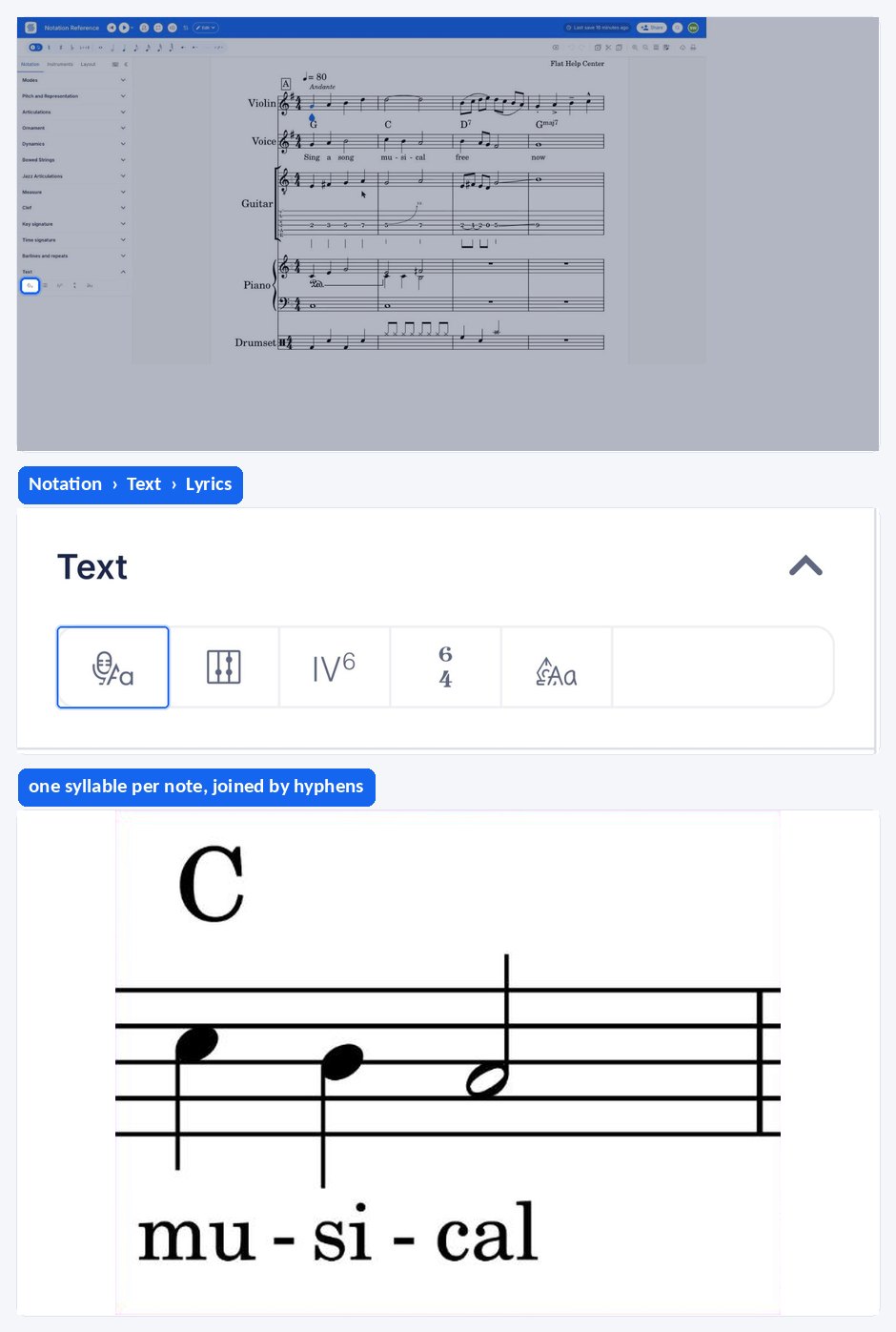
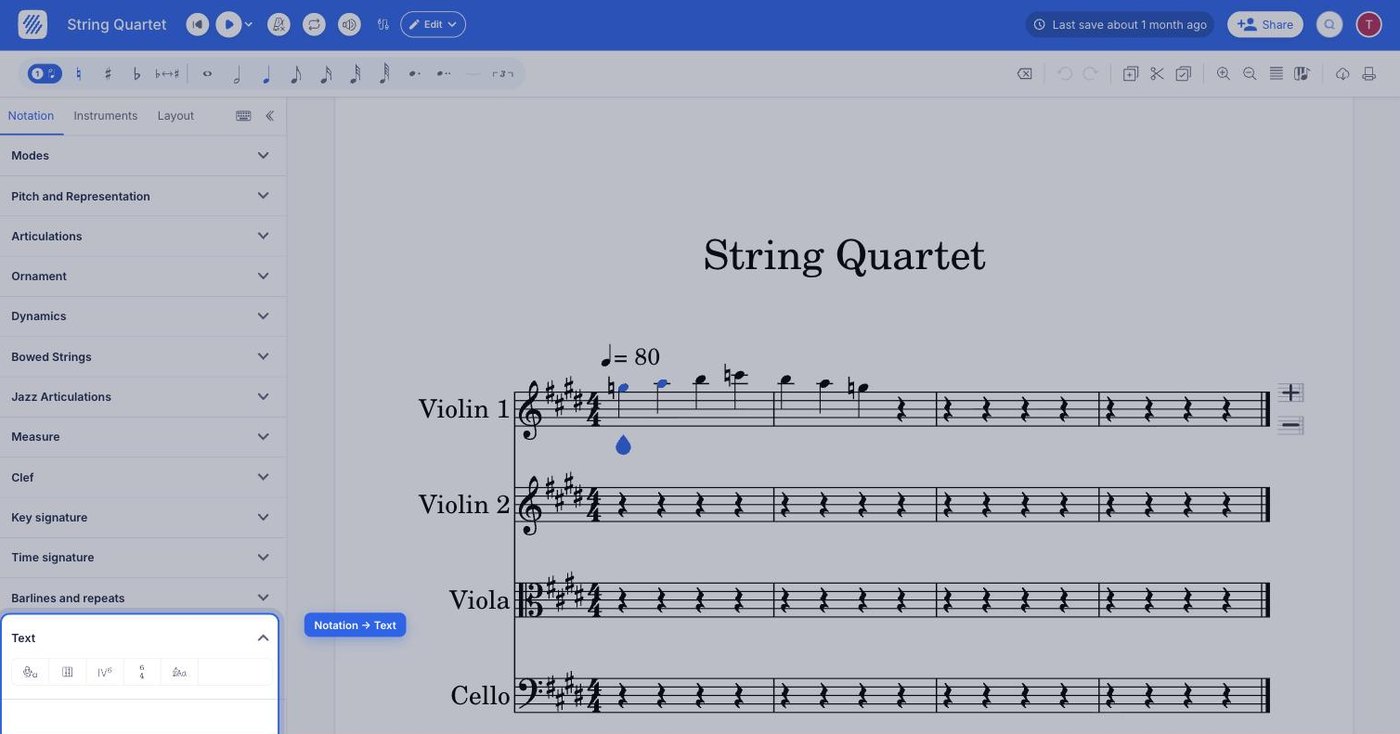
The Lyrics tool sits in the left panel, in the Notation tab, under Text. Select the note where the words start, then click the Lyrics icon — or press Ctrl + L / ⌘ + L.
| Feature | Location | Icon | Default Keyboard shortcut |
|---|---|---|---|
| Lyrics | Notation > Text |  | Ctrl + L or ⌘ + L |
What are the lyrics?
Lyrics are words that make up a song usually consisting of verses and choruses. The writer of lyrics is a lyricist. On Flat, you can easily write lyrics under your notation using our Lyric tool, available in the Text section of the Notation panel.
How do I start writing lyrics?
Focus the note where you want to start adding your lyrics, then open the Notation tab in the left panel and click the Lyrics icon under Text. You can input lyrics like regular text: pressing space will go to the next note or rest.
Press Esc to leave the Lyrics mode and go back to note editing. The teardrop-shaped note cursor comes back on the selected note.
How do I put several words on the same note?
If you want to have two or more lyrics words attached to the same note, you need to use Shift + Space in order to insert a space, instead of moving to the next note.
Syllable
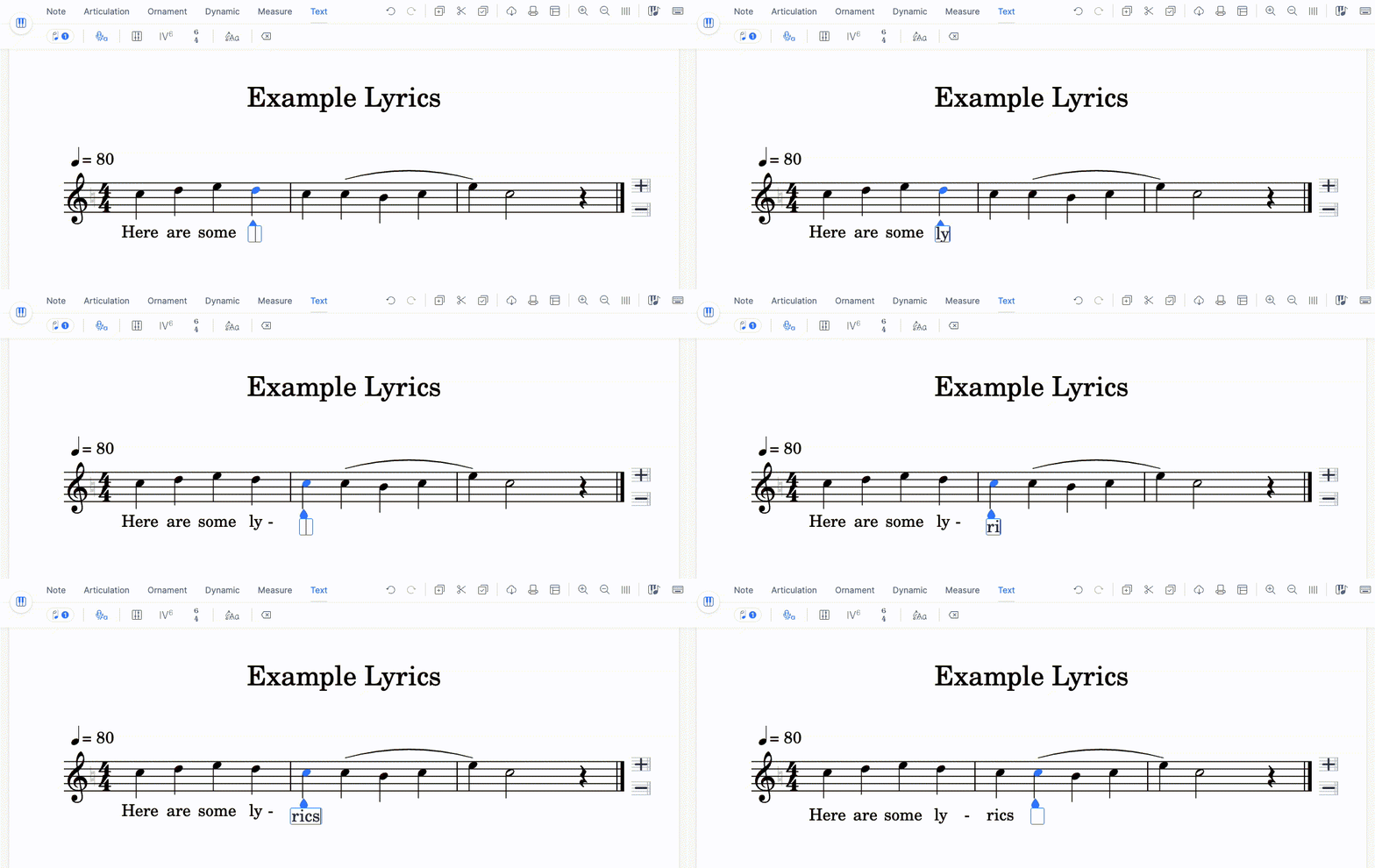
If you have a word that spans on several notes, you can have a syllable on each note, and connect them by pressing - instead of the spacebar.
Melisma
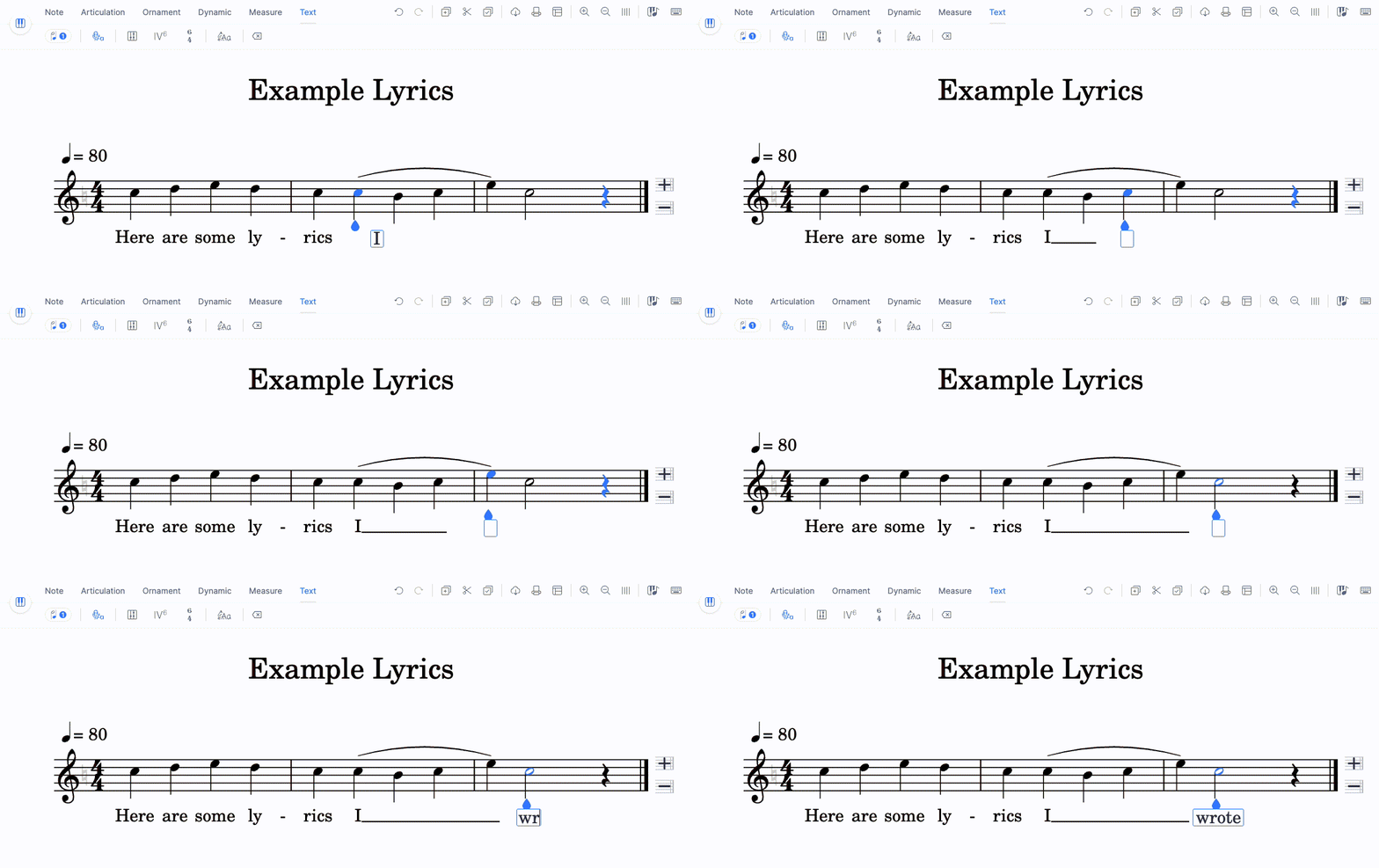
If you have a syllable/vowel that spans over several notes, you can add a melisma with the underscore _. First write the syllable, press _. Then press it again for each note on which you want to extend the melisma.
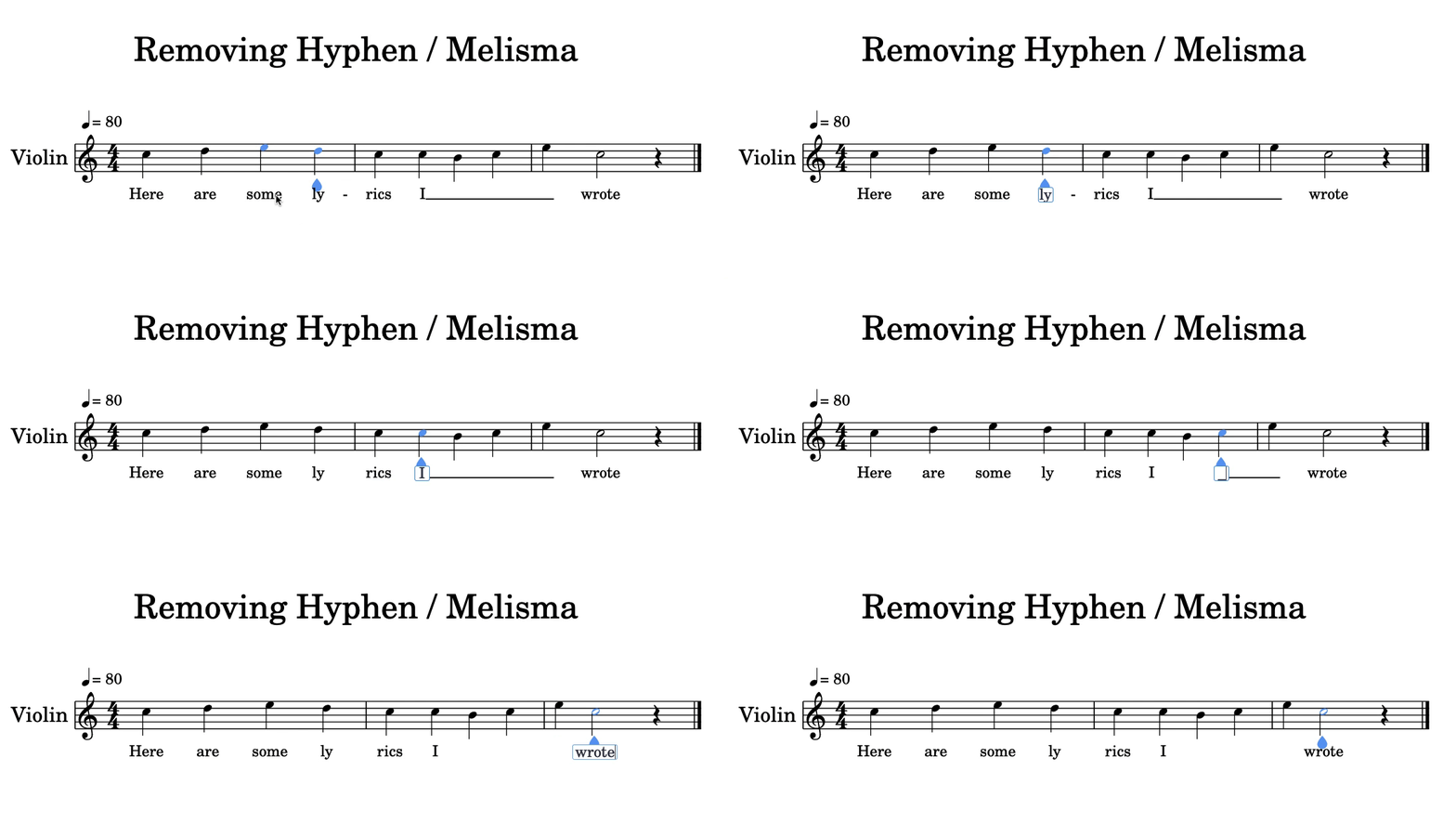
Removing Hyphens & Melismas
To remove a hyphen, you just need to press the space-bar while selecting the lyrics at the left side of the hyphen. To remove a melisma, select the melisma, remove the underscore ("_"), then press the space-bar.
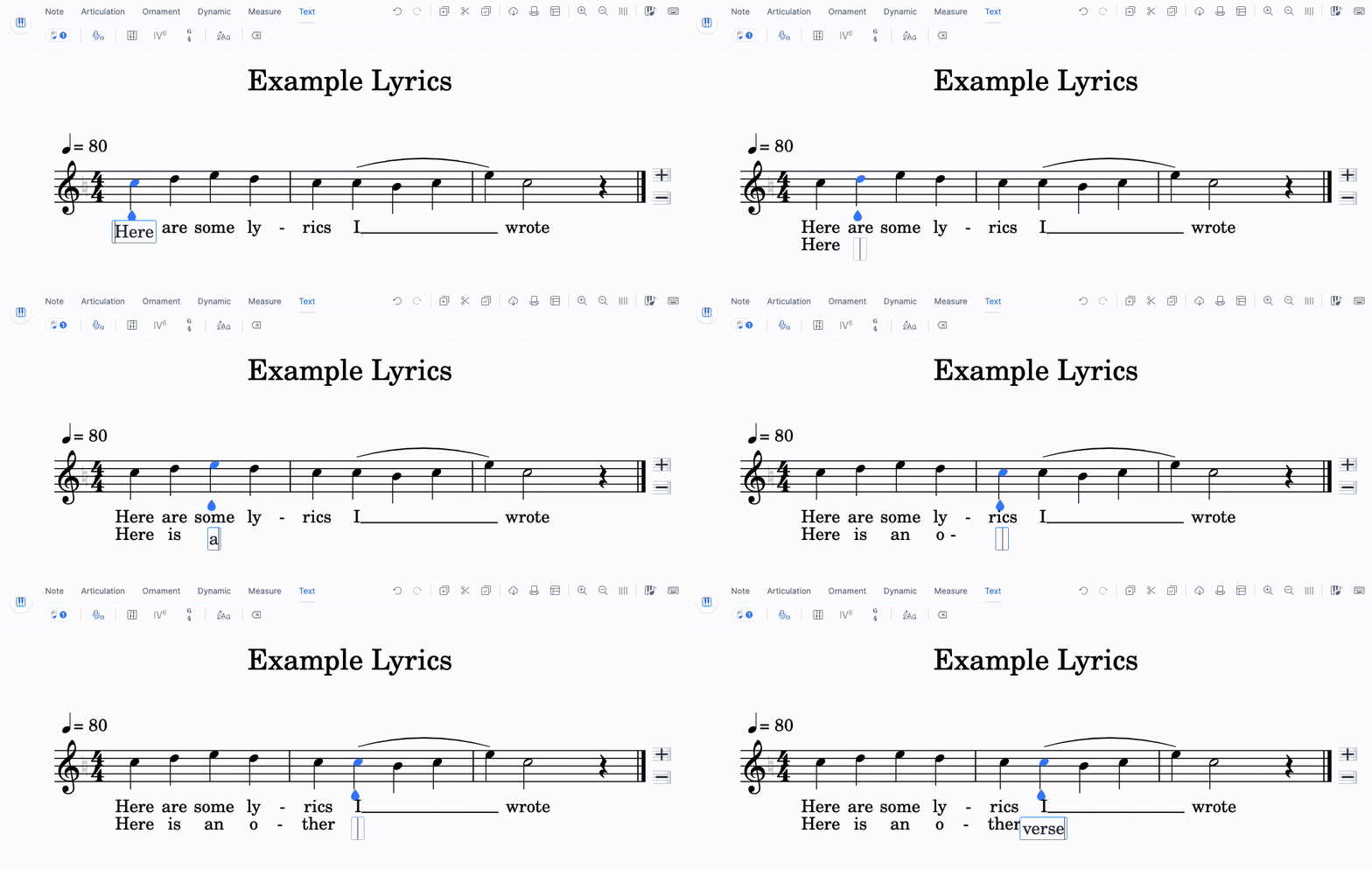
Multiple verses
You can move to the different verses with the arrow keys.
What are the Lyrics keyboard shortcuts?
These keys drive the whole lyrics flow — moving between notes, between verses, and in and out of lyrics mode.
| Action | Shortcut |
|---|---|
| Go to the next lyric | Space or → or Enter |
| Go to the previous lyric | ← |
| Add a new verse / Go to the next verse | ↓ |
| Go to the previous verse | ↑ |
| Add a space within a lyric | Shift + Space |
| Add a hyphen after the lyric | - |
| Add a melisma after the lyric | _ |
| Exit the Lyrics mode | Esc |
Where is the Lyrics tool?
The Lyrics tool sits in the Text section.
| Feature | Icon |
|---|---|
| Lyrics | |
What are the lyrics?
Lyrics are words that make up a song usually consisting of verses and choruses. The writer of lyrics is a lyricist. On Flat, you can easily write lyrics under your notation using our Lyric tool, available in the Text section.
How do I start writing lyrics?
Select the note where the words start, drag the tool palette up, and tap Lyrics under Text. Type as you would anywhere else - a space moves to the next note or rest.
How do I put several words on the same note?
Lyrics normally take one word per note, but a song rarely lines up that neatly. A word that spans several notes is split into a syllable on each note, with the syllables connected by hyphens. A single syllable or vowel held across several notes is written as a melisma, drawn as a line extending from the syllable. Two words landing on one note are separated by a space that does not advance to the next note. Verses stack under each other, so a song can carry as many as it needs.
A hyphen splits a word into syllables across consecutive notes, and an underscore draws the melisma line that holds one syllable over several notes. To put two whole words on the same note, insert a space without moving on.
Frequently asked questions
Why does pressing space jump to the next note?
Because in lyrics mode the spacebar is the "next note" key — it moves the input to the following note or rest so you can type a song straight through. To write a real space inside a lyric, and keep two words on the same note, press Shift + Space instead.
What is the difference between a hyphen and a melisma?
A hyphen splits one word across several notes, putting a syllable on each and connecting them. A melisma keeps a single syllable or vowel sounding over several notes, drawn as a line after the syllable. Type - for a hyphen and _ for each note the melisma should cover.
How do I add a second verse?
Press ↓ from a lyric on the first verse: the same key adds a new verse and moves to the next one. ↑ takes you back up. Verses stack under each other on the same notes, so each one is typed against the same melody.
What is the difference between lyrics and a text annotation?
Lyrics are bound to the notes and sit under the staff, following the music syllable by syllable with hyphens and melismas. A text annotation is a free line of text placed above the score for indications such as tempo or expression, unrelated to any syllable.