How to add or remove articulations in Flat
Last updated October 13, 2026
An articulation in music gives instructions on how to play a note or move between notes. Flat applies articulations to a single note or to a whole range of notes at once, from the Articulations section of the Notation tab, and every articulation button is a toggle you click again to remove.
What is an articulation?
An articulation in music gives instructions on how to play a note or move between notes. This applies to both individual notes and groups of notes. Staccato shortens a note, an accent stresses it, tenuto holds its full value - each mark tells the performer something about the attack, the length, or the connection between notes.
How do I add or remove an articulation?
Place your cursor on the note where you wish to add an articulation, then open the Notation tab in the left panel and select the desired articulation under Articulations. To remove the articulation, simply click on the same icon one more time.
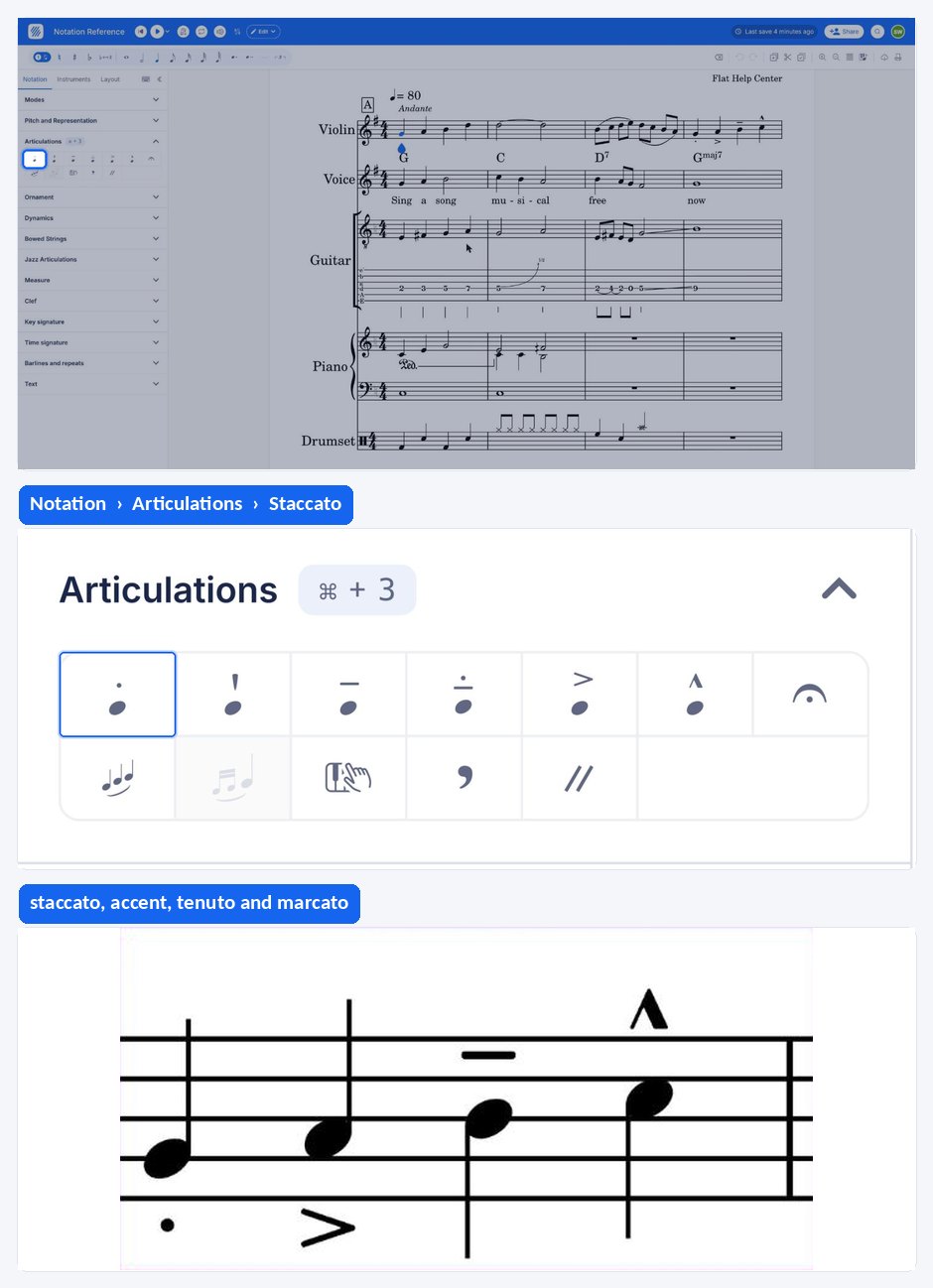
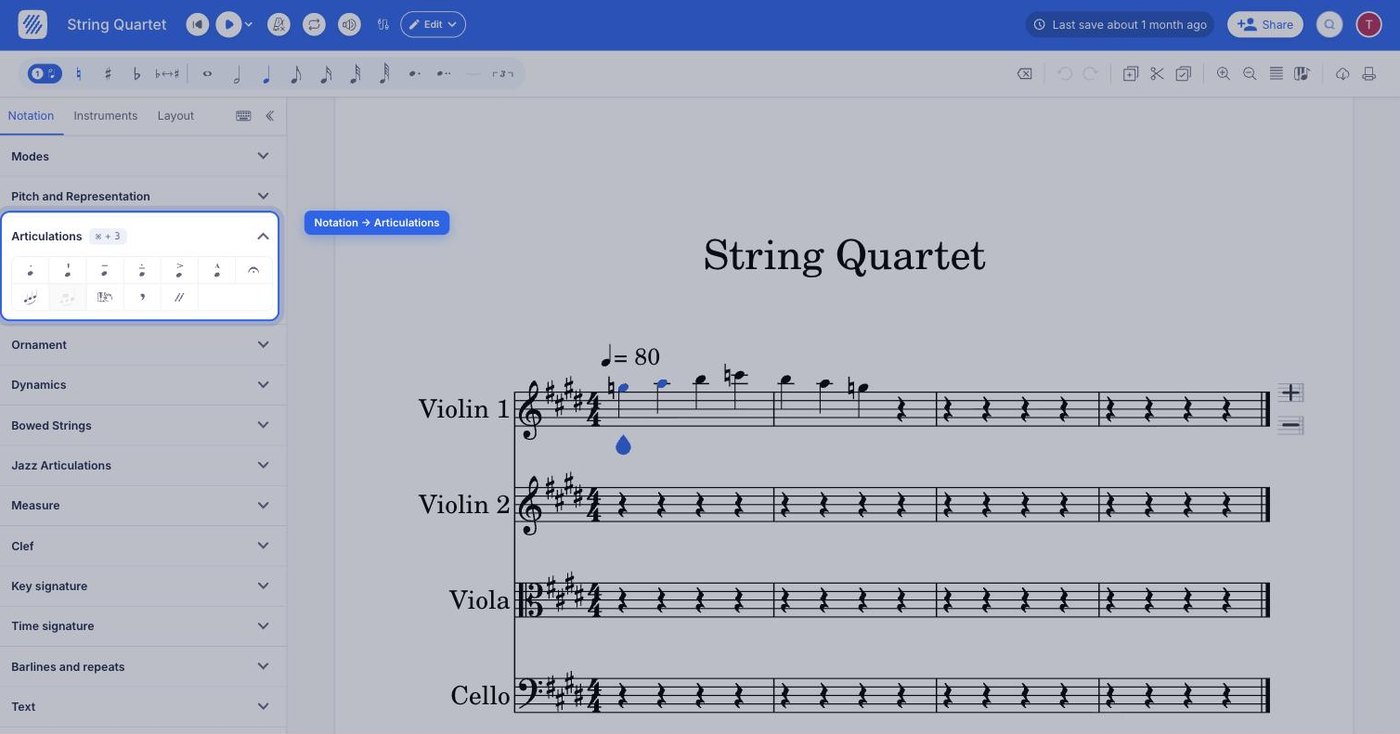
To add the same articulation to a group of notes, make the range selection and then add the articulation:
Which articulations does Flat support?
Flat supports the standard articulations, the jazz inflections, the breath marks, and the drum rolls listed below. Each one is a toggle in the left panel, and the two that have their own article - fermata and slur - are linked from the table.
| Feature | Where to find it | Icon |
|---|---|---|
| Staccato | Notation tab, Articulations |  |
| Staccatissimo | Notation tab, Articulations |  |
| Tenuto | Notation tab, Articulations |  |
| Detached Legato | Notation tab, Articulations |  |
| Accent | Notation tab, Articulations |  |
| Marcato | Notation tab, Articulations |  |
| Doit | Notation tab, Articulations |  |
| Fall off | Notation tab, Articulations |  |
| Plop | Notation tab, Articulations |  |
| Scoop | Notation tab, Articulations |  |
| Fermata | Notation tab, Articulations |  |
| Slur | Notation tab, Articulations |  |
| Breath Mark | Notation tab, Articulations |  |
| Caesura | Notation tab, Articulations |  |
| Drum roll | Notation tab, Articulations |  |
| Buzz roll | Notation tab, Articulations |  |
What is an articulation?
An articulation in music gives instructions on how to play a note or move between notes. This applies to both individual notes and groups of notes. Staccato shortens a note, an accent stresses it, tenuto holds its full value - each mark tells the performer something about the attack, the length, or the connection between notes.
How do I add or remove an articulation?
An articulation is applied to the note your cursor is on, or to every note of a selected range at once. Every articulation is a toggle: applying the same one again removes it.
Select the note or the range, drag the tool palette up from the bottom of the screen, and tap the articulation you want under Articulations. Tap the same one again to remove it.
Which articulations does Flat support?
Flat supports the standard articulations, the jazz inflections, the breath marks, and the drum rolls listed below. The two that have their own article - fermata and slur - are linked from the table.
| Feature | Icon |
|---|---|
| Staccato | |
| Staccatissimo | |
| Tenuto | |
| Detached Legato | |
| Accent | |
| Marcato | |
| Doit | |
| Fall off | |
| Plop | |
| Scoop | |
| Fermata | |
| Slur | |
| Breath Mark | |
| Caesura | |
| Drum roll | |
| Buzz roll | |
Frequently asked questions
What is the difference between an articulation and an ornament?
Which marks should I use for jazz phrasing?
Flat provides the four standard jazz inflections - doit, fall off, plop, and scoop - alongside the classical articulations. They are applied to a note in exactly the same way, and like the other articulations each button is a toggle, so clicking it again removes the mark.