How to change note duration in Replace or Insert mode in Flat
Last updated October 13, 2026
Flat has two modes for changing the duration of a note or a rest. In Replace mode, a longer note consumes what follows it and a shorter one leaves rests behind. In Insert mode, the music after the note is pushed to the right or pulled back instead, so nothing is overwritten.
Where do I switch between the two duration modes?
The change duration tool lives in the left panel, under the Notation tab, in the Modes section, and toggling it switches between Replace mode and Insert mode. The mode you choose stays in effect until you change it back, and it governs every duration change you make in the meantime.
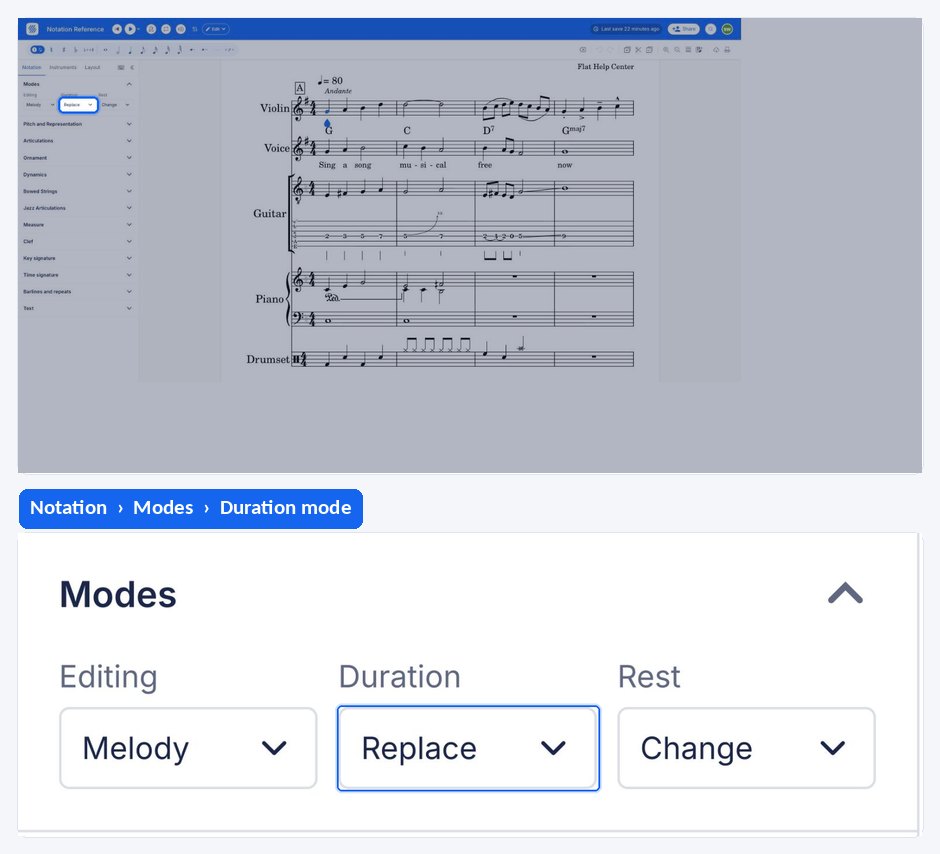
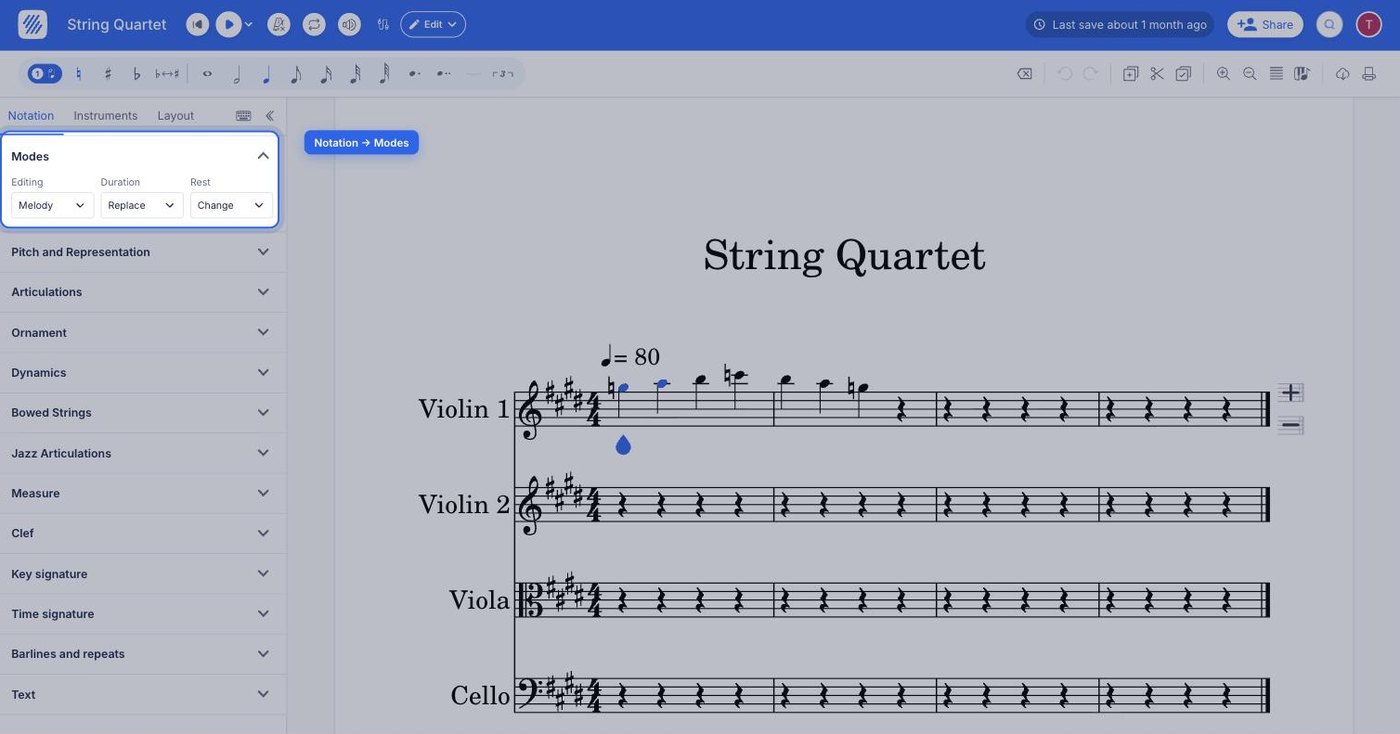
| Feature | Where it is | Icon |
|---|---|---|
| Change duration mode: Insert | Notation tab, Modes |  |
What does Replace mode do?
Replace mode is the default. When you make a note longer, it takes up space by using the rests or notes that follow it. When you make a note shorter, rests are added to fill the space it no longer occupies. The bar therefore keeps the same total length, and the content around the note absorbs the change.
What does Insert mode do?
In Insert mode, increasing a duration pushes the content that follows to the right, and reducing a duration pulls that content back to the left. Nothing after the note is consumed or replaced, so the music you already wrote survives the change and simply moves along the staff.
Insert mode also changes what happens when you add or delete a note rather than resize one. See insert mode for the full behaviour.
Frequently asked questions
Which duration mode is the default in Flat?
Replace mode. Lengthening a note consumes the rests or notes after it, and shortening a note leaves rests in the space it gives up, so the bar keeps its total length. Insert mode has to be switched on deliberately from the change duration tool.
Why did the notes after mine disappear when I lengthened a note?
Because you were in Replace mode, where a longer note takes its extra length out of whatever follows it. Switch the change duration tool to Insert mode and the following content is pushed to the right instead, which preserves everything you already wrote.
Does the duration mode change how notes are added?
Yes - the same Insert behaviour applies to writing and deleting notes, not only to resizing them. Adding a note in Insert mode pushes the rest of the bar right rather than overwriting it. See insert mode for that side of the feature.
Will Insert mode push music past the end of the bar?
Insert mode moves the content that follows along rather than deleting it, so material displaced from one bar continues into the next. That is the intended behaviour when you are making room in the middle of a passage; switch back to Replace mode when you want the bar boundaries to stay fixed.