How to add hammer-ons and pull-offs in Flat
Last updated October 13, 2026
A hammer-on or pull-off in Flat is a slur-like marking that connects two notes played on the same string without picking the second one. Flat writes both on a tablature staff, applies the marking from the note you select, and removes it when you click the same icon a second time.
Where is the hammer-on / pull-off tool?
The hammer-on and pull-off tools are found in the tab toolbar. Select the first of the two notes on the TAB staff, then click the icon.
| Feature | Location | Icon |
|---|---|---|
| Hammer on & Pull off | tab |  |
What is a hammer-on or a pull-off?
Hammer-on and pull-off are techniques used in playing stringed instruments like guitars. These techniques are commonly used to add fluidity and variety to melodies, and they're a key part of many styles of music, especially in rock, blues, and classical guitar playing.
Hammer-on: This involves quickly pressing down a finger onto a fret to produce a higher pitch without picking the string again.
Pull-off: This involves plucking a string with a finger that is already pressing down, producing a lower pitch.
How do I add a hammer-on or a pull-off?
You can add Hammer on & Pull off by clicking on the corresponding tools available in the "tab" toolbar. To remove, click on the same icon again.
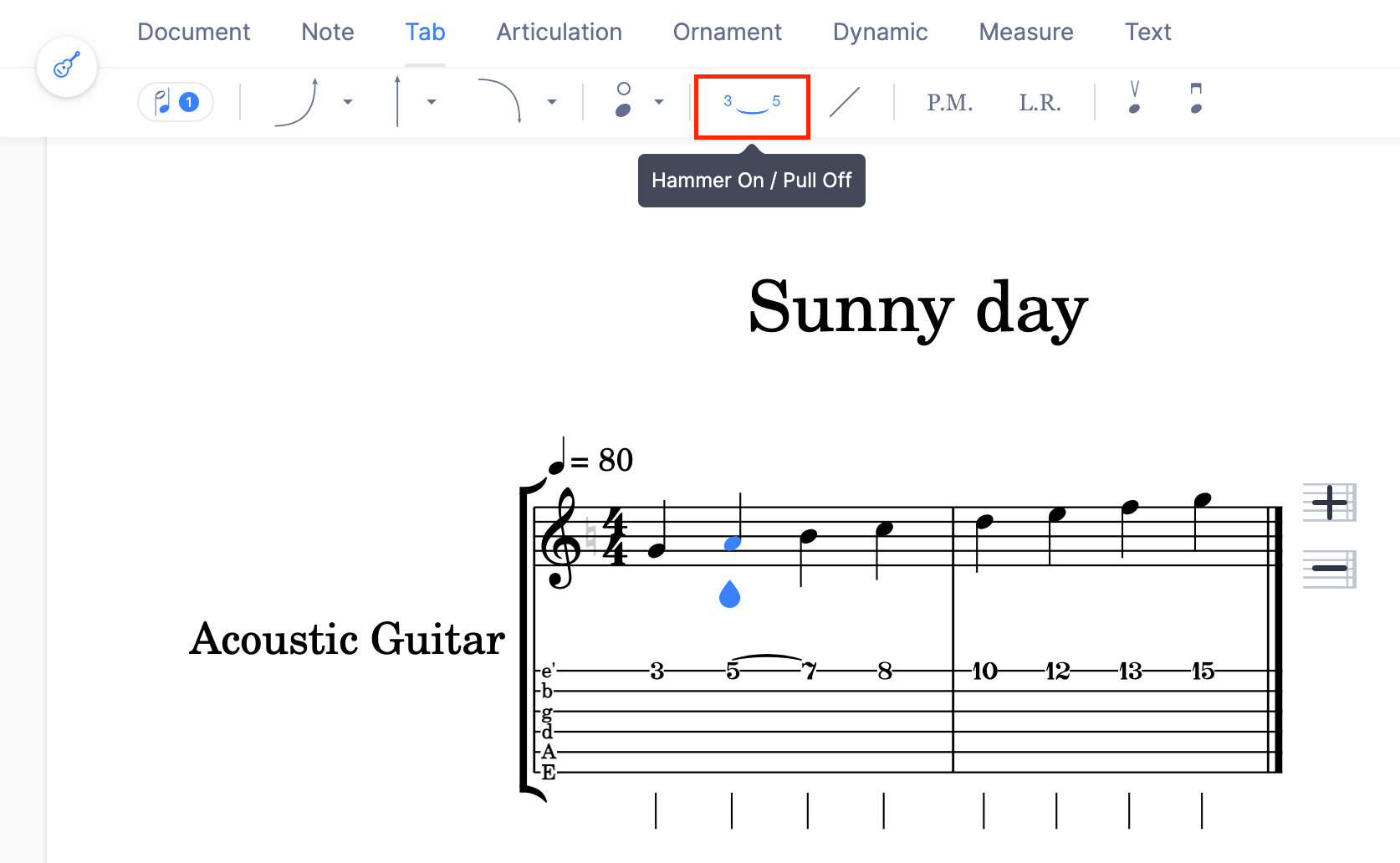
Bear in mind that the two notes connected by the Hammer on / Pull off must be on the same string. If needed you can change the string assigned to a note.
Frequently asked questions
What is the difference between a hammer-on and a pull-off?
Direction. A hammer-on presses a finger onto a fret to reach a higher pitch without picking the string again; a pull-off plucks the string with a finger that is already pressing down, producing a lower pitch. Both are written from the same place on a tablature staff.
Why can I not connect my two notes?
Because they are not on the same string. The two notes connected by a hammer-on or pull-off must share a string, so move one of them with change the string assigned to a note and apply the tool again.
How do I remove a hammer-on or a pull-off?
Select the note and click the same icon again. The tool toggles, so a second click removes the marking. Nothing else about the two notes changes - their pitches, frets, and durations stay exactly as they were.
What is the difference between a hammer-on and a slide?
A hammer-on or pull-off sounds the second note without picking it, while a slide moves the finger along the string so the pitch travels between the two notes. They are separate markings, each with its own tool and its own article.