How to add guitar chord grids in Flat
Last updated October 28, 2026
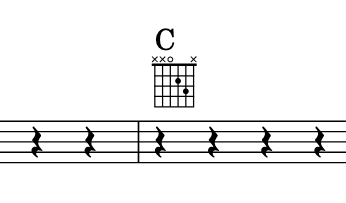
Chord grids in Flat - also known as chord diagrams or chord frames - are a way of describing how to play a chord, by showing which strings are played and which frets are pressed. Flat generates a grid for every chord symbol on a part once you enable them, and lets you edit each grid fret by fret.
How do I turn on chord grids?
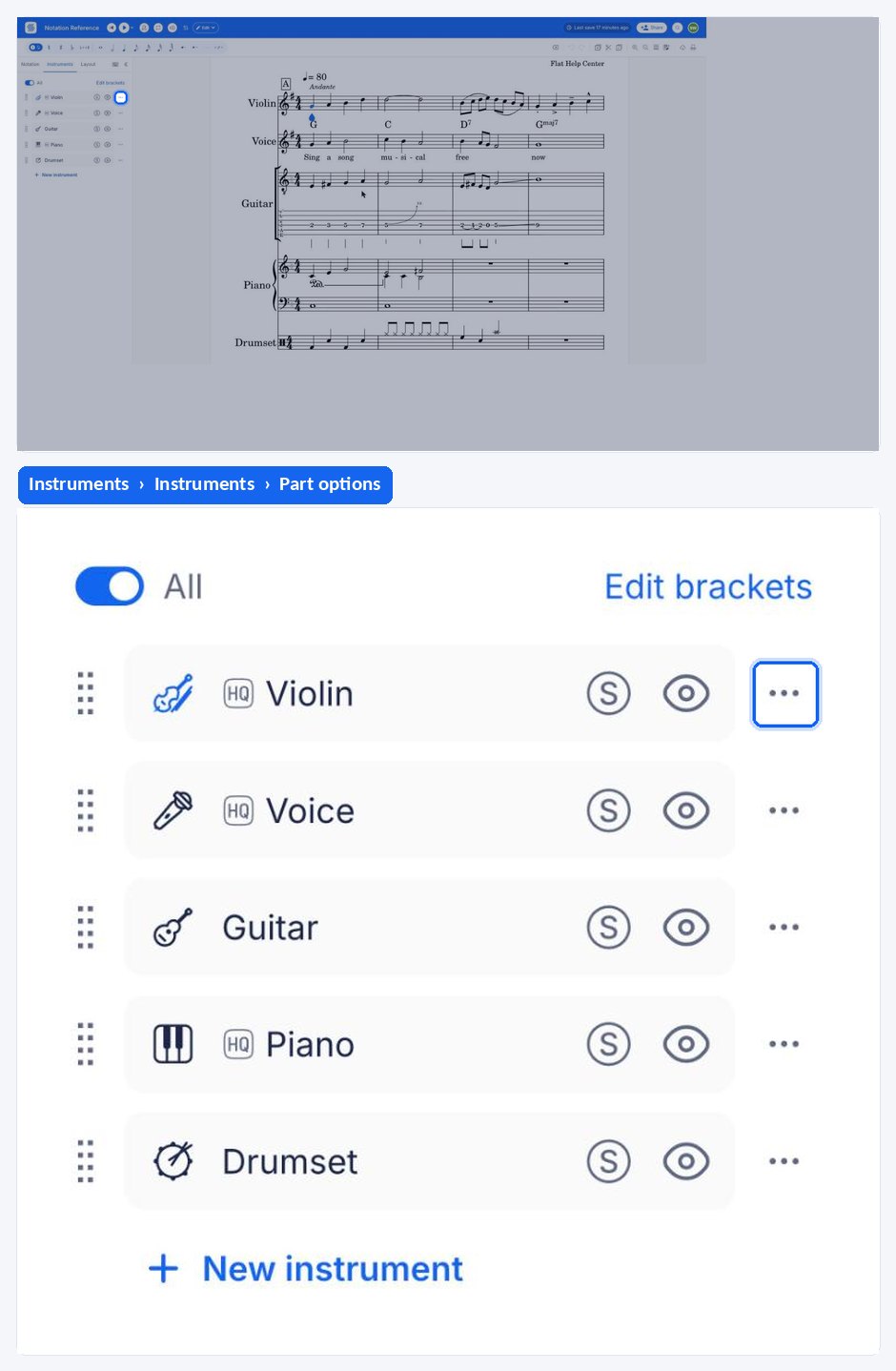
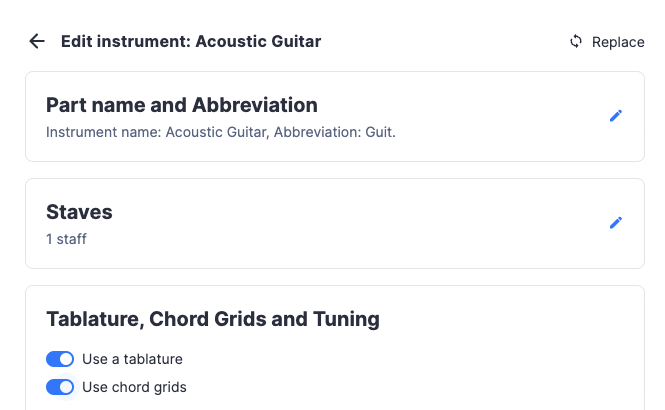
To use the chord grids, edit the part from the Instruments tab of the left panel: open the menu next to the part and click the pencil icon, or click the part name on the score. Then open Tablature, Chord Grids and Tuning and turn on Use chord grids. This way a grid will be generated for all the chords in the part.
You can use the chord tool in the Text section of the Notation tab to insert additional chords to your document.
How do I edit a chord grid?
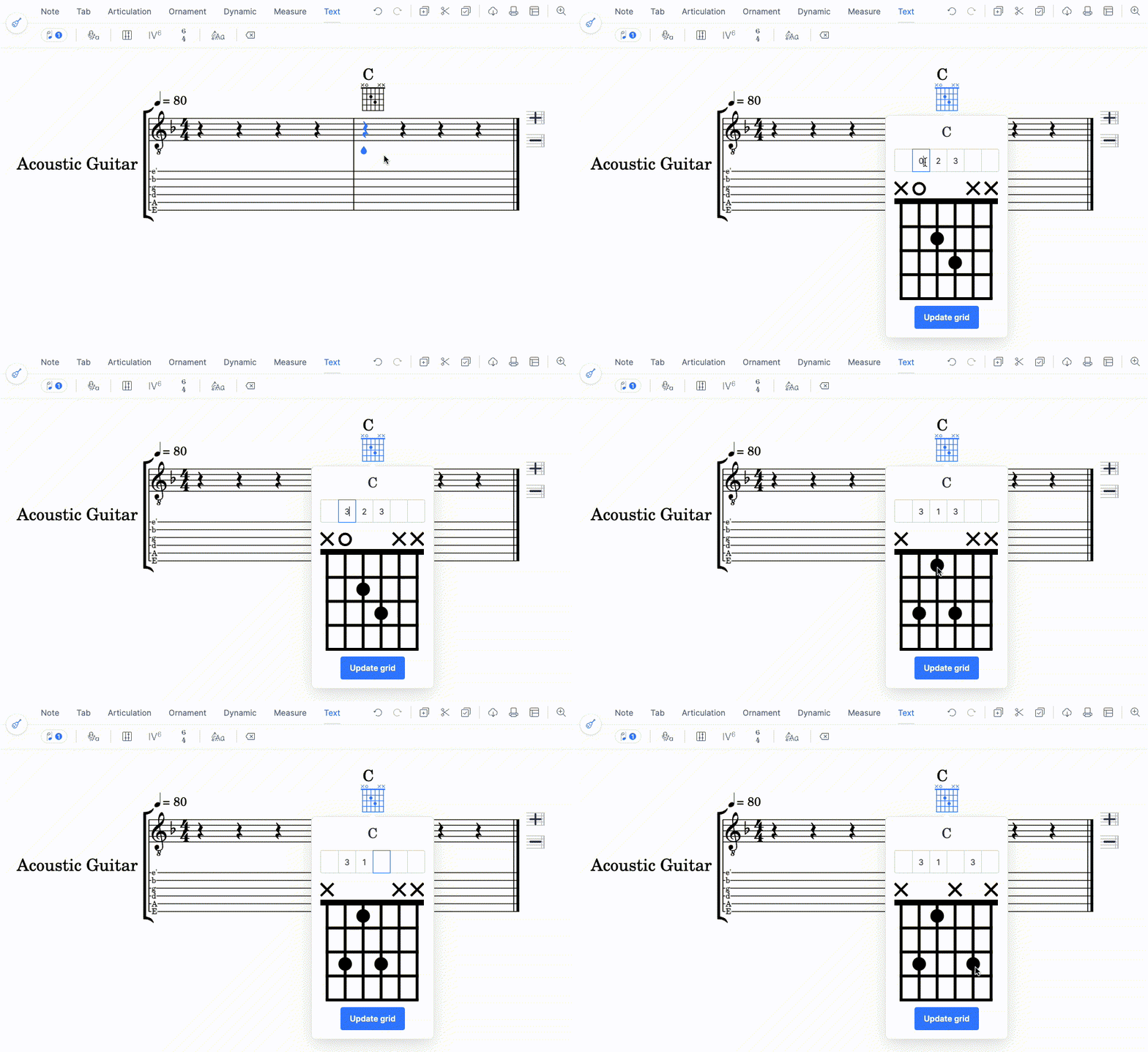
Grids are also generated for new chords. You can edit the grids by clicking on one:
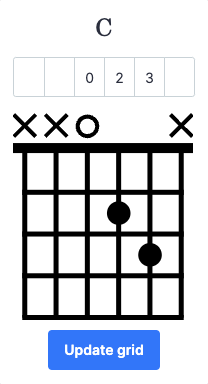
There you can either write the fret numbers in the input above, or click on the fret on the fretboard. Once you are done, click the Update grid button.
Do chord grids follow the tuning and capo?
Once your score is created, the tuning and capo of a tab can be configured in the instrument settings. Changing the tuning or capo configuration will affect future chords added and updated. Using this feature, you can have grids from 3 to 14 strings with any tuning you want. Learn more on the dedicated tuning help page.
Frequently asked questions
What is the difference between a chord grid and a chord symbol?
A chord symbol is the letter name written above the staff - C, Am7. A chord grid is the diagram drawn under it, showing which strings are played and which frets are pressed. Flat generates the grid from the symbol once grids are enabled for the part.
Why do my chord grids show the wrong frets?
A grid is drawn for the part's own tuning and capo, so a grid that looks wrong usually means the part is configured for a different tuning. Check the part's tuning and capo first, then edit the individual grid on the fretboard if you want a specific voicing.
Do I need a tablature staff to use chord grids?
No. Chord grids and tablature are separate options in the same part settings, so a part can show grids above a standard staff with no tab at all. They do share the same string, tuning, and capo configuration.
Will a grid I edited be overwritten?
No. Editing a grid changes that one diagram, and it keeps the frets you set. Changing the part's tuning or capo affects the chords added and updated afterwards, so an edited grid stays as you left it until you edit it again.