How to insert a rest in Flat
Last updated September 23, 2026
Inserting a rest in Flat adds a silence at the cursor position without deleting what is already there. In the normal editing mode a new rest overwrites whatever it lands on; in Insert mode the existing notes are pushed to the right instead, so a pause can be opened up in the middle of a finished passage.
Where is the insert rest tool?
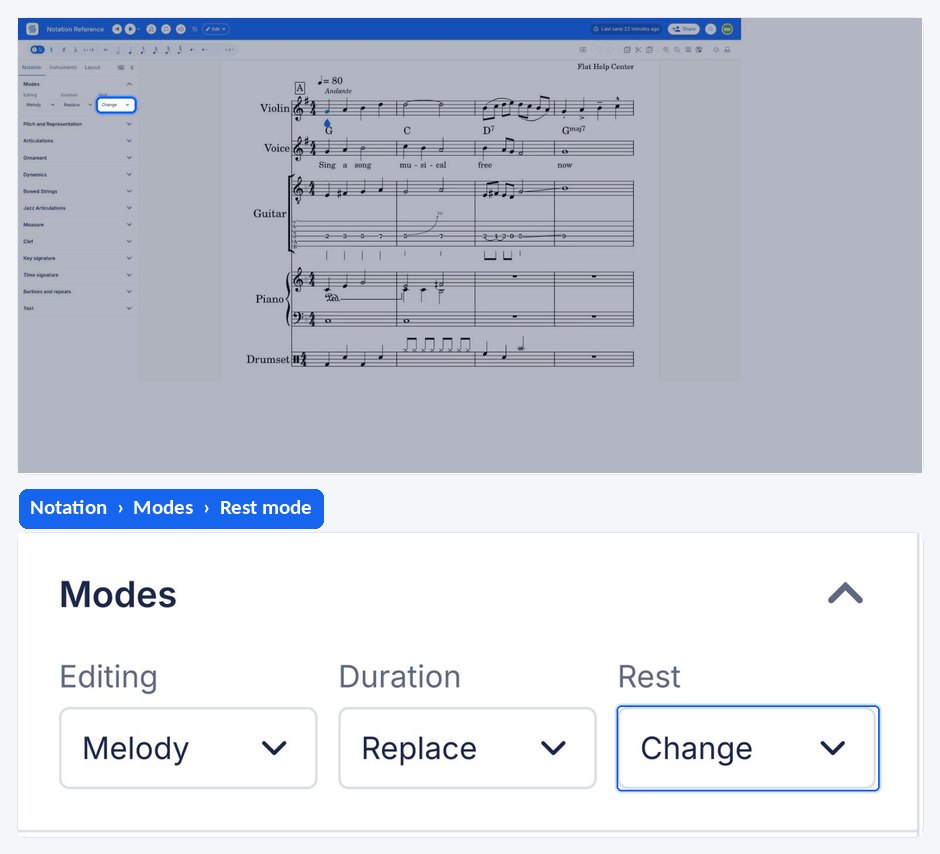
The insert rest tool sits with the other editing behaviours in the left panel, under the Notation tab, in the Modes section. It is used together with the duration buttons, which decide how long the inserted rest will be.
| Feature | Where it is | Icon |
|---|---|---|
| Insert rest | Notation tab, Modes |  |
How do I insert a rest without losing the notes after it?
In the normal editing mode, adding a rest overwrites whatever is at the cursor. In Insert mode, inserting a rest instead pushes the existing notes to the right, making room without deleting anything. This is what you want when adding a pause in the middle of a passage you have already written.
How do I choose the length of the rest I insert?
Select the duration you want in the strip above the left panel, then use the insert rest tool. The rest is placed at the cursor position with that value, and the surrounding notes shift accordingly, so the length of the silence is decided before it is written rather than corrected afterwards.
Frequently asked questions
Why does my new rest delete the note that was there?
Because you are in the normal editing mode, where a rest overwrites whatever sits at the cursor. Turn on insert mode first and the same action pushes the existing notes to the right instead of replacing them.
Can I insert a rest of any duration?
Yes. The inserted rest takes whatever duration is selected when you use the tool, from a whole rest down to the shortest value Flat writes. Choosing the value first is quicker than inserting a rest and resizing it, which would shift the following music a second time.
What happens to the music pushed past the end of the bar?
It continues into the following bars rather than being deleted. Inserting a rest moves everything after the cursor along the staff, so the displaced material keeps its own durations and simply starts later in the piece.