How to add and remove a slide in Flat
Last updated September 17, 2026
A slide in Flat is a fretted-instrument marking that connects two notes with a gliding change of pitch. Flat draws it from the note you select to the one on its right, writes it on the tablature staff, and removes it again when you apply the same tool a second time.
Where is the slide tool?
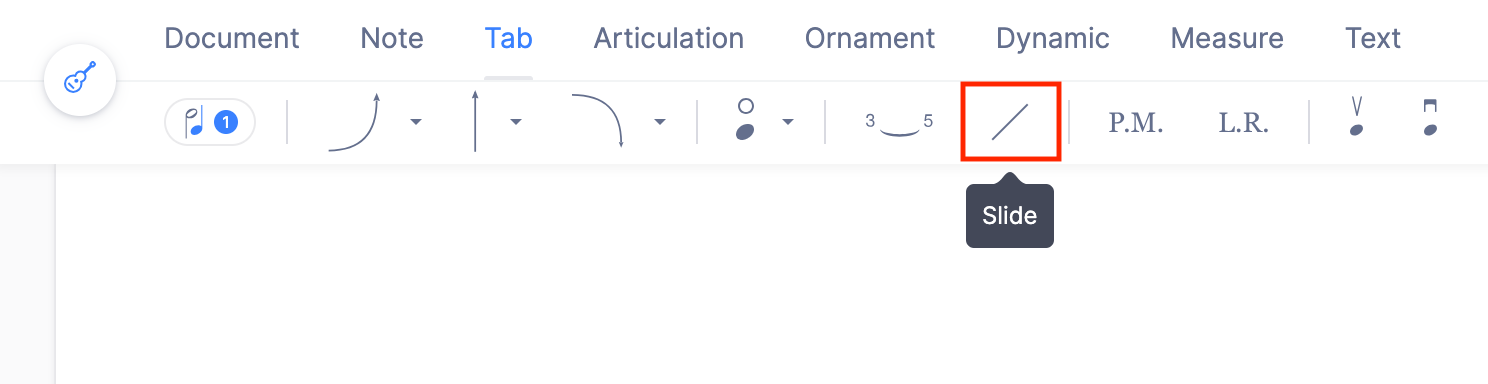
The slide tool sits in the Tab toolbar. Select the left-hand note of the pair you want to connect, then click the slide icon.
| Feature | Location | Icon |
|---|---|---|
| Slide | Tab |  |
What is a slide?
In guitar playing, a slide is a technique used to smoothly change the pitch of a note or chord. This is done by using a tube, often called a slide, on the finger that presses the string against the fret. By sliding this tube along the fretboard, you can alter the pitch of the note or chord you're playing. This technique creates a smooth, gliding sound that adds a distinctive quality to the music.
How do I add or remove a slide?
Place yourself, go to your Tab toolbar, and click on the slide icon. Click again to remove the slide. Bear in mind that the slide will connect the note you choose with the one to the right.
Frequently asked questions
Which note do I select to write a slide?
The left-hand one. The slide connects the note you choose with the one to its right, so selecting the second note of the pair puts the marking one position too far along. Select the note the glide starts from and apply the tool.
How do I remove a slide?
Select the same note and click the slide icon again. The tool toggles, so a second click removes the marking. The two notes keep their frets, strings, and durations - only the connecting line disappears.
What is the difference between a slide and a glissando?
A slide is the fretted-instrument marking written on a tablature staff between two frets. A glissando is the general notation for sweeping between two pitches on any instrument, and it lives with the ornaments rather than with the tab tools.
Can I write a slide between notes on different strings?
A slide is written between the note you select and the one to its right. If the two notes sit on different strings and that is not what you want, move one of them with change the string assigned to a note before adding the marking.