How to add and remove a tremolo in Flat
Last updated September 16, 2026
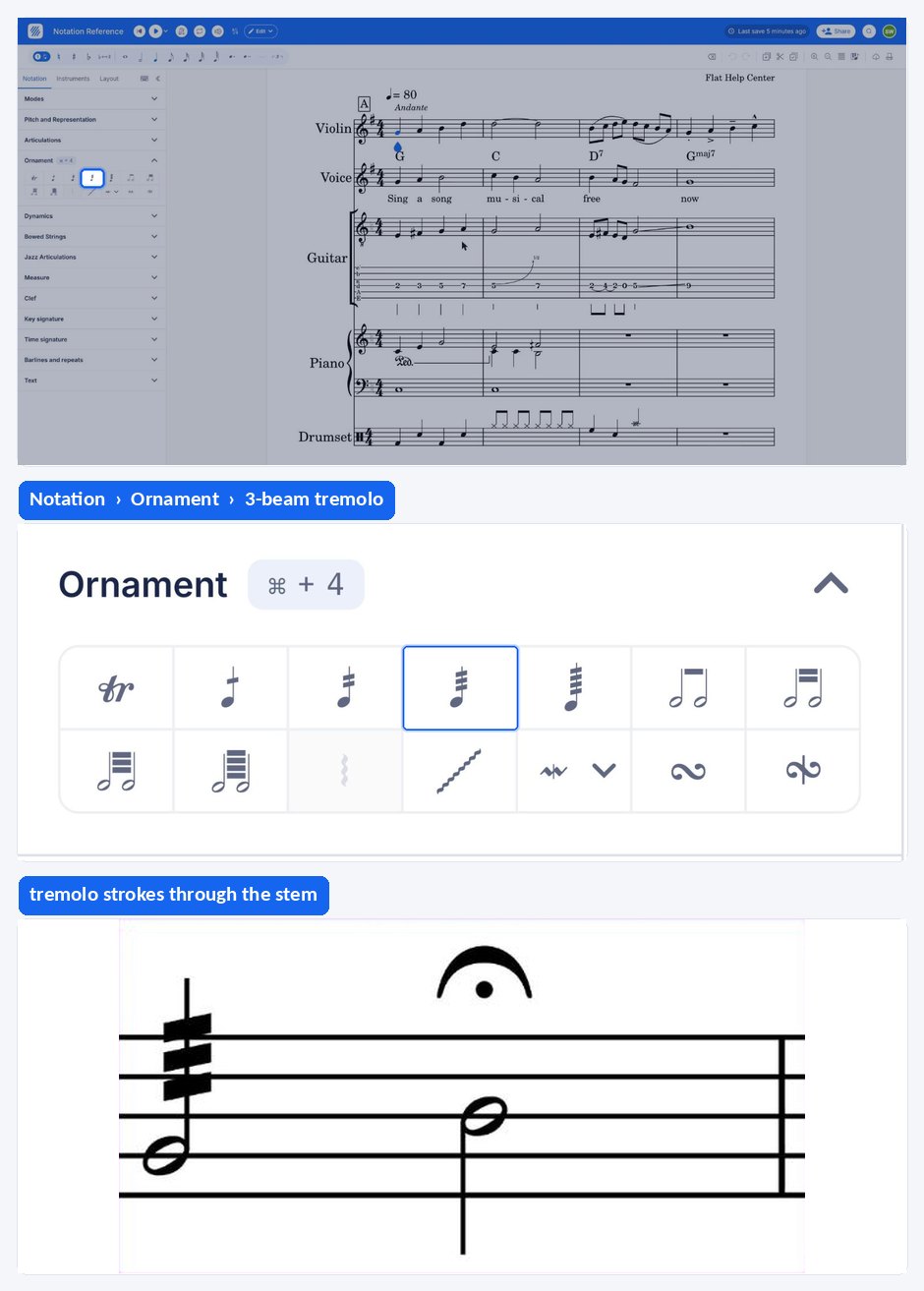
A tremolo in Flat is an ornament that marks a rapid back and forth movement on a note, written as beams across or between the stems. Flat groups the tremolo marks — one to four beams, plus the two-note tremolos — in the Ornament section of the Notation panel, next to the trill and the mordent.
Where is the tremolo button?
The tremolo marks sit in the left panel, in the Notation tab, under Ornament. That section holds the one to four beam tremolos and the two-note tremolos, alongside the trill, mordent, turn, arpeggio, and glissando.
| Available in | Notation > Ornament |
| Icon |  |
What is a tremolo?
Tremolo is a rapid back and forth movement of the bow on the same note.
How do I add or remove a tremolo?
Open the Notation tab in the left panel, select the desired note, and click the tremolo you want under Ornament. Click again to remove the tremolo. Flat draws the beams on the note straight away, so you can check the result before moving on.
Where is the tremolo button?
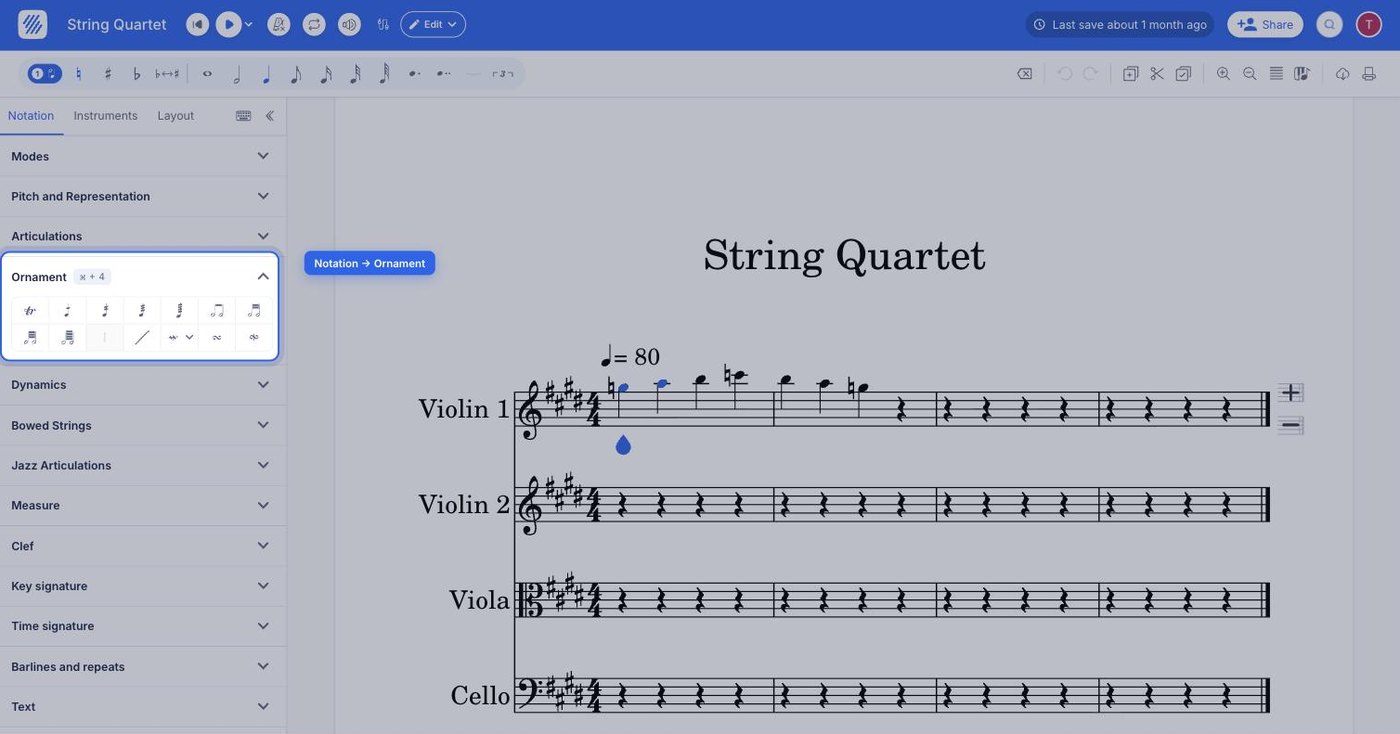
The tremolo marks sit in the Ornament section, which holds the one to four beam tremolos and the two-note tremolos alongside the trill, mordent, turn, arpeggio, and glissando.
| Icon | |
What is a tremolo?
Tremolo is a rapid back and forth movement of the bow on the same note.
How do I add or remove a tremolo?
Select the note, drag the tool palette up, and tap the tremolo you want under Ornament - one to four beams for a single-note tremolo, or a two-note tremolo to alternate between two pitches. Tap the same mark again to remove it.
Frequently asked questions
Which tremolo marks does Flat offer?
The Ornament section of the Notation panel holds tremolos with one, two, three, and four beams, plus the two-note tremolos that share the beams between a pair of notes. Pick the number of beams that matches the speed of repetition you want the player to read.
What is the difference between a tremolo and a trill?
A tremolo is a rapid back and forth movement on the same note. A trill, marked tr, alternates between the written note and the one immediately above it. One repeats a single pitch, the other moves between two.
What is the difference between a tremolo and a bow marking?
A tremolo describes the speed and repetition of the movement. A down or up bow marking instead tells the string player which direction to draw the bow for a given note. They answer different questions and can appear on the same note.
Where did the Ornament toolbar go?
It moved into the left panel. In the redesigned editor the tools live in a left sidebar with Notation, Instruments, and Layout tabs, and every ornament — including the tremolos — is in the Ornament section of the Notation tab. There is no longer a toolbar above the score.