How to enter chords with chord mode in Flat
Last updated October 13, 2026
Chord mode in Flat is a note-input mode that keeps the cursor on the note you have just added instead of advancing it, so every new note stacks on the previous one. Flat has two input modes: melody, for entering a line note after note, and chord, for building chords on a single position.
What is the difference between melody mode and chord mode?
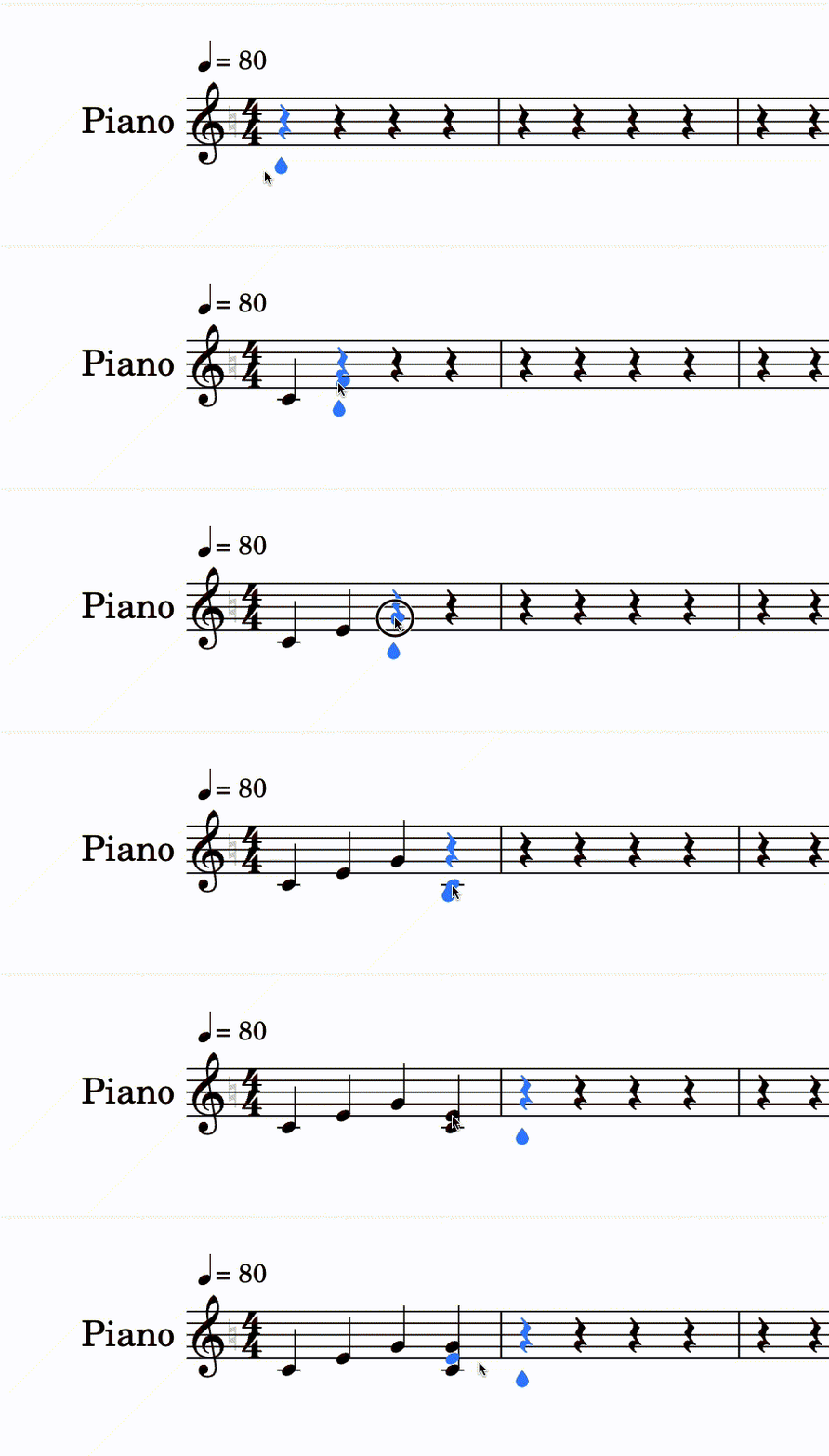
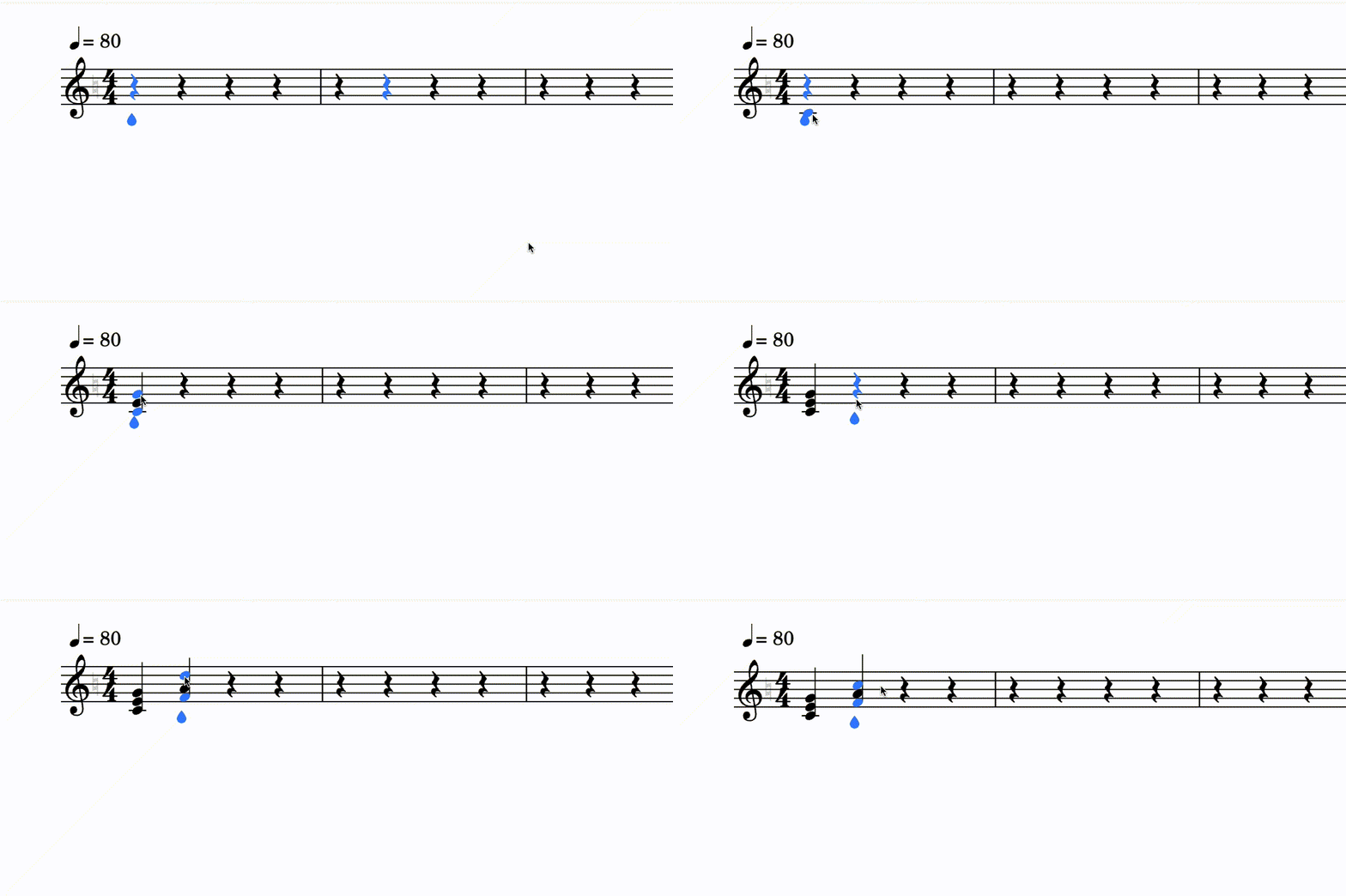
In melody mode — the normal editing mode — Flat moves the cursor forward every time you add a note, which makes entering a line quick. In chord mode Flat leaves the cursor on the note you just added, so the next note you enter is stacked on top of it and the two sound together.
In the normal editing mode, when you want to stack notes to create a chord, you add the notes on top of the one to the left of the cursor position.
In chord mode, the cursor stays at the position of the note you added, making it easy to stack other notes on top of it to create chords. You then move to the next position yourself when you want to carry on with the melody.
How do I switch to chord mode?
Flat's note-input tools live in the left panel, under the Notation tab. Press I to turn chord mode on or off, or click the chord mode button. Flat then keeps the cursor on each note you add, so the note you enter next is stacked on top of it.
| Tool | Icon | Keyboard shortcut |
|---|---|---|
| Chord mode |  | I |
Chord mode only changes where the cursor goes after a note is added. Switch back to melody mode as soon as you want Flat to advance the cursor for you again.
Frequently asked questions
Why does the cursor stay on the same note when I add a note?
Chord mode is on. It is designed for stacking notes, so Flat deliberately keeps the cursor on the note you just added instead of advancing it. Press I to turn it off and Flat will move the cursor forward after each note again.
Can I write a chord without turning chord mode on?
Yes. In the normal melody mode you can add notes on top of the one to the left of the cursor position, which builds the same chord. Chord mode simply removes the extra step, because the cursor is already parked on the note you want to stack onto.
How do I carry on with the melody after writing a chord?
Move the cursor to the next position yourself. In chord mode Flat never advances it for you, so once the chord is complete you either step forward manually or switch back to melody mode, where the cursor moves on after every note you add.