How to use insert mode in Flat
Last updated November 4, 2026
Insert mode in Flat is the editing mode where adding a note pushes the music that follows to the right instead of overwriting it, and removing one pulls that music back. Flat also changes what the duration, accidental, and notehead tools do while insert mode is on: they define the element about to be inserted.
Where do I turn insert mode on?
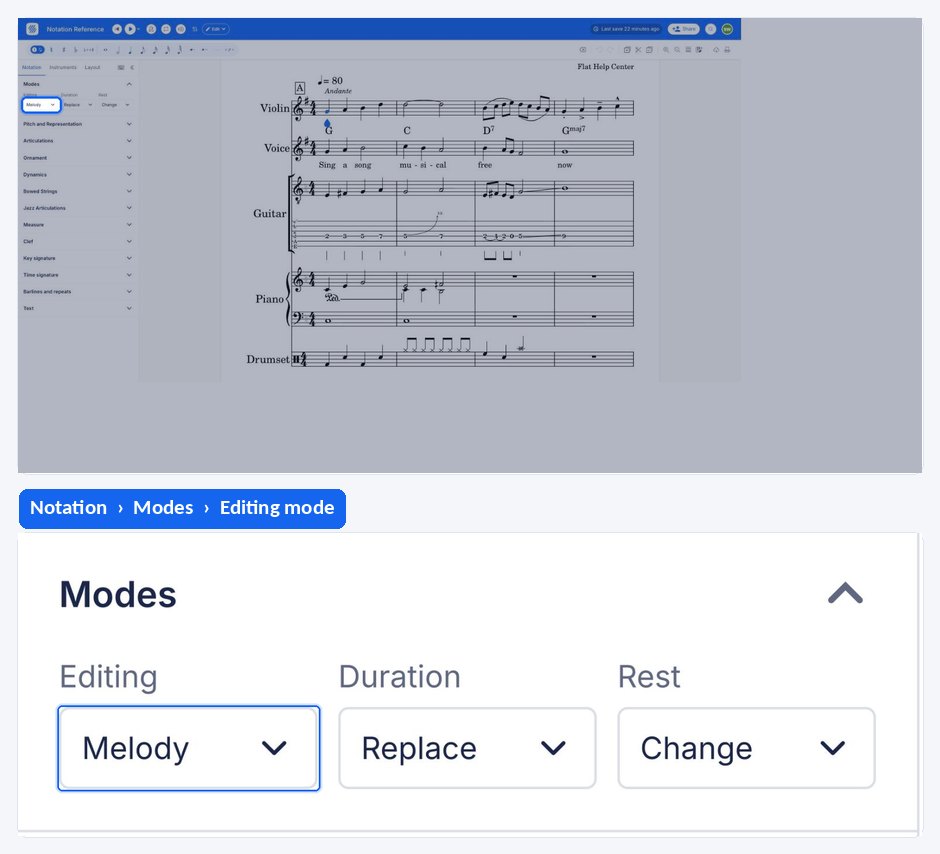
Insert mode is toggled from the left panel, under the Notation tab, in the Modes section, and it stays on until you switch it off again. It also has a keyboard shortcut, which is the quickest way to move in and out of it while writing.
| Feature | Where it is | Icon | Keyboard shortcut |
|---|---|---|---|
| Insert mode | Notation tab, Modes |  | I |
What happens without insert mode?
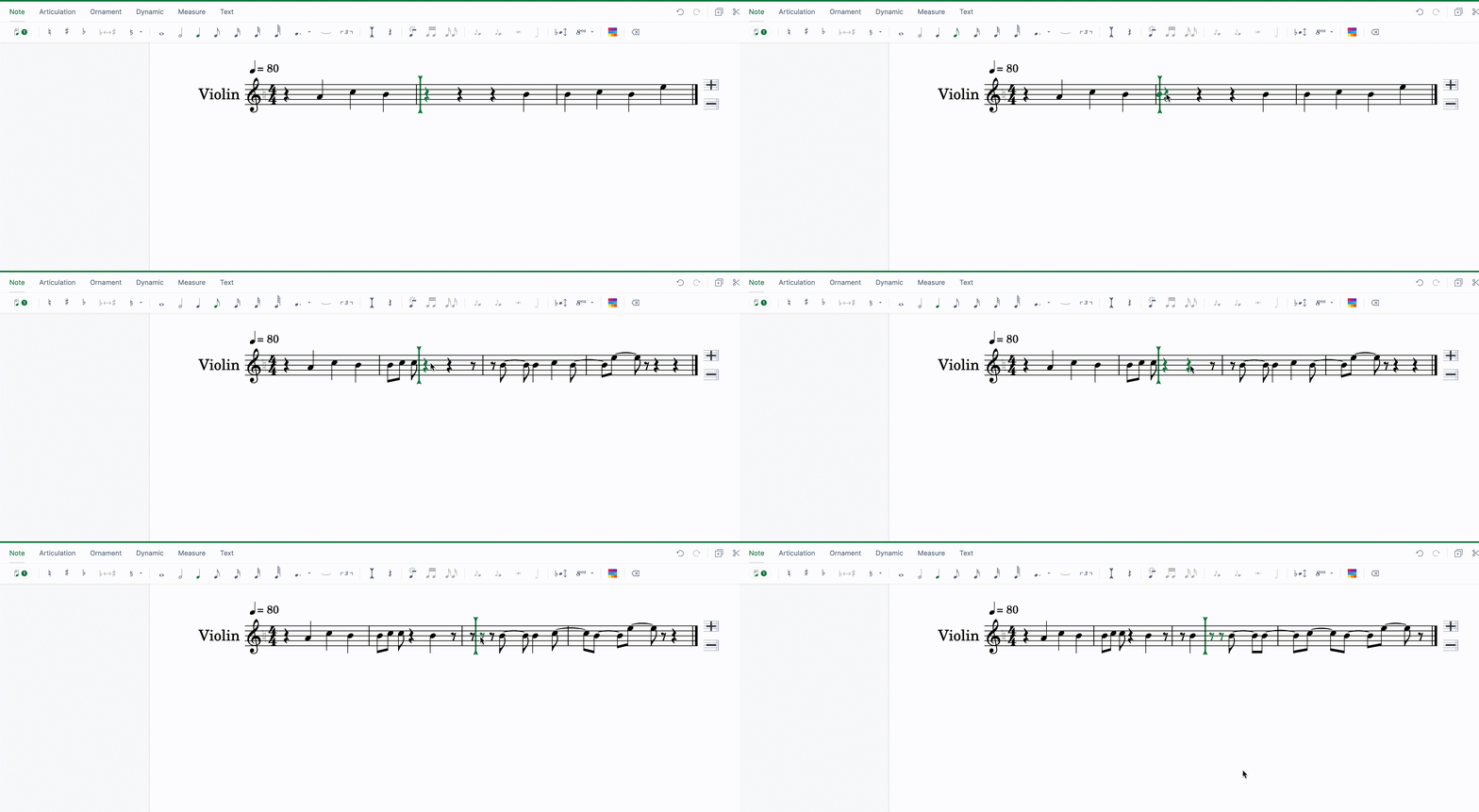
In the normal mode of edition, when you add a note it eats up the rests or notes around it to make room for itself. In the same way, removing a note adds rests to fill the space it occupied. The bar keeps its total length, and the surrounding content absorbs every change you make.
What does insert mode change?
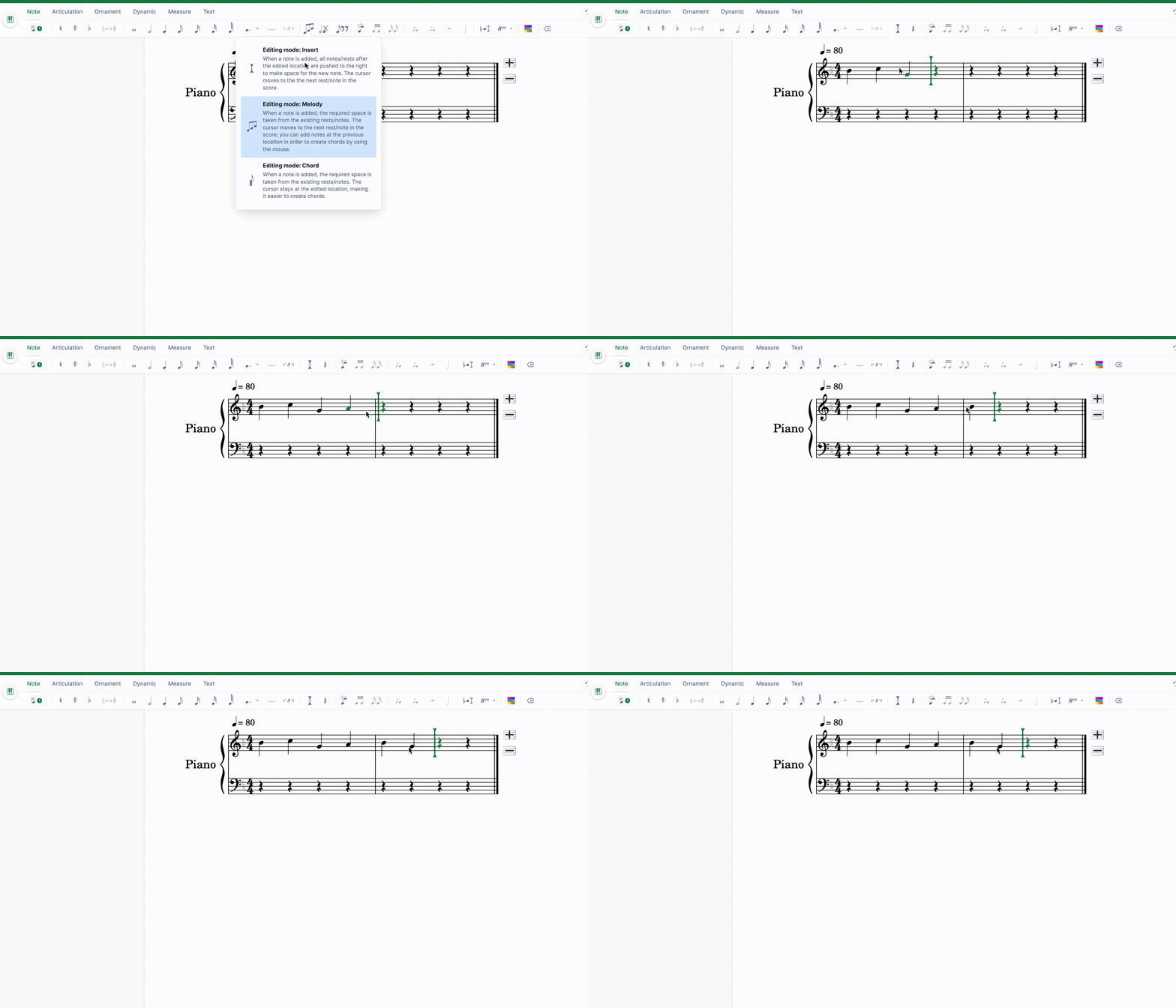
When insert mode is activated, adding a note pushes the content to the right instead of consuming it, and removing a note or a rest pulls the content back. Nothing you already wrote is overwritten, which is what makes insert mode the right choice for adding material in the middle of a finished passage.
What do the note tools do while insert mode is on?
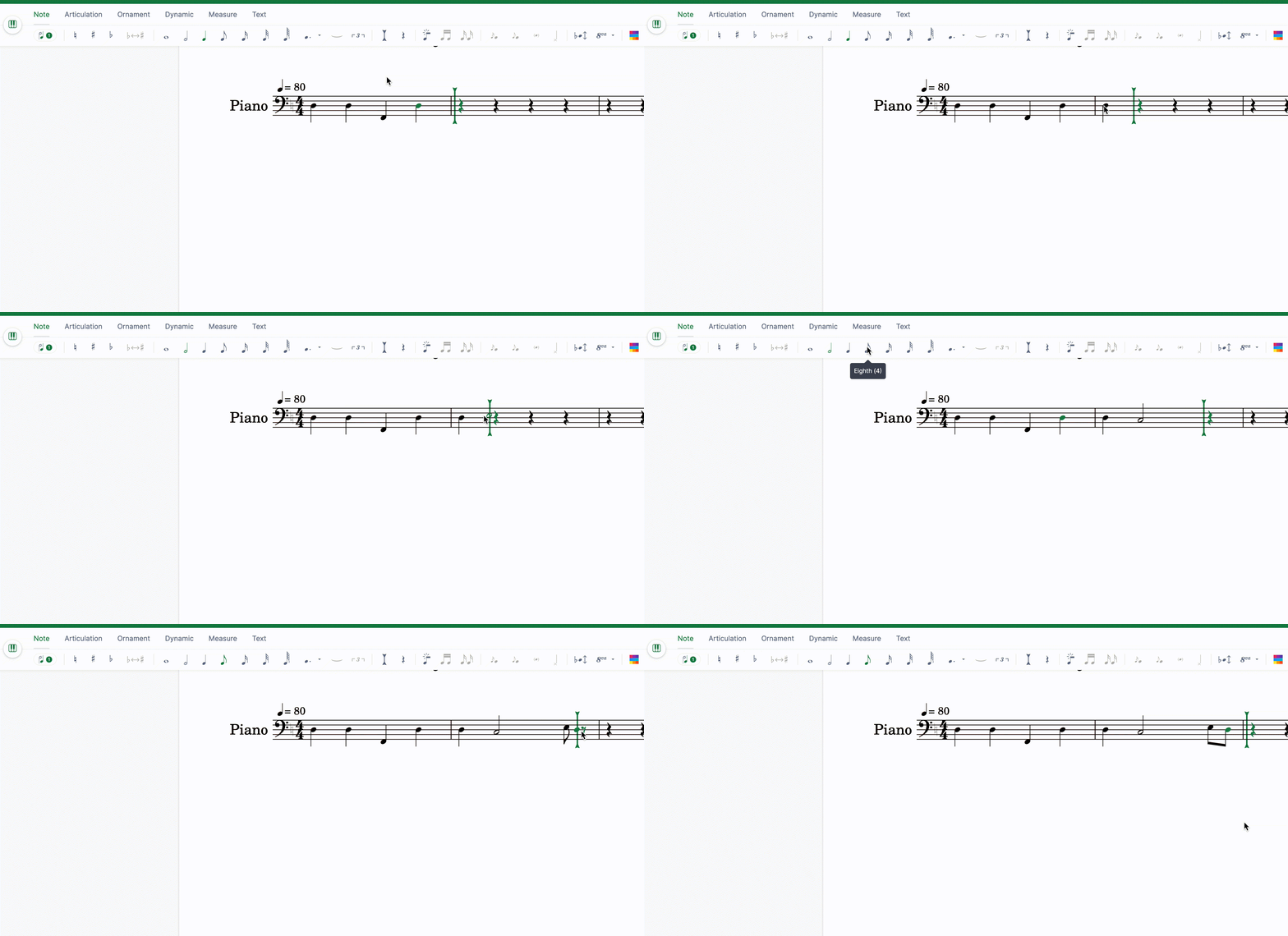
While you are in insert mode, the duration and dot tools no longer affect the note at the cursor position. They select the duration of the notes to be inserted instead, so you set up the element first and then place it.
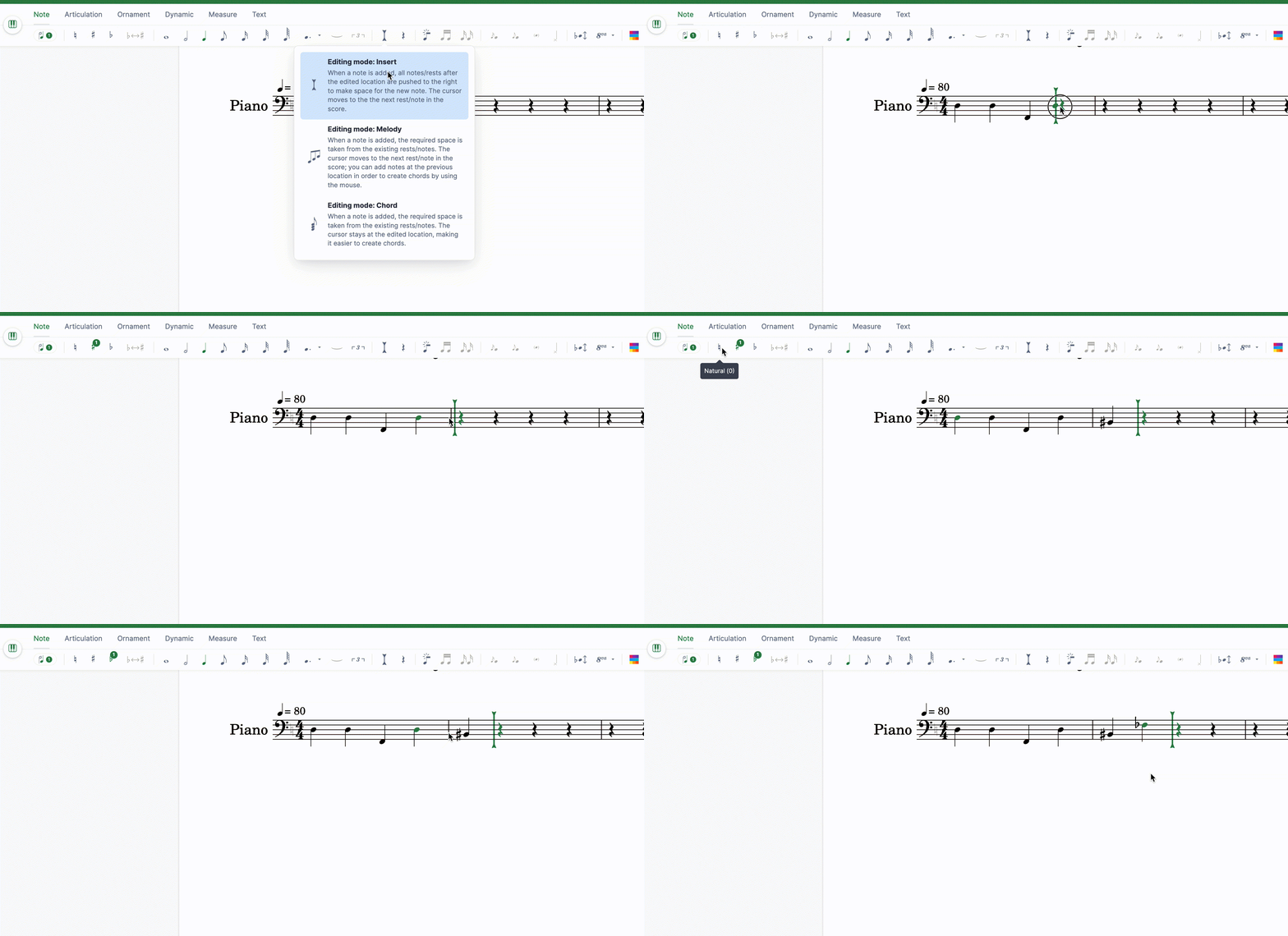
In the same way, you can choose the accidental to apply to the note to be inserted:
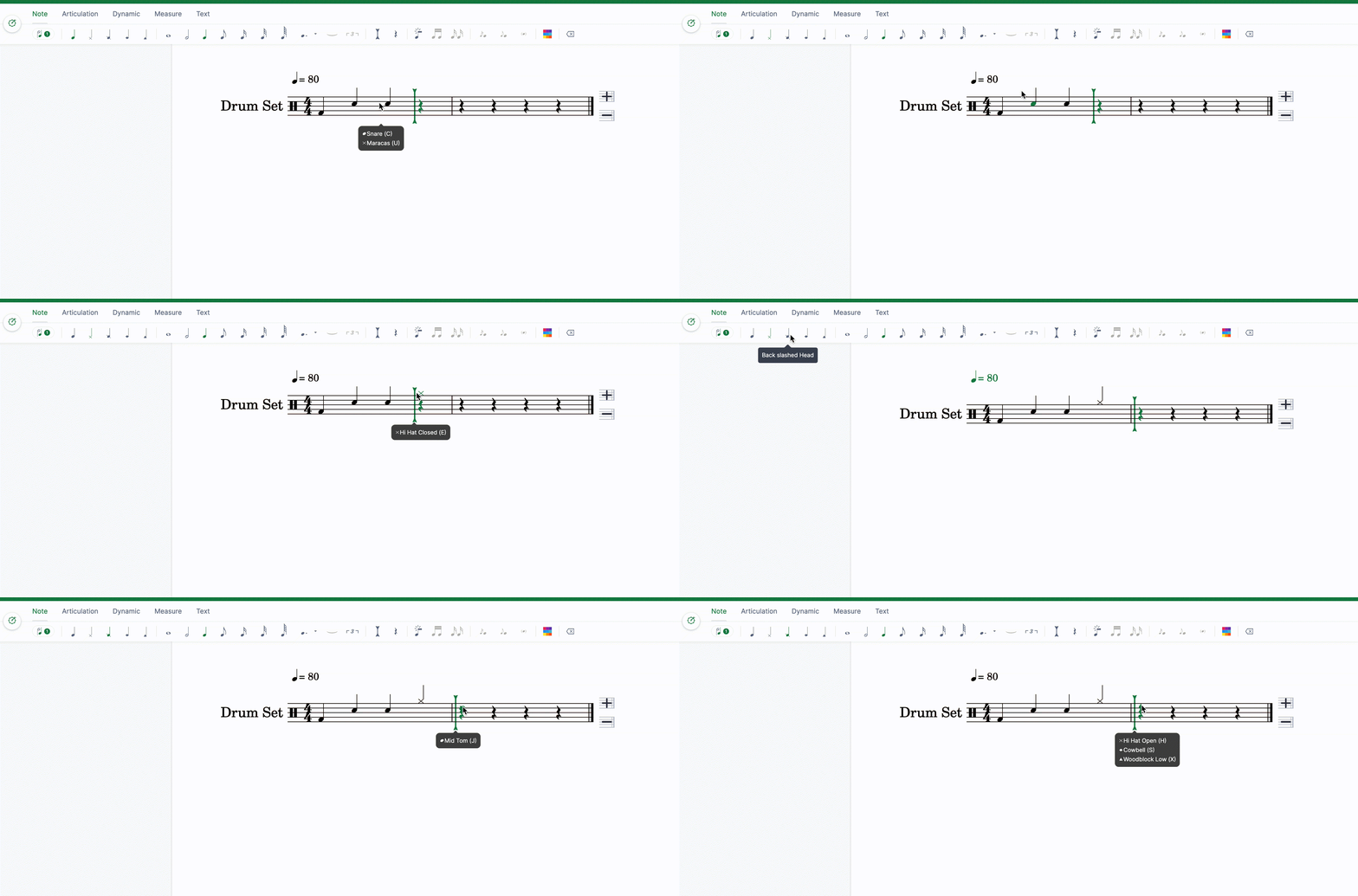
If you are editing an unpitched part, you can choose the notehead to apply to the note to be inserted:
Frequently asked questions
Does insert mode also affect changing a note's duration?
Yes, and it is documented separately. In insert mode, lengthening a note pushes the following content right and shortening it pulls the content back - see change duration, Replace or Insert mode for that behaviour in detail.
How do I get back to the normal editing mode?
Toggle insert mode off with the same control that switched it on. The mode is a state rather than an action, so nothing already written changes when you leave it - only the behaviour of the notes you add or remove afterwards.