How to add palm mute and let ring in Flat
Last updated October 13, 2026
Palm mute (P.M.) and let ring (L.R.) in Flat are range markings that run above a guitar part and tell the player how long to damp or sustain the strings. Flat adds each one from the cursor position to the end of the measure, and both can then be moved and resized to cover exactly the passage you want.
Where are the palm mute and let ring tools?
Both markings live in the Tab toolbar. Place the cursor where the marking should start, then click the L.R. (let ring) or P.M. (palm mute) icon.
| Feature | Location | Icon |
|---|---|---|
| Let ring | Tab |  |
| Palm mute | Tab |  |
What is a palm mute?
A palm mute is a guitar technique where you place your hand on the strings, right above the bridge. This dampens the sound and creates a muted effect. This technique is often used to add a percussive quality to the music.
What is a let ring?
"Let ring" means allowing the guitar strings to vibrate freely without muting them. It's like using a sustain pedal on a piano, where the notes continue to sound. This technique creates a sustained and resonant effect in the music.
How do I add, move, and remove them?
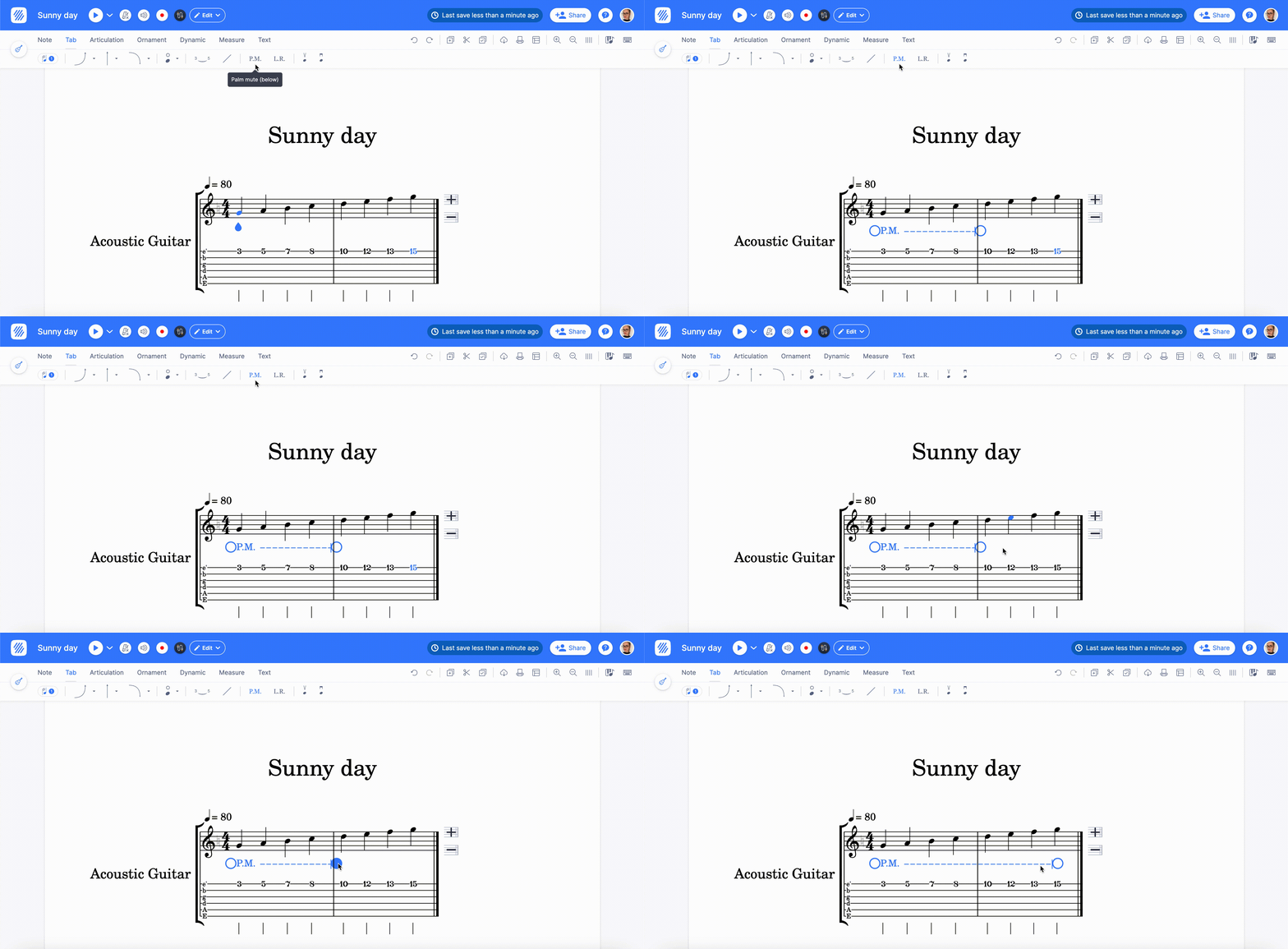
Let ring and palm mute are available in the Tab toolbar. To insert them, place yourself and click on the L.R. (let ring) or P.M. (palm mute) icon. The desired marking will be added from the cursor location to the end of the measure.
Like other range markings on Flat, let ring and palm mute have the ability to be moved horizontally along the part through drag and drop. You can also adjust their size by using the two circular handles at both ends of the marking.
To remove L.R. or P.M., click on the icons while the cursor is located in the range of the marking or select the marking and press the Delete shortcut on your keyboard.
Frequently asked questions
Why does my palm mute stop at the end of the bar?
Because that is where Flat puts it: the marking is added from the cursor location to the end of the measure. Extend it by dragging the circular handle at its right end across the following measures, or shorten it the same way.
How do I remove a palm mute or let ring?
Put the cursor anywhere inside the range and click the P.M. or L.R. icon again, or select the marking itself and press Delete. Both routes remove the whole range, not just the part of it under the cursor.
Can I move a marking without redrawing it?
Yes. Palm mute and let ring behave like Flat's other range markings: drag the marking horizontally to move it along the part, and use the two circular handles at its ends to change where it starts and stops.
Do palm mute and let ring apply to a whole part or only a passage?
Only to the passage the range covers. Each marking spans from where you placed it to where its right handle sits, so a part can carry several P.M. and L.R. ranges - one over each damped or sustained passage - rather than a single setting for the whole part.