How to add chord symbols in Flat
Last updated October 13, 2026
A chord symbol in Flat is a letter name written above the staff that stands for a set of pitches — C, Am7, G7(b9). Flat writes them with the Chords tool in the Text section, suggests matching chords as you type, stores the harmony rather than just the text, and can display a guitar grid under each one.
Where is the Chords tool?
The Chords tool sits in the left panel, in the Notation tab, under Text. Select the note you want the chord above, then click the Chords icon — or press Ctrl + K / ⌘ + K.
| Feature | Location | Icon | Default Keyboard shortcut |
|---|---|---|---|
| Chords | Notation > Text |  | Ctrl + K or ⌘ + K |
What is a chord?
In music, a chord is a system of letter notation representing a set of pitches. On Flat, you can quickly write chords above your notations using our Chords tool available in the Text section of the Notation panel.
How do I start writing chords?
Focus the note where you want to start adding your chord, then open the Notation tab in the left panel and click the Chords icon under Text, or use the keyboard shortcut Ctrl / ⌘ + K. A text field appears at the selected location, with a suggestion box recommending chords related to what you type.
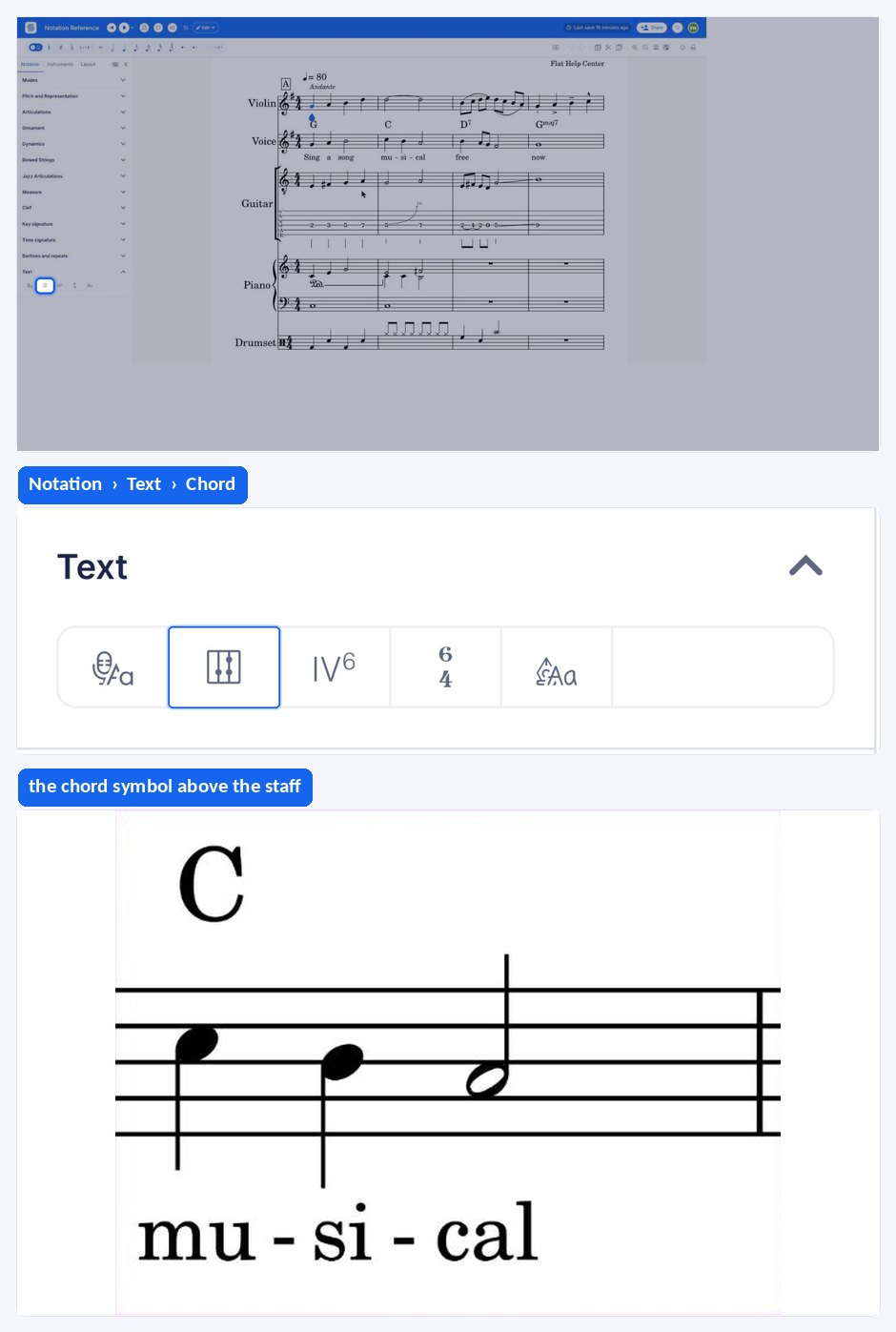
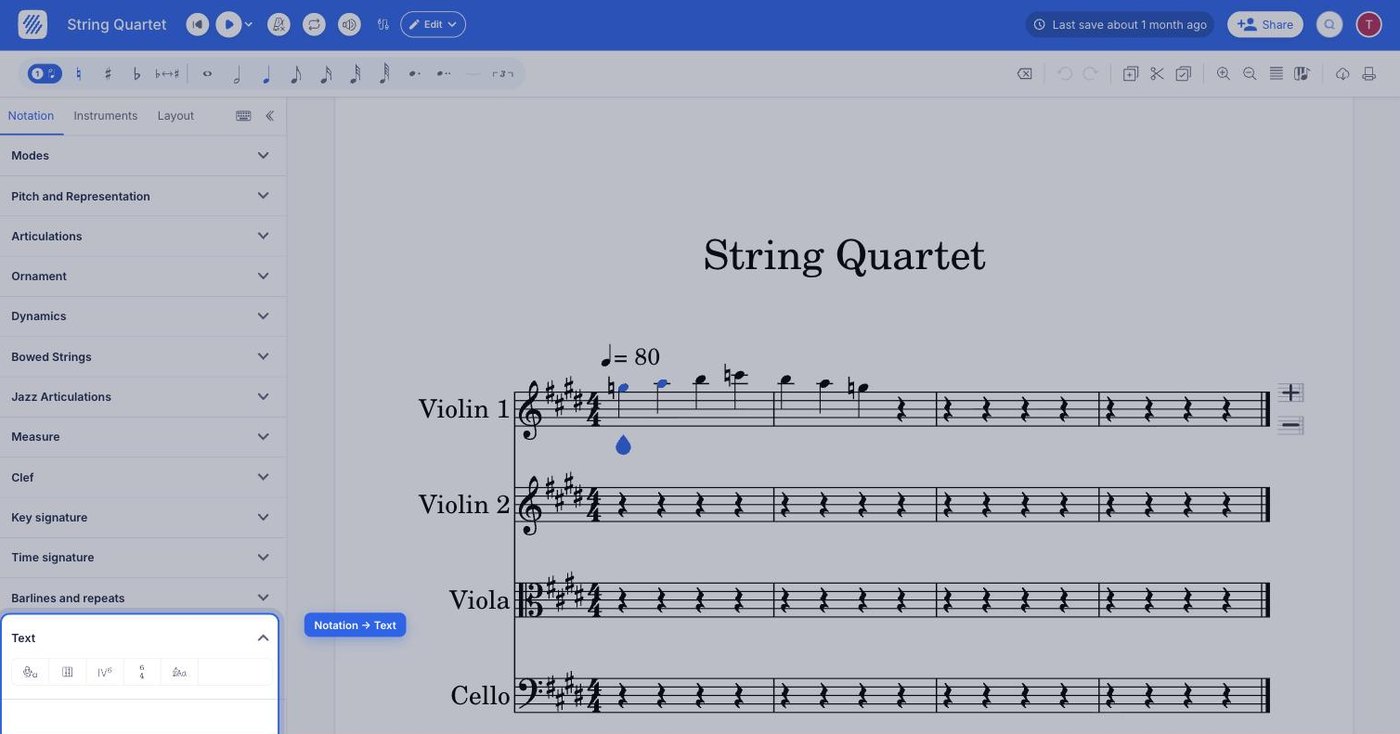
View the list of chords available
How do I add guitar chord grids?
Chord grids show which strings are played and which frets are pressed, drawn under each chord symbol. To add them to your document, enable the grids in the instrument settings. They will be displayed below all the chords you add for the part.
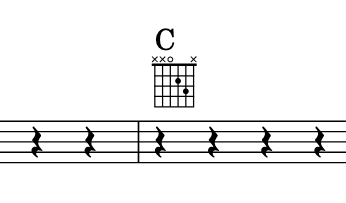
How do I use triangle and minus chord symbols?
If you want to use the triangle and the minus sign, instead of the m for minor chords, and maj for major 7th chords, you can specify it in the left panel: open the Layout tab and set Chord styles.
What are the Chords keyboard shortcuts?
While the Chords tool is open, these keys move you through the score without touching the mouse.
| Action | Shortcut |
|---|---|
| Go to the next chord | → or Enter |
| Go to the previous chord | ← |
| Exit the Chords mode | Esc |
Do chord symbols play back?
To playback the written chords, you will need to use slash notations instead of classic notes.
Frequently asked questions
Does Flat store the meaning of a chord or only its text?
Both. Flat is not storing just the text, but also the semantic of the chord, which is what allows audio playback and the suggestion box to recommend related chords as you type. That is also why a chord has to be one Flat recognises.
What is the difference between a chord symbol and a Roman numeral?
A chord symbol is letter notation — C, Am7 — written above the staff and independent of the key. A Roman numeral instead names the degree of the key that serves as the chord's root, so the same chord is written differently in another key.
What if the chord I need is missing?
Flat supports a long list of chords, from two-note chords up to thirteenths — see the list of jazz chords. If one chord you would like to use is missing from that list, contact our product team and we will add it.
Do chord grids appear for every chord I write?
Yes. Once the grids are enabled for the part, a grid is generated below all the chords you add to it, including new ones written afterwards. See chord grids for how to edit the frets on an individual grid.