How to add a crescendo or diminuendo in Flat
Last updated October 13, 2026
Crescendo and diminuendo in Flat are the hairpin markings that ask a player to get gradually louder or gradually softer across a passage. Flat writes both from the Dynamics section of the Notation panel, draws the hairpin below the staff, and lets you stretch it over as many notes as the change should last.
Where are the crescendo and diminuendo buttons?
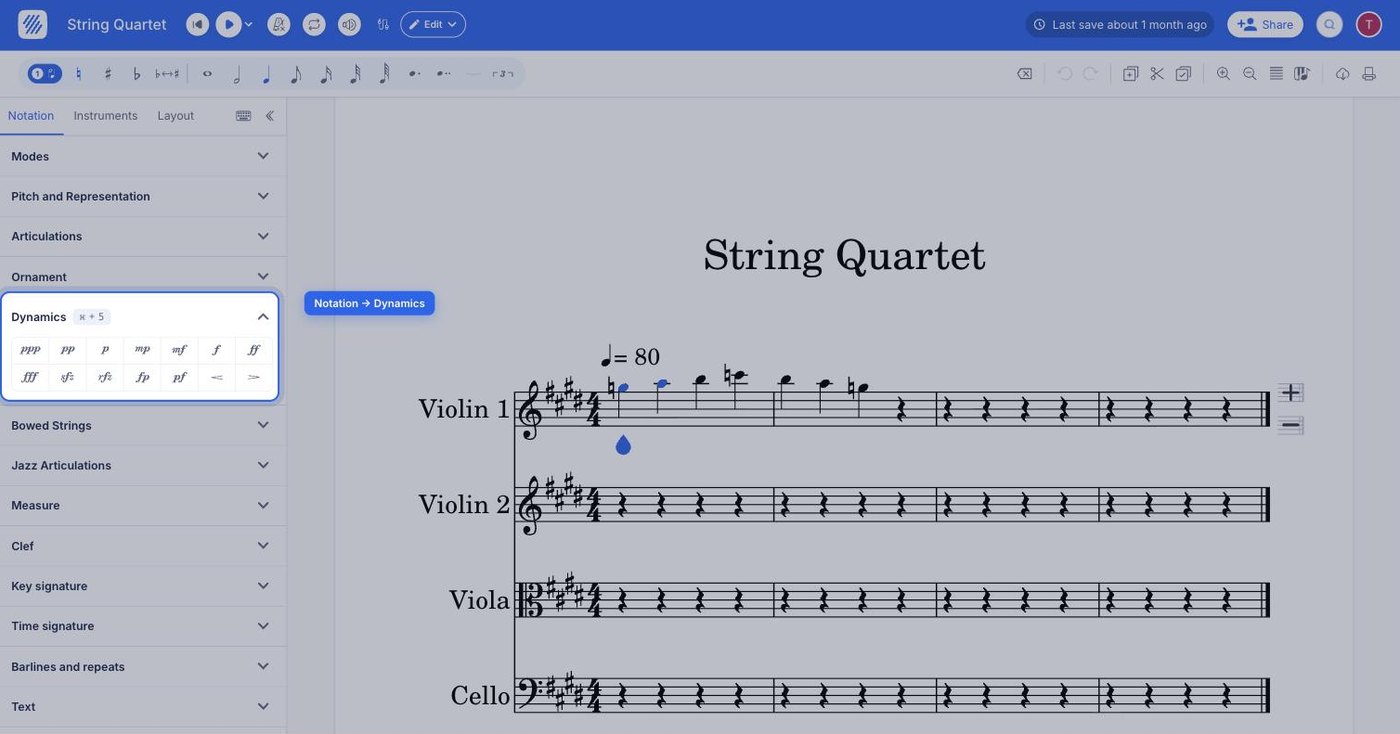
Both wedges sit in the left panel, in the Notation tab, at the end of the Dynamics section. Select the note where the change should start, then click the button you need — or press its default keyboard shortcut.
| Feature | Location | Icon | Default Keyboard shortcut |
|---|---|---|---|
| Crescendo | Notation > Dynamics |  | < |
| Diminuendo | Notation > Dynamics |  | > |
What are Crescendo and Diminuendo?
Crescendo and Diminuendo are signs in music that tell players to get louder (crescendo) or softer (diminuendo) gradually. They look like little "hairpin" symbols under the staff. These signs help musicians add feeling and intensity to the music.
How do I add a crescendo or diminuendo?
Select the note where you want the wedge to start. In the Notation panel on the left, open the Dynamics section and click the crescendo or diminuendo button (the wedges at the end of the section). The hairpin appears below the staff.
To change the length of a wedge, double-click it and drag the handle at either end to extend or shorten it. To remove it, select the wedge and press delete, or click the crescendo or diminuendo button again.
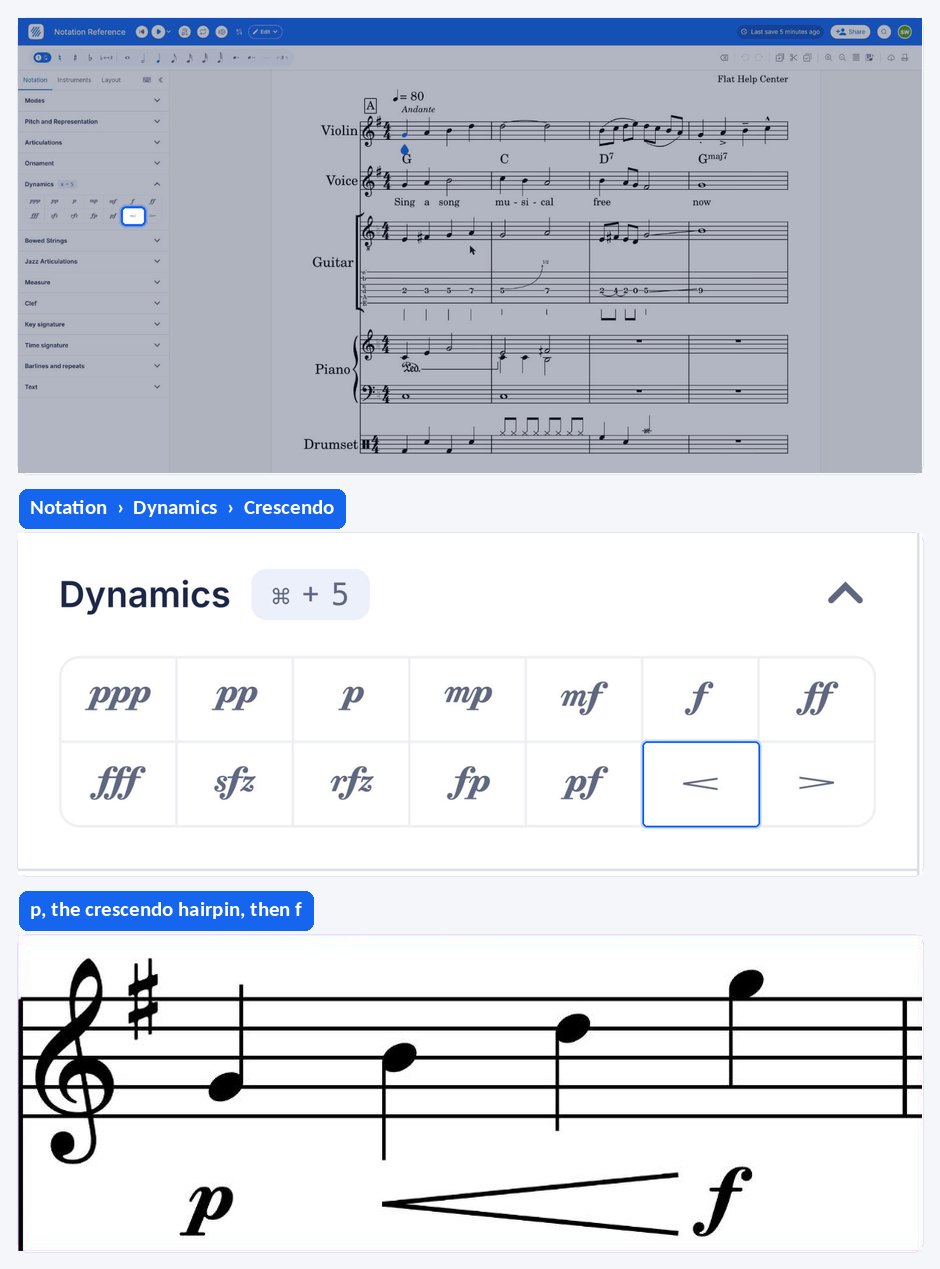
A hairpin says the volume changes; it does not say where it ends up. Write a dynamic marking at the point the hairpin stops so the player knows the target level.
Frequently asked questions
What is the difference between a crescendo and a dynamic marking?
A dynamic marking sets a volume level at one point and holds it until the next marking. A crescendo or diminuendo is a hairpin stretched over several notes asking for a gradual change instead of a sudden one. Scores normally use both together.
Can I add a hairpin with the keyboard?
Yes. < is the default keyboard shortcut for the crescendo and > for the diminuendo. Select the note where the change starts and press the key instead of clicking the button in the Dynamics section — the hairpin behaves exactly the same afterwards.
Which hairpin is the crescendo and which is the diminuendo?
Both are drawn as hairpins under the staff. The crescendo asks the player to get gradually louder and the diminuendo to get gradually softer. In the editor they are the two wedge buttons at the end of the Dynamics section, with the crescendo first.