How to add figured bass notation in Flat
Last updated October 21, 2026
Figured bass in Flat is a way to represent chords from a bass note, writing the degrees added above it as stacked numbers. Flat inputs figured bass with the Figured Bass tool in the Text section, stacks figures on one note, and supports the full set of alterations written before or after a degree.
Where is the Figured Bass tool?
The Figured Bass tool sits in the left panel, in the Notation tab, under Text. Click the icon to enter figured bass mode, or press Ctrl + B / ⌘ + B.
| Feature | Location | Icon | Default Keyboard shortcut |
|---|---|---|---|
| Figured Bass | Notation > Text |  | Ctrl + B or ⌘ + B |
What is figured bass notation?
Figured Bass notation is a way to represent chords, based on a note in the staff that serves as a bass note. From this note, we add numbers which represent the degrees added to the bass note to form the chord.
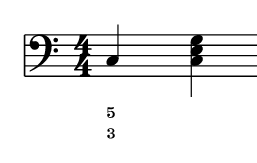
In this example, we add a 3rd and a 5th to have a major chord. As this chord is very common, the 3 and the 5 are usually omitted.
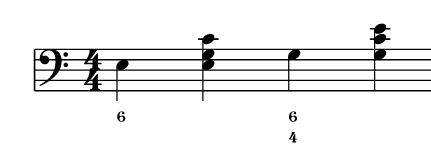
Here is how to represent the first and the second inversion of a C major chord.
How do I raise or lower a degree?
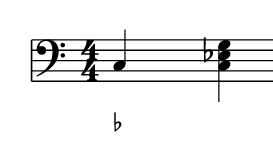
It is possible to lower/raise degrees, by using an accidental, +, / and \. When an accidental appears alone, it means it is applied to the 3rd degree. You can see this with the minor C chord in the example below.
There are different conventions on how to apply accidentals before degrees. In some conventions, the alteration for the degree is applied on top of the alteration of the key signature. In some others, the key signature alteration is ignored. If there is a flat at the key, a sharp before a figure digit could either result in the note sounding sharped or natural, depending on the convention in use.
Here is the list of notations you can write before a degree:
| Alteration | Text input on Flat | Effect |
|---|---|---|
| Plus | + | Raise by 1/2 tone |
| Sharp | # | Raise by 1/2 tone |
| Double Sharp | ## | Raise by 1 tone |
| Natural | n | Cancel the key signature |
| Flat | b | Lower by 1/2 tone |
| Double Flat | bb | Lower by 1 tone |
And here are the ones you can write after a degree:
| Alteration | Text input on Flat | Effect |
|---|---|---|
| Slash | / | Lower by 1/2 tone |
| Back-Slash | \ | Raise by 1/2 tone |
How do I input figured bass?
Open the Notation tab in the left panel and click the Figured Bass icon under Text. Then place the cursor where you want to input it, and write the degrees and alterations you need. You can stack degrees using Enter, and go to the next note with the left and right arrow keys.
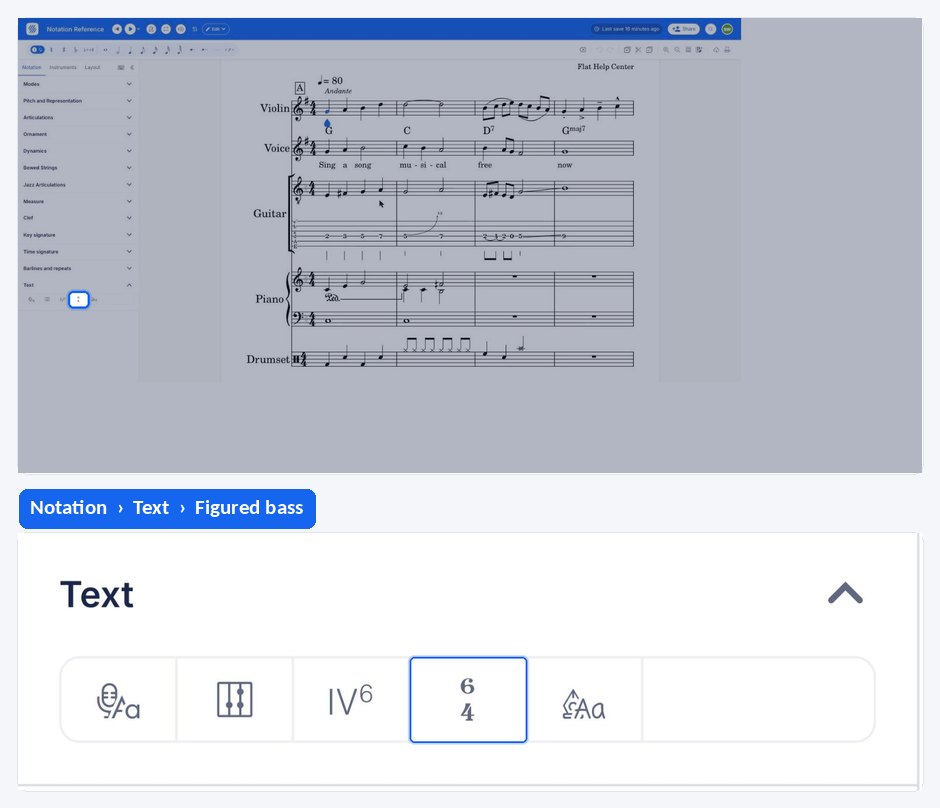
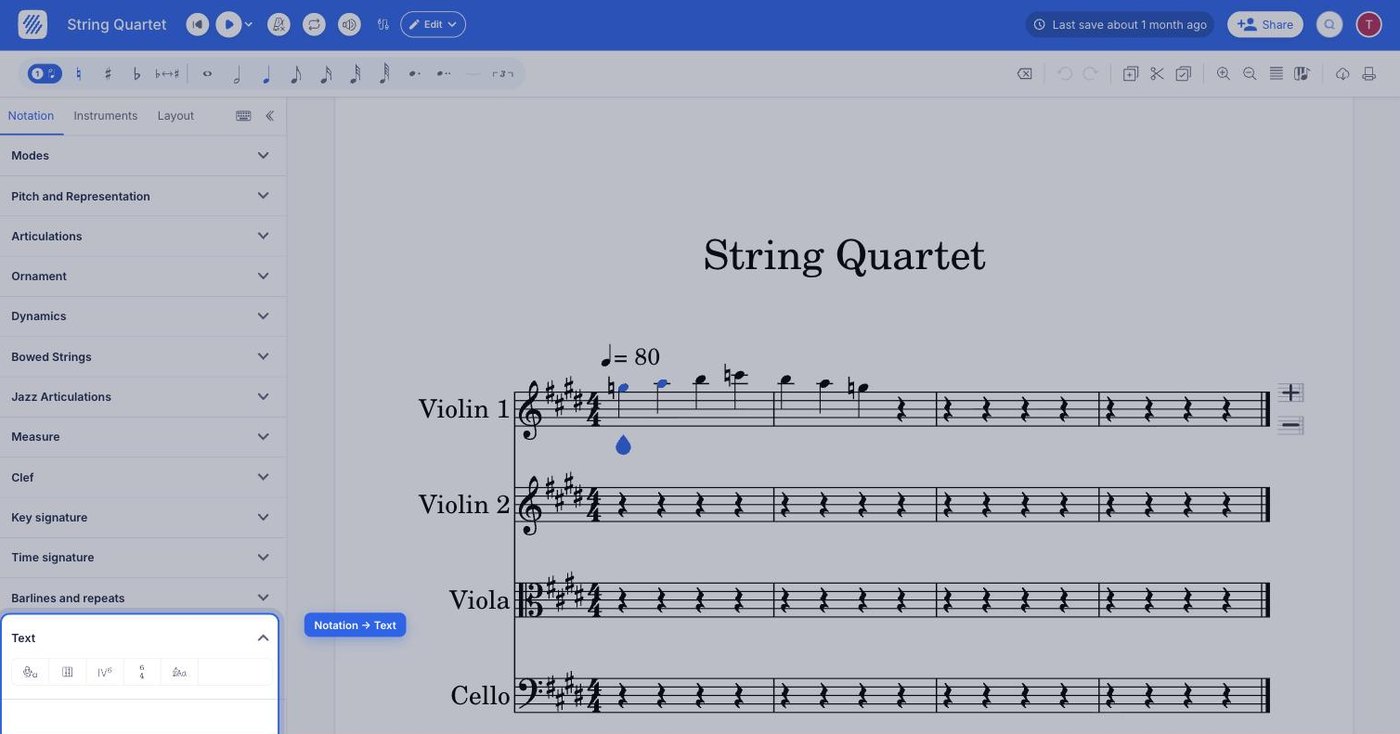
Press Esc to leave figured bass mode and go back to note editing. The teardrop-shaped note cursor comes back on the selected note.
What are the Figured Bass keyboard shortcuts?
While figured bass mode is open, these keys move between notes and between the stacked figures.
| Action | Shortcut |
|---|---|
| Go to the next Chord | → |
| Go to the previous Chord | ← |
| Go to a lower Figure | ↓ or Enter |
| Go to a higher Figure | ↑ |
| Exit the Figured Bass mode | Esc |
Frequently asked questions
Why are the 3 and the 5 usually left out?
Because a bass note with a 3rd and a 5th above it is the most common chord there is. Writing every figure would clutter the part, so the convention is to omit the 3 and the 5 and only write the figures that differ from that default.
Does an accidental before a figure cancel the key signature?
It depends on the convention you follow. In some, the alteration is applied on top of the key signature; in others the key signature is ignored. Flat writes the figure exactly as you type it, so decide which convention your edition uses and stay consistent across the piece.
What is the difference between figured bass and Roman numerals?
Figured bass describes a chord from the bass note upwards, using the intervals stacked above it. Roman numeral notation instead names the degree of the key that the chord is built on, so it describes the chord's function rather than its spacing.
Can I raise a degree without writing a sharp?
Yes. A + before the degree raises it by a half tone, and a back-slash \ written after the degree does the same. To lower a degree without a flat, write a slash / after it. All three are alternatives to the accidental signs in the tables above.