How to tie two notes in Flat
Last updated October 13, 2026
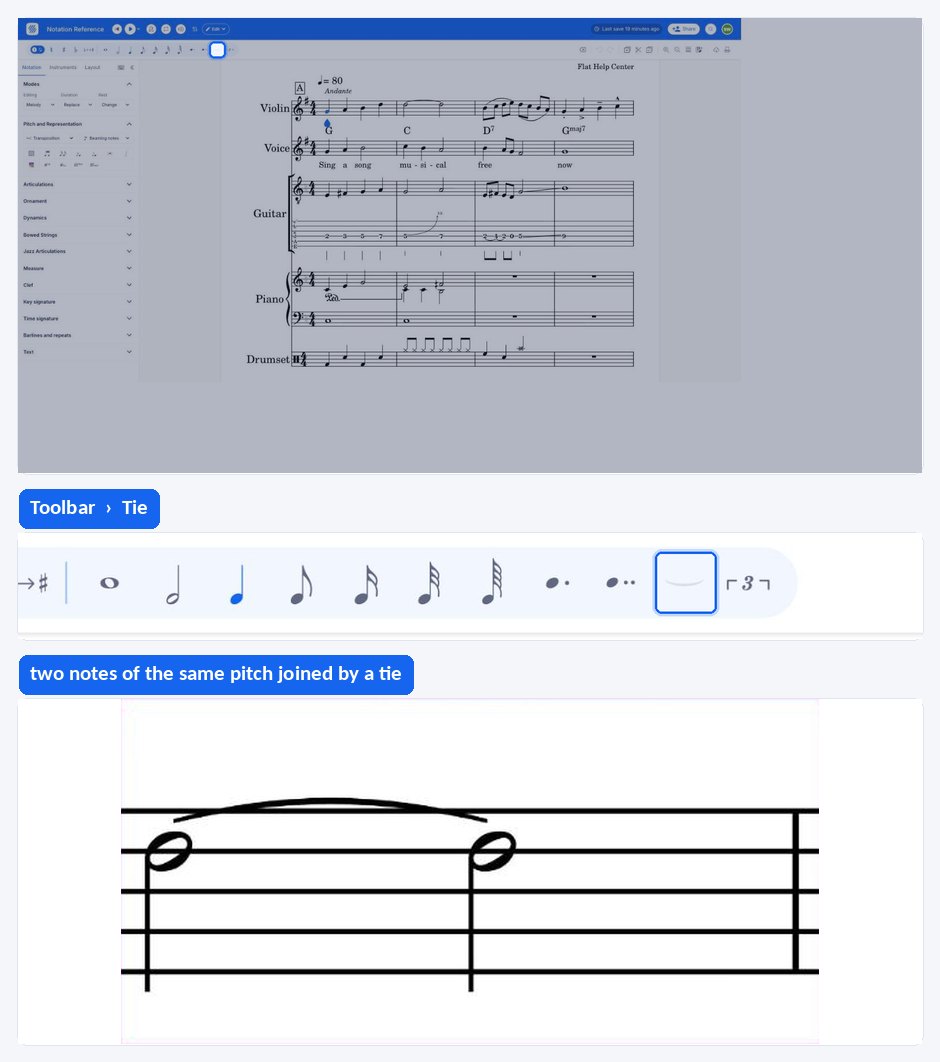
A tie in Flat is a curved line joining two notes of the same pitch so that they sound as a single note lasting the sum of both values. Flat ties single notes and the matching heads of a chord, removes a tie with the same tool, and flips a tie above or below the staff.
Where are the tie tools?
The tie and flip-tie tools are part of the note tools in the left panel, under the Notation tab. The tie has a keyboard shortcut you can use while writing; flipping a tie has none by default and is done from the tie tool once a tie is selected.
| Feature | Icon | Keyboard shortcut |
|---|---|---|
| Tie |  | , |
| Flip tie |  | None |
What is a tie?
A tie is a line connecting two notes of the same pitch, played as one note. The duration of the resulting sound equals the sum of the rhythmic values of the two tied notes. Ties are how a note is carried across a barline, or how a length is written that no single note value can express.
A tie joins two notes of the same pitch into one sound. If you are trying to join notes of different pitches, you are looking for a slur instead.
How do I tie two notes?
Write two notes of the same pitch with the durations you want, then select the first one and apply the tie tool from the note tools in the left panel, under the Notation tab. Flat draws the tie between the two notes. Applying the same tool again removes it.
It also works on chords.
When you use the tie tool on a chord, the editor only connects the heads of the chord that can be tied.
How to change the direction of a tie
Select the notehead on the left-hand side of the tie, then open the tie tool in the left panel, under the Notation tab. From there you can flip the tie that starts at this notehead, so it curves above or below the staff instead of the direction Flat chose automatically.
Frequently asked questions
What is the difference between a tie and a slur?
A tie joins two notes of the same pitch and merges them into one sound lasting the sum of both values. A slur joins notes of different pitches and asks for them to be played smoothly, without re-articulating each one. If your two notes are not the same pitch, use a slur.
Why did only some notes of my chord get tied?
Because Flat only connects the heads that can be tied. When you apply the tie tool to a chord, any notehead with no matching pitch in the following chord is left alone, so a four-note chord followed by a two-note chord produces two ties rather than four.
How do I remove a tie?
Select the first of the two tied notes and apply the tie tool again. The same control adds and removes the tie, so there is nothing separate to delete, and both notes keep their own written durations once the tie is gone.
Should I use a tie or a dot to lengthen a note?
Use a dot when the extra duration fits inside the same bar, and a tie when it crosses a barline or produces a length no single note value can express. Dotted notes are more compact to read; ties are the only option across a barline.