How to add dynamics in Flat
Last updated September 23, 2026
Dynamics in Flat are the symbols that indicate the volume or intensity of a musical passage, from piano to forte and the range of variations in between. Flat writes them from the Dynamics section of the Notation panel, and applies each marking to playback from its position until the next one.
How do I add a dynamic to my score?
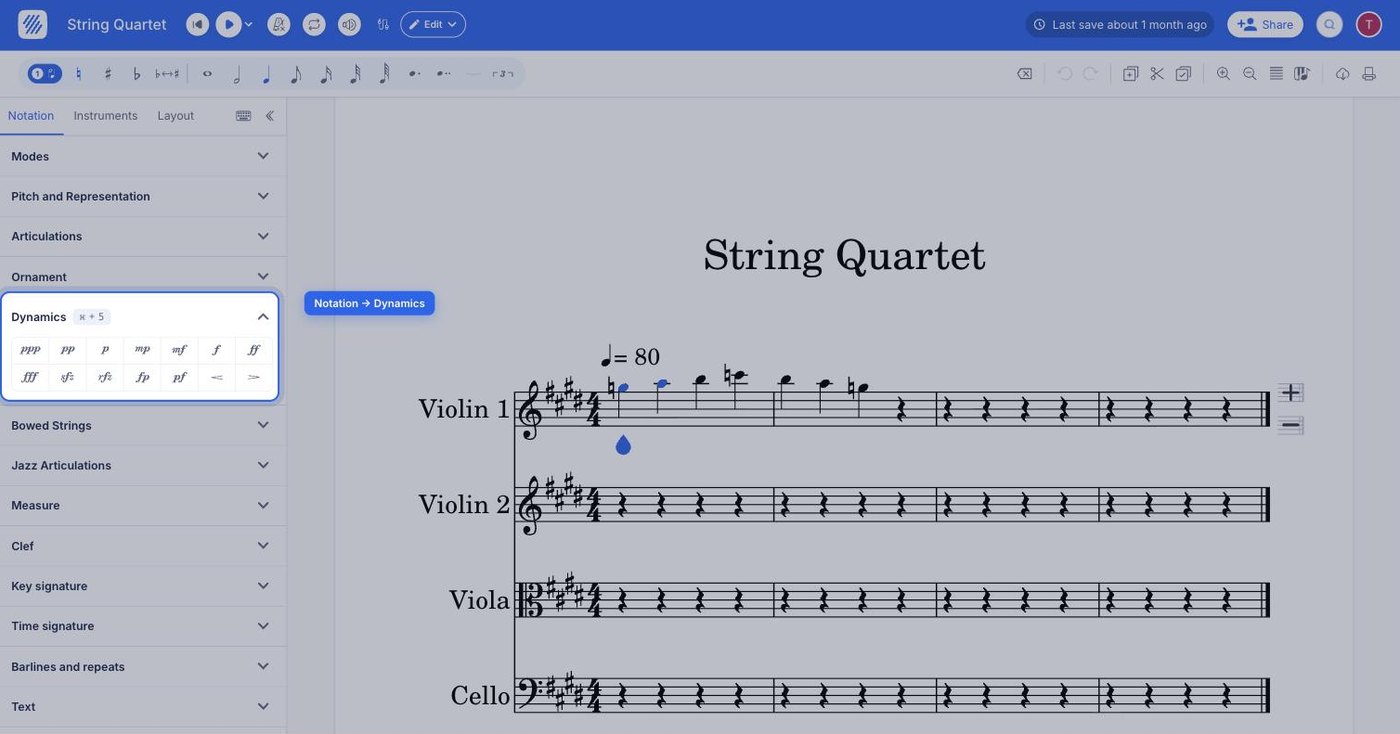
Place the cursor where the dynamic should start, open the Notation tab in the left panel, and select the right dynamic under Dynamics. To remove the dynamic, just click on the same icon one more time. The marking appears under the staff at the cursor position.
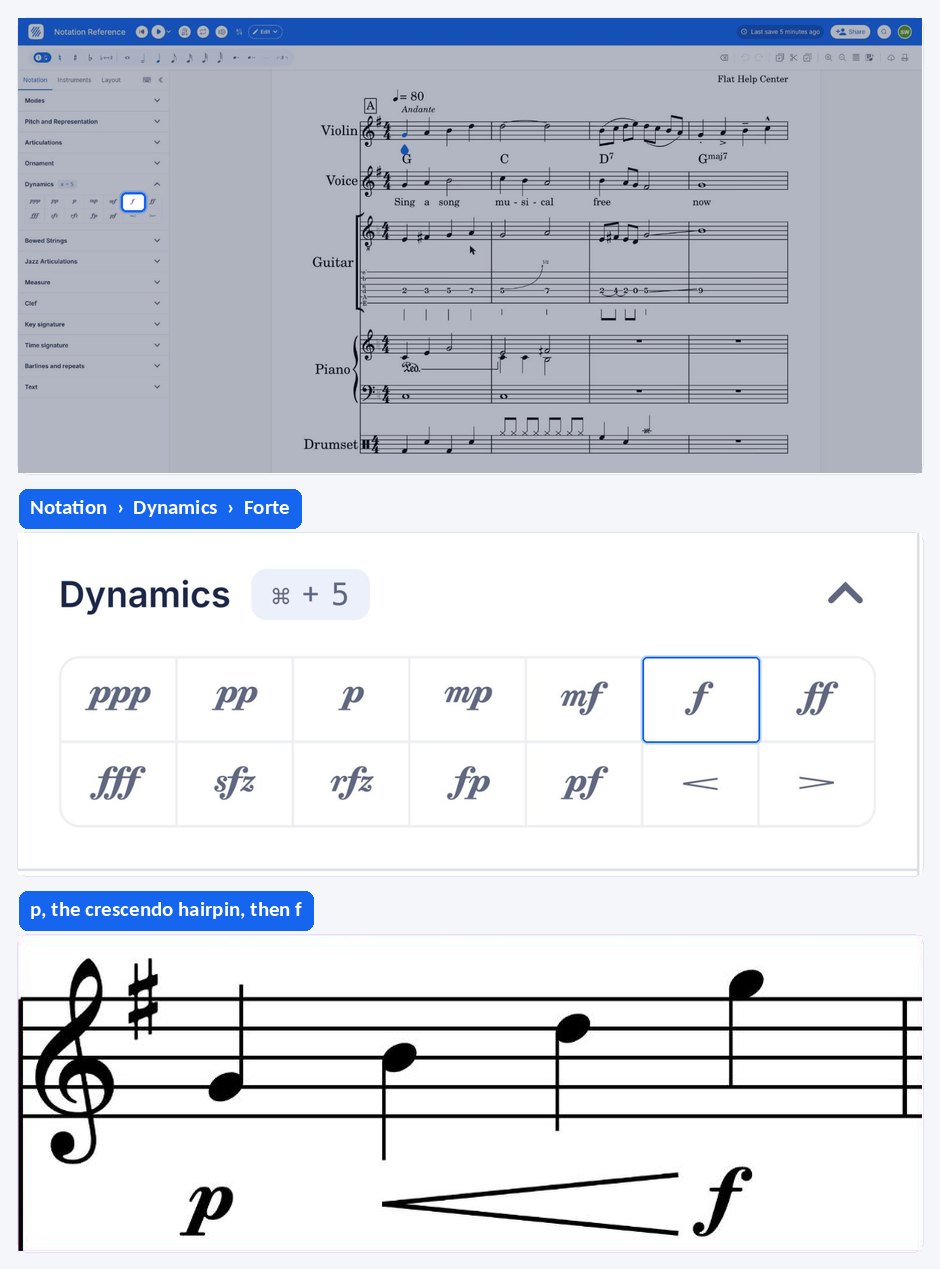
For a volume change that happens over several notes rather than at a single point, use a hairpin instead — see crescendo and diminuendo.
How do I change the position of a dynamic?
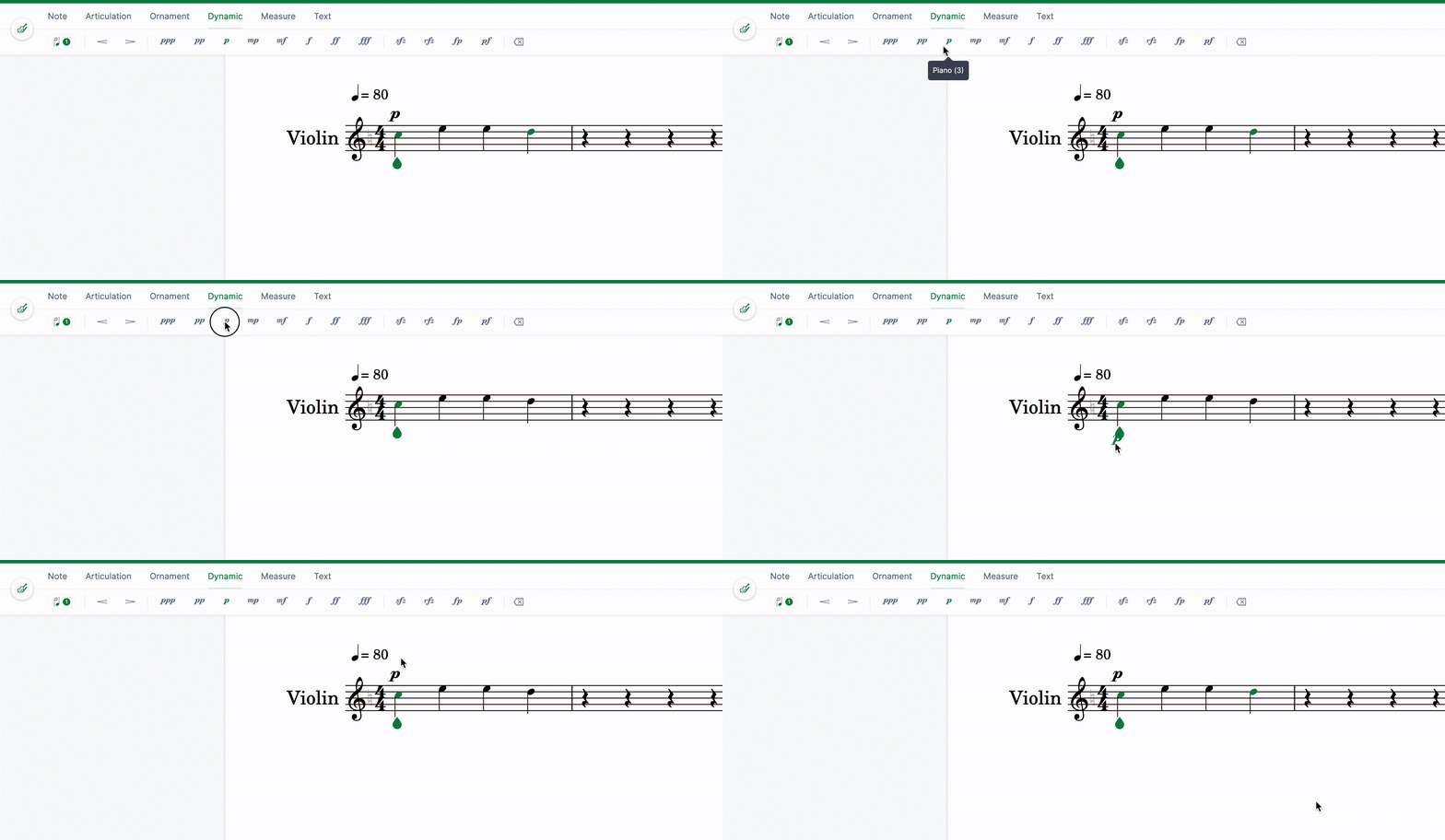
To position the dynamic above the staff, simply drag and drop it. Flat keeps the marking attached to the same beat, so moving it is a layout change rather than a musical one, and playback is unaffected.
How does Flat play back dynamics?
Flat reads every dynamic as an instruction that applies from its position onwards, on the staff it is attached to, until another dynamic replaces it. These are the rules worth knowing:
- Dynamic markings are used to change the volume and intensity of all the notes from its location in the staff. It means that the note at the dynamic location as well as all the notes that follow will be played with the same volume and intensity, until a different dynamic marking is reached.
- For most instruments, dynamics will only affect the volume at which the notes are played. However, Flat also offers many HQ instruments that often include up to 3 dynamics levels to also change the intensity at which the notes are played. You can find the full list of HQ instruments on this dedicated help page.
- A dynamic marking only changes the playback of the staff it is attached to. If you want the dynamics to change the playback of two or more staves you will have to set a dynamic marking for each of these staves.
- The default dynamic, although not shown on the score, is mp.
Frequently asked questions
What volume does Flat use before the first dynamic?
The default dynamic is mp, even though nothing is printed on the score. Everything up to your first marking plays at that level, so adding a dynamic in bar one is the way to set a different starting point for the part.
Why did my dynamic only change one staff?
Because a dynamic marking only changes the playback of the staff it is attached to. If you want the dynamics to change the playback of two or more staves, add a marking to each of them — a single f on the top staff of a piano part will not affect the lower one.
How do I know whether my instrument responds to dynamics with more than volume?
Most instruments only change volume. Flat's HQ instruments often include up to three dynamic levels, so they also change the intensity of the sound. Check the list of HQ instruments to see whether the instrument assigned to your part is one of them.
What is the difference between a dynamic and a crescendo?
A dynamic sets a level from the point where it is written and holds it until the next marking. A crescendo or diminuendo is a hairpin that spans several notes and asks for a gradual change between two levels, so the two are usually written together.