How to add fingerings in Flat
Last updated September 16, 2026
Fingering in Flat is the finger number written above a note to say which finger plays it. Flat adds fingerings from the Notation tab with a single tool: each click raises the number, so pianists, guitarists, and string players can annotate a passage note by note and chord by chord.
Where is the fingering tool?
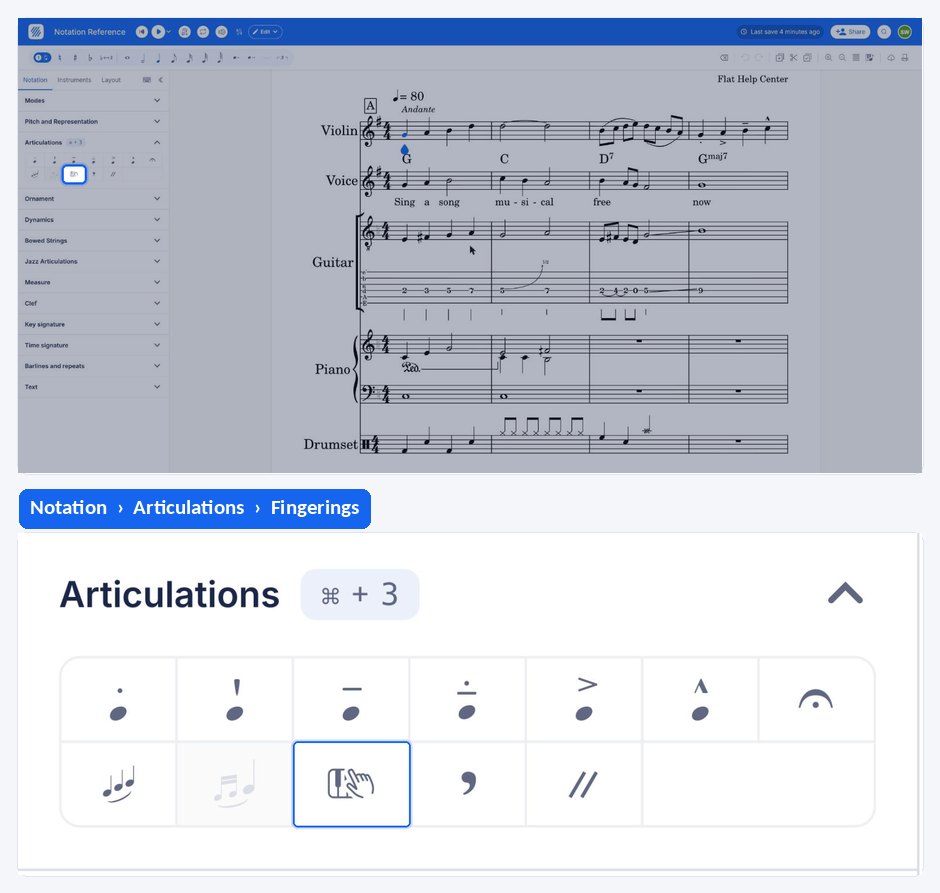
The fingering tool is in the Notation tab of the editor's left panel. It applies to the note your cursor is on, and clicking it repeatedly cycles through the finger numbers until the fingering is removed again.
| Where to find it | Icon |
|---|---|
| Notation tab |  |
What is fingering in music notation?
Pianists, guitarists, and string instrument players often add finger numbers above notes to indicate which finger to use for playing a particular note or chord. Fingering in music notation is a crucial aspect as it helps performers execute passages with precision and efficiency, especially in complex pieces or passages with specific technical demands.
How do I add or remove a fingering?
Place your cursor on the note, open the Notation tab in the left panel and click the fingering tool. To add the right number, click as many times on the tool as the desired finger number. To remove it, click one more time on the icon.
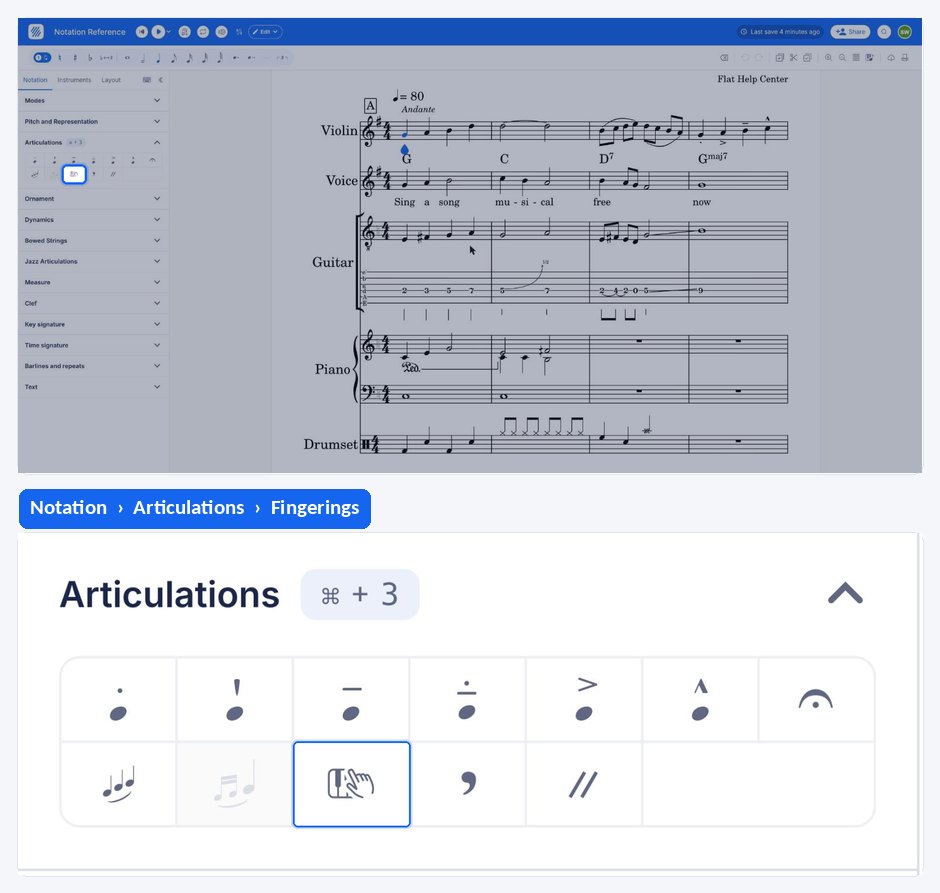
In case you want to insert the fingering for chords, place yourself on the first note and insert the fingering, then click on the second note of the chord and insert the fingering for that note, and so on.
Frequently asked questions
How do I remove a fingering I added by mistake?
Keep clicking. The tool cycles through the finger numbers, so clicking one more time past the number you reached clears the fingering from the note. Undo also works if you would rather step back through the change.
Are there fingerings for wind and brass instruments?
Yes, as separate features: Flat has brass fingerings and recorder fingerings, which show a fingering chart rather than a single finger number. The fingering tool described here is the numeric one used by keyboard and string players.
Can guitarists write fret numbers instead?
Yes - write the part as tablature. Flat supports guitar tablature, where the numbers on the lines are frets rather than fingers. Fingerings and tablature can both be useful: one says which finger to use, the other where to put it.